
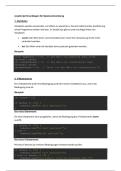
JavaScript Grundlagen für Spieleentwicklung
1. Variablen
Variablen werden verwendet, um Werte zu speichern, die sich während der Ausführung
eines Programms ändern können. In JavaScript gibt es zwei wichtige Arten von
Variablen:
const: Der Wert einer const-Variable kann nach ihrer Zuweisung nicht mehr
verändert werden.
let: Der Wert einer let-Variable kann jederzeit geändert werden.
Beispiel:
const maxScore = 100; // Der Wert von maxScore kann nicht
verändert werden
let currentScore = 0; // Der Wert von currentScore kann
verändert werden
currentScore = 50; // Jetzt ist der Wert von currentScore 50
2. If Statements
Ein if-Statement prüft eine Bedingung und führt einen Codeblock aus, wenn die
Bedingung true ist.
Beispiel:
let score = 50;
if (score >= 100) {
console.log("Du hast gewonnen!");
}
Das else Statement:
Ein else-Statement wird ausgeführt, wenn die Bedingung des if-Statements nicht
zutri t.
if (score >= 100) {
console.log("Du hast gewonnen!");
} else {
console.log("Weiter spielen!");
}
Das else if Statement:
Mit else if kannst du mehrere Bedingungen hintereinander prüfen.
if (score >= 100) {
console.log("Du hast gewonnen!");
} else if (score >= 50) {
console.log("Gute Arbeit, noch ein bisschen mehr!");
, } else {
console.log("Du kannst es schaffen!");
}
3. Schleifen
Schleifen sind wichtig, um einen Codeblock mehrfach auszuführen.
For-Schleife:
Die for-Schleife wird verwendet, wenn du weißt, wie oft der Code ausgeführt werden
soll.
for (let i = 0; i < 5; i++) {
console.log("Schritt " + (i + 1));
}
While-Schleife:
Die while-Schleife wird so lange ausgeführt, wie eine bestimmte Bedingung erfüllt ist.
let count = 0;
while (count < 5) {
console.log("Schritt " + (count + 1));
count++;
}
Do/While-Schleife:
Die do/while-Schleife führt den Code mindestens einmal aus und überprüft danach die
Bedingung.
let attempts = 0;
do {
console.log("Versuch " + (attempts + 1));
attempts++;
} while (attempts < 3);
4. Funktionen
Funktionen sind Blöcke von Code, die ausgeführt werden, wenn sie aufgerufen werden.
Sie sind hilfreich, um wiederkehrende Aufgaben zu vereinfachen.
Beispiel:
function greet(name) {
console.log("Hallo, " + name + "!");
}
greet("Max"); // Ausgabe: Hallo, Max!
1. Variablen
Variablen werden verwendet, um Werte zu speichern, die sich während der Ausführung
eines Programms ändern können. In JavaScript gibt es zwei wichtige Arten von
Variablen:
const: Der Wert einer const-Variable kann nach ihrer Zuweisung nicht mehr
verändert werden.
let: Der Wert einer let-Variable kann jederzeit geändert werden.
Beispiel:
const maxScore = 100; // Der Wert von maxScore kann nicht
verändert werden
let currentScore = 0; // Der Wert von currentScore kann
verändert werden
currentScore = 50; // Jetzt ist der Wert von currentScore 50
2. If Statements
Ein if-Statement prüft eine Bedingung und führt einen Codeblock aus, wenn die
Bedingung true ist.
Beispiel:
let score = 50;
if (score >= 100) {
console.log("Du hast gewonnen!");
}
Das else Statement:
Ein else-Statement wird ausgeführt, wenn die Bedingung des if-Statements nicht
zutri t.
if (score >= 100) {
console.log("Du hast gewonnen!");
} else {
console.log("Weiter spielen!");
}
Das else if Statement:
Mit else if kannst du mehrere Bedingungen hintereinander prüfen.
if (score >= 100) {
console.log("Du hast gewonnen!");
} else if (score >= 50) {
console.log("Gute Arbeit, noch ein bisschen mehr!");
, } else {
console.log("Du kannst es schaffen!");
}
3. Schleifen
Schleifen sind wichtig, um einen Codeblock mehrfach auszuführen.
For-Schleife:
Die for-Schleife wird verwendet, wenn du weißt, wie oft der Code ausgeführt werden
soll.
for (let i = 0; i < 5; i++) {
console.log("Schritt " + (i + 1));
}
While-Schleife:
Die while-Schleife wird so lange ausgeführt, wie eine bestimmte Bedingung erfüllt ist.
let count = 0;
while (count < 5) {
console.log("Schritt " + (count + 1));
count++;
}
Do/While-Schleife:
Die do/while-Schleife führt den Code mindestens einmal aus und überprüft danach die
Bedingung.
let attempts = 0;
do {
console.log("Versuch " + (attempts + 1));
attempts++;
} while (attempts < 3);
4. Funktionen
Funktionen sind Blöcke von Code, die ausgeführt werden, wenn sie aufgerufen werden.
Sie sind hilfreich, um wiederkehrende Aufgaben zu vereinfachen.
Beispiel:
function greet(name) {
console.log("Hallo, " + name + "!");
}
greet("Max"); // Ausgabe: Hallo, Max!


