Stuvia's free citation generator: create perfect references in seconds
We built the Stuvia Citation Generator: a completely free tool that creates accurate, formatted citations for your essays, research papers, and assignments. No sign-up, no ads, no limits.
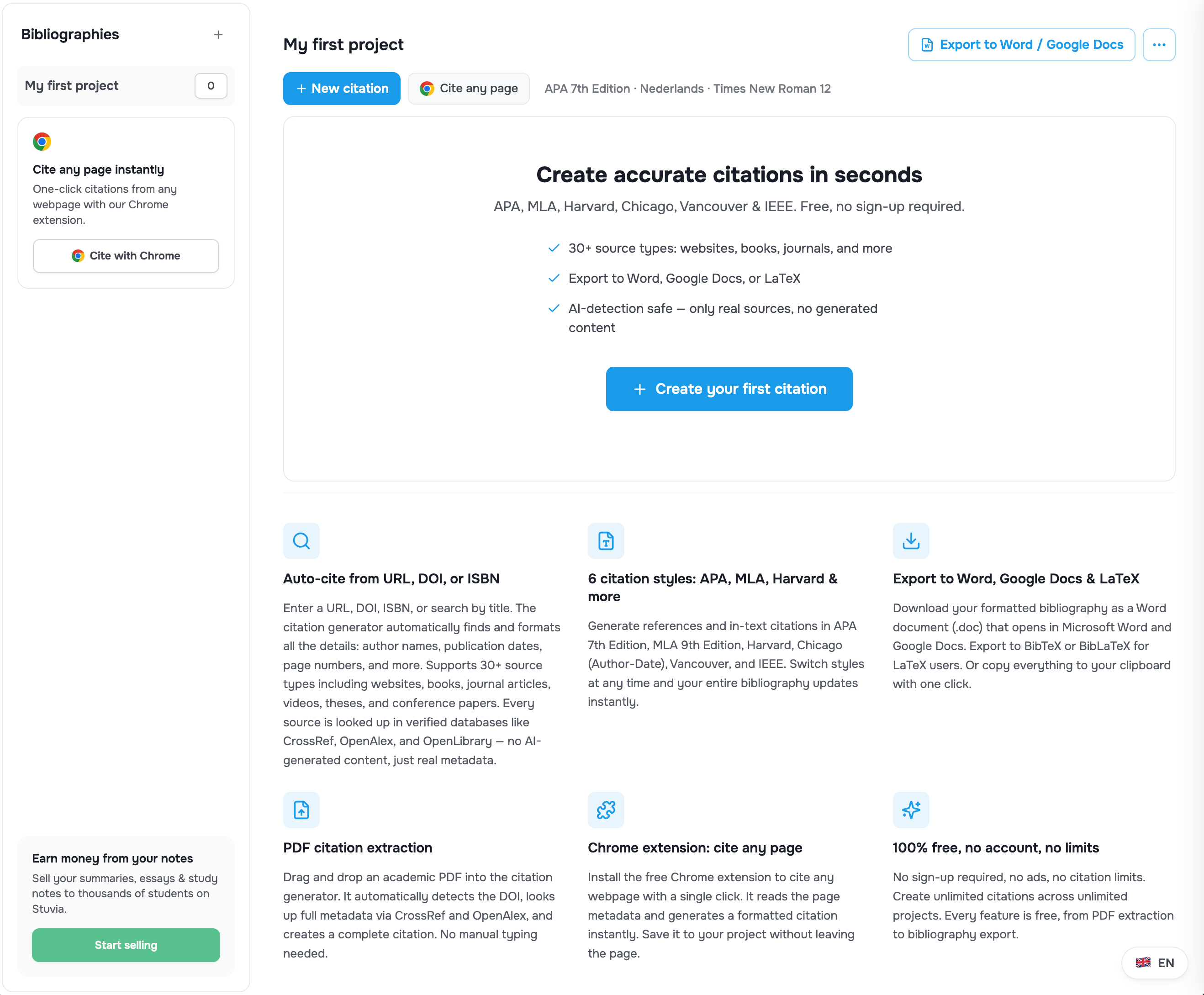
Getting your citations right is one of the most tedious parts of academic writing. Whether you're formatting an APA reference list, building an MLA works cited page, or compiling a Harvard bibliography, the rules are strict and the details matter. A misplaced comma or missing DOI can cost you marks.
That's why we built the Stuvia Citation Generator: a completely free tool that creates accurate, formatted citations for your essays, research papers, and assignments. No sign-up, no ads, no limits.
What the citation generator does
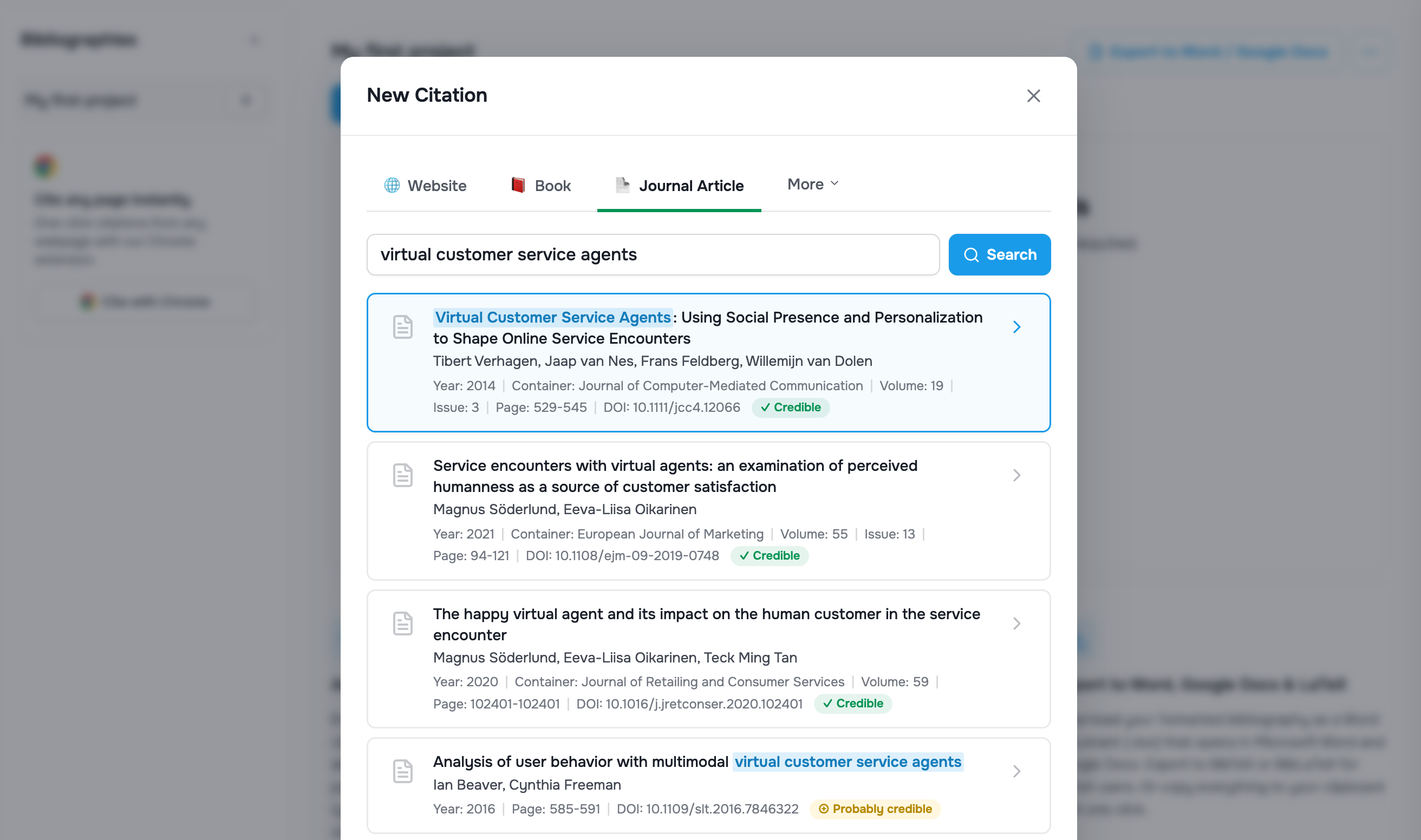
The Stuvia Citation Generator takes the pain out of referencing. Paste a URL, DOI, or ISBN, and the tool automatically retrieves the source details and formats a complete citation. It supports over 30 source types, including websites, books, journal articles, conference papers, theses, videos, images, and PDFs.
You can also enter source information manually if you prefer, or drag and drop a scholarly PDF directly into the tool. The generator extracts the DOI from the PDF, looks up the full metadata, and creates a ready-to-use citation without any manual typing.
Six citation styles, one tool
Different institutions and journals require different reference styles. The Stuvia Citation Generator supports the six most widely used formats:
- APA 7th Edition — the standard for psychology, education, and social sciences
- MLA 9th Edition — commonly required in humanities and literature courses
- Harvard — widely used across UK, Australian, and international universities
- Chicago (Author-Date) — popular in history, business, and the social sciences
- Vancouver — the go-to style for medical and health science papers
- IEEE — required for engineering and computer science publications
Switch between styles at any time and your entire bibliography updates instantly. No need to start over when your professor changes the required format.
How to use the citation generator
Creating citations takes less than a minute:
- Choose your citation style. Select APA, MLA, Harvard, Chicago, Vancouver, or IEEE from the settings.
- Select your source type. Pick from 30+ options: website, book, journal article, video, PDF, image, and more.
- Enter the source. Paste a URL, DOI, or ISBN to auto-fill the citation details, or type them in manually. You can also drag and drop a PDF.
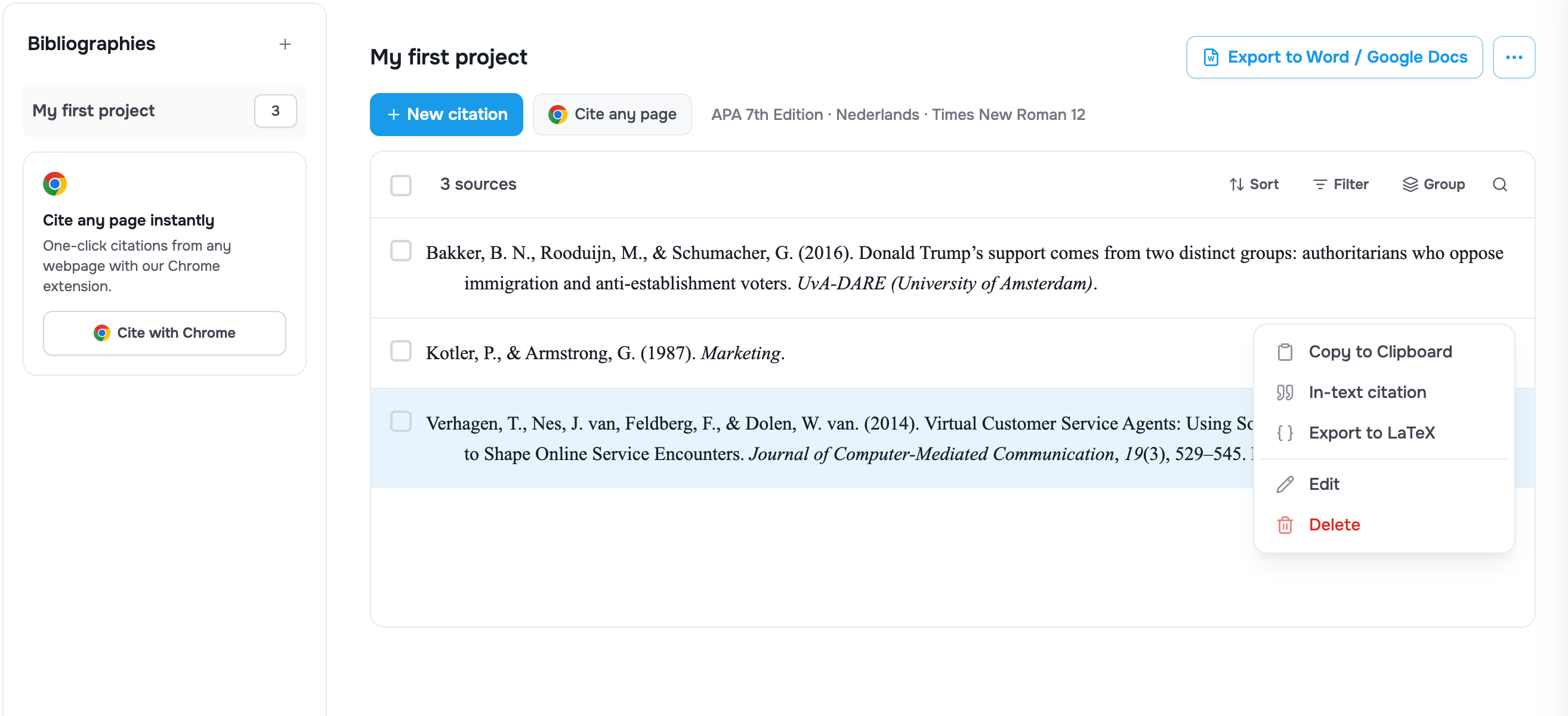
- Save and export. Review your formatted reference and in-text citation, then save it to your project. When you're done, export your complete bibliography.
Export your bibliography anywhere
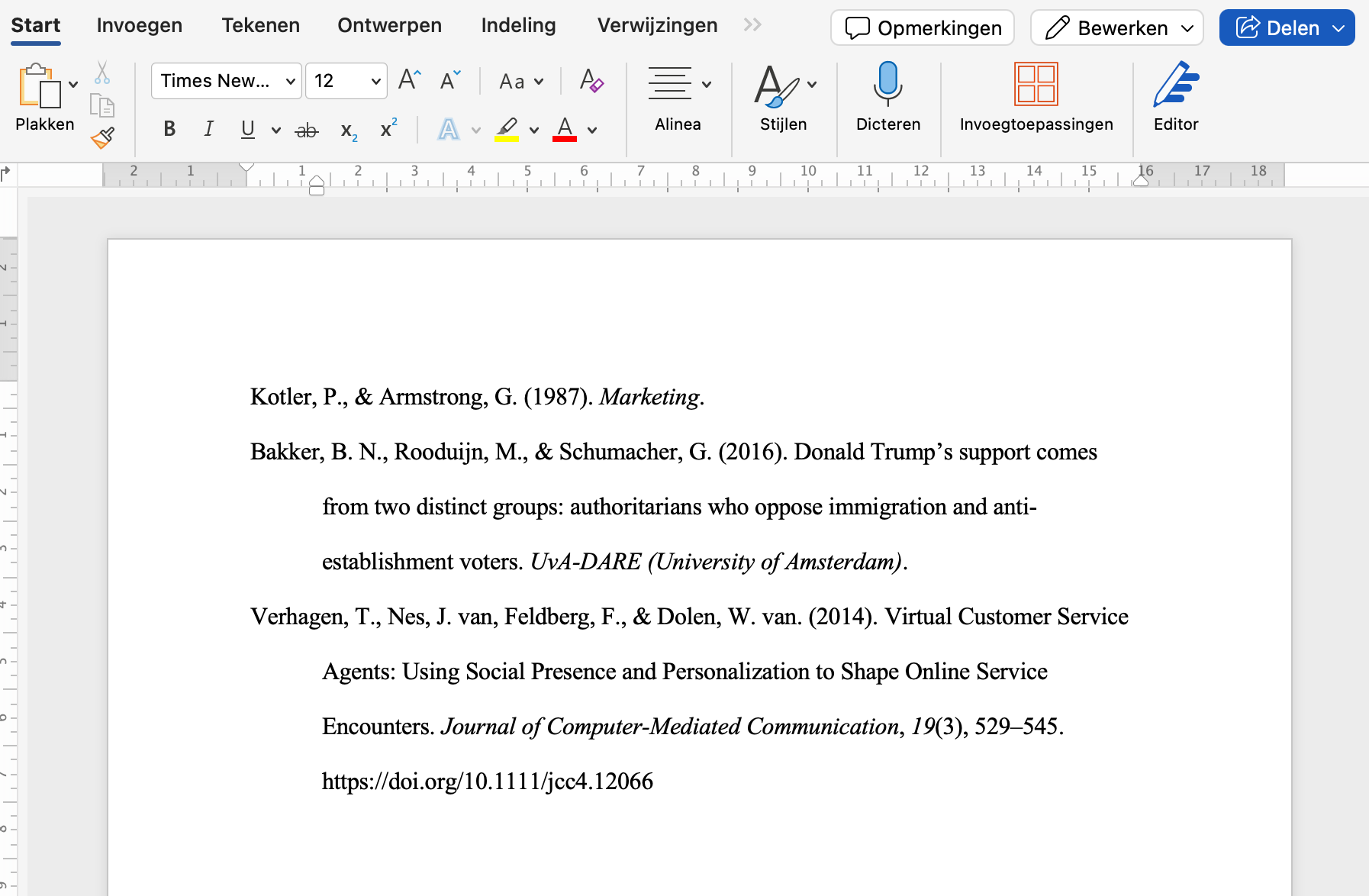
Once your reference list is complete, you have several export options:
- Word / Google Docs — download a .docx file that opens in both Microsoft Word and Google Docs, with your bibliography pre-formatted in the correct style, font, and spacing.
- BibTeX / BibLaTeX — export a .bib file for LaTeX users, ready to import into Overleaf or your local LaTeX editor.
- Clipboard — copy your formatted bibliography with one click and paste it directly into your document.
Cite any webpage with the Chrome extension
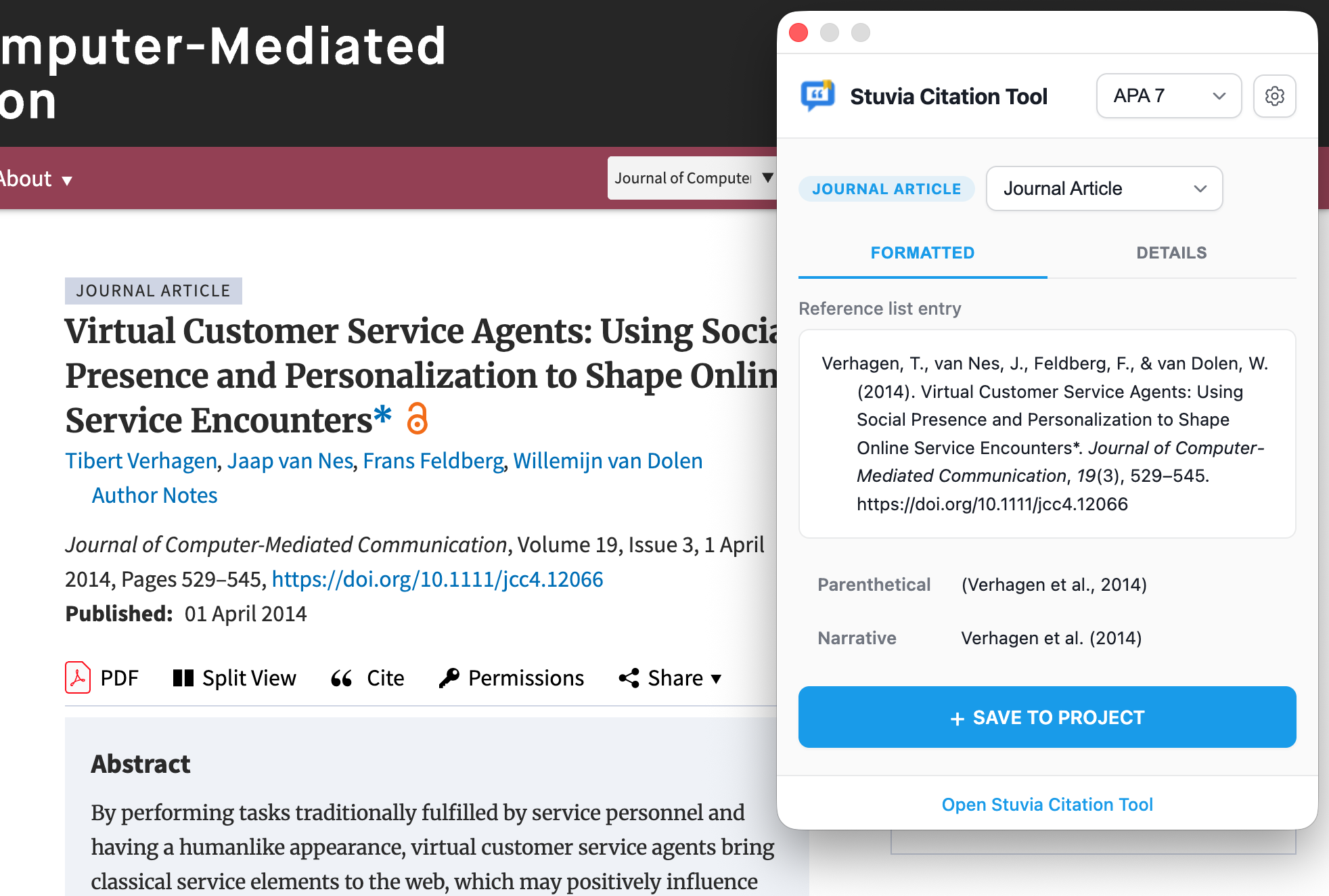
We also built a free Chrome extension that lets you cite any webpage without leaving the page. Click the extension icon, and it reads the page metadata and generates a formatted citation in your chosen style. The citation is saved directly to your project in the Stuvia Citation Generator.
This is especially useful when you're doing research and collecting sources from multiple websites, databases, and online journals.
Manage multiple projects
Working on several assignments at once? The citation generator lets you create separate bibliography projects for each paper. Switch between projects in the sidebar, keep your sources organized, and export each bibliography independently.
Why we built this
Stuvia is a marketplace where over a million students every month find study materials shared by fellow students. We know that writing academic papers is a core part of student life, and referencing correctly shouldn't require expensive tools or complicated software.
The Stuvia Citation Generator is 100% free. There are no premium tiers, no citation limits, and no account required. Every feature, from PDF extraction to bibliography export, is available to everyone.
Try it now
Ready to save time on your references? Open the Stuvia Citation Generator and create your first citation in seconds. It works on desktop and mobile, in English, Dutch, German, French, and Spanish.
The Stuvia Citation Generator is available in multiple regions: