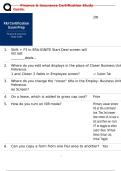
Finance & Insurance Certification Study
Guide.
200
1. Shift + F3 in ERA-IGNITE Start Deal screen will
list last
deals...
2. Where do you edit what displays in the place of Closer Business Unit
Preferences
1 and Closer 2 fields in Employee screen? -> Custom Tab
3. Where do you change the "closer" title in the Employ- Business Unit
Preferences
ee Screen?
4. On a lease, which is added to gross cap cost? Price
5. How do you turn on VDR mode? Primary viewer enters
VS at the command
line. The 2nd viewer
then enters VL to see a
list and then en- ters
VT to toggle to other
users' deal. (Virtual
Send; Virtual List;
Virtual Toggle)
6. Can you copy a form from one F&I area to another? Yes
1/
42
, Finance & Insurance Certification Study
Guide.
7. Within Credit Application, how can you Click "Transmit" icon; CAP
transmit an app? Functions; Transmit App
8. Where in IGNITE can you set up default F&I Specs -> cash deal ti
cash deal titling bank? tling maintenance
9. Dealership enters CAH on a deal and error Customer age, life caps, or
"level life age cap exceeded" shows up. reduce term on deal.
What could they change?
10. How can a user create a new F&I Menu presentation? Functions ->
Save As ->
New Proposal; Customize
2/
42
, Finance & Insurance Certification Study
Guide.
Template; File -> Create
New Menu Proposal
11. What is the correct way to add in dP Products? File -> Add Record; Func-
tions -> Import/Export ->
Import
12. Where can you add new package items to be Preferences ->
used by all options in menus? Package Items ->
Add Package
Items
13. How do you access rate sheets for your vendor? Ranking -> Rate Sheets;
Display -> Bank Rate
Sheet subscriptions;
FIN Functions ->
Display
Rates/Residuals ->
Rate Sheets
14. What does Desking allow that F&I does not? Print Proposals, view Mul-
tiple Scenarios, Roll
Inven- tory, see special
pricing
15. Where can pricing programs be defined? Business Unit Preference
16. In addition to pulling credit reports, credit
bureau in- quiry also offers:
18. How do you
calculate
Net Cap
Cost?
17. How do you maintain printers and printer
usage for F&I Forms?
3/
42
, Finance & Insurance Certification Study
Guide.
Red Flag, OFAC, Ad-
verse Action Letters, Cred- it Score Disclosure Excep- tion Notifications
System Admin -> Main- tain Printer Specification + Maintain Printer Usage
4/
42
Guide.
200
1. Shift + F3 in ERA-IGNITE Start Deal screen will
list last
deals...
2. Where do you edit what displays in the place of Closer Business Unit
Preferences
1 and Closer 2 fields in Employee screen? -> Custom Tab
3. Where do you change the "closer" title in the Employ- Business Unit
Preferences
ee Screen?
4. On a lease, which is added to gross cap cost? Price
5. How do you turn on VDR mode? Primary viewer enters
VS at the command
line. The 2nd viewer
then enters VL to see a
list and then en- ters
VT to toggle to other
users' deal. (Virtual
Send; Virtual List;
Virtual Toggle)
6. Can you copy a form from one F&I area to another? Yes
1/
42
, Finance & Insurance Certification Study
Guide.
7. Within Credit Application, how can you Click "Transmit" icon; CAP
transmit an app? Functions; Transmit App
8. Where in IGNITE can you set up default F&I Specs -> cash deal ti
cash deal titling bank? tling maintenance
9. Dealership enters CAH on a deal and error Customer age, life caps, or
"level life age cap exceeded" shows up. reduce term on deal.
What could they change?
10. How can a user create a new F&I Menu presentation? Functions ->
Save As ->
New Proposal; Customize
2/
42
, Finance & Insurance Certification Study
Guide.
Template; File -> Create
New Menu Proposal
11. What is the correct way to add in dP Products? File -> Add Record; Func-
tions -> Import/Export ->
Import
12. Where can you add new package items to be Preferences ->
used by all options in menus? Package Items ->
Add Package
Items
13. How do you access rate sheets for your vendor? Ranking -> Rate Sheets;
Display -> Bank Rate
Sheet subscriptions;
FIN Functions ->
Display
Rates/Residuals ->
Rate Sheets
14. What does Desking allow that F&I does not? Print Proposals, view Mul-
tiple Scenarios, Roll
Inven- tory, see special
pricing
15. Where can pricing programs be defined? Business Unit Preference
16. In addition to pulling credit reports, credit
bureau in- quiry also offers:
18. How do you
calculate
Net Cap
Cost?
17. How do you maintain printers and printer
usage for F&I Forms?
3/
42
, Finance & Insurance Certification Study
Guide.
Red Flag, OFAC, Ad-
verse Action Letters, Cred- it Score Disclosure Excep- tion Notifications
System Admin -> Main- tain Printer Specification + Maintain Printer Usage
4/
42