
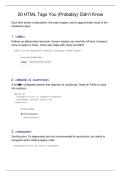
20 HTML Tags You (Probably) Didn't Know
Each item shows a description, the code snippet, and an approximate visual of the
rendered output.
1. <abbr>
Defines an abbreviation/acronym. Screen readers can read the full form; browsers
show a tooltip on hover, which also helps with clarity and SEO.
<abbr title='Hypertext Markup Language'>HTML</abbr>
2. <details> & <summary>
A built■in collapsible section that requires no JavaScript. Great for FAQs or extra
info sections.
<details>
<summary>Click to expand</summary>
<p>Hidden content here.</p>
</details>
3. <marquee>
Scrolling text. It's deprecated and not recommended for production, but useful to
recognize when reading legacy code.
<marquee>Scrolling Text!</marquee>
, 4. <input type='color'>
Native color picker control. Handy for settings pages, pickers, and design tools.
<input type='color'>
5. <progress>
Visual indicator of task progress. Use numeric value and max to reflect the current
state.
<progress value='40' max='100'></progress>
6. <meter>
Represents a measurement within a known range (e.g., score, rating, capacity).
<meter value='0.7'>70%</meter>
Each item shows a description, the code snippet, and an approximate visual of the
rendered output.
1. <abbr>
Defines an abbreviation/acronym. Screen readers can read the full form; browsers
show a tooltip on hover, which also helps with clarity and SEO.
<abbr title='Hypertext Markup Language'>HTML</abbr>
2. <details> & <summary>
A built■in collapsible section that requires no JavaScript. Great for FAQs or extra
info sections.
<details>
<summary>Click to expand</summary>
<p>Hidden content here.</p>
</details>
3. <marquee>
Scrolling text. It's deprecated and not recommended for production, but useful to
recognize when reading legacy code.
<marquee>Scrolling Text!</marquee>
, 4. <input type='color'>
Native color picker control. Handy for settings pages, pickers, and design tools.
<input type='color'>
5. <progress>
Visual indicator of task progress. Use numeric value and max to reflect the current
state.
<progress value='40' max='100'></progress>
6. <meter>
Represents a measurement within a known range (e.g., score, rating, capacity).
<meter value='0.7'>70%</meter>


