SMOG REVIEW PRACTICE STUDY TEST.
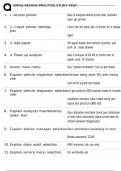
1. 1. Access printer Back of analyzer behind printer door, standard
laser- jet printer
2. 2. Check printer settings Check too left hand side of printer for a steady
green
light
3. 3. Add paper Pull paper drawer from bottom of printer, add
print- er, close drawer
4. 4. Power up analyzer Back if analyzer to the left of printer next to
power cord. "A" button
5. Access main menu Has "system shutdown" (esc to get there)
6. Explain vehicle inspection selectionEmission testing reprint VIR's enter training
mode
and verify a good rpm signal
7. Explain vehicle diagnostic selection4 gas analysis OBD manual mode re: trouble
codes
readiness monitors clear codes verify rpm
signal and practice OBD test
8. Explain analyzer maintenance Gas calibration and leak check gas calibration
selec- tion or leak check individually status screen data file
refresh network diagnostics
9. Explain station manager selectionBasic administrative bookkeeping for owner
Needs password 12345
10. Explain state audit selection DMV emission lab use only
11. Explain service menu selection For worldwide use
1/
5
, SMOG REVIEW PRACTICE STUDY TEST.
12. Explain system shut down selection Proper way to shut down emission
analyzer
2/
5
1. 1. Access printer Back of analyzer behind printer door, standard
laser- jet printer
2. 2. Check printer settings Check too left hand side of printer for a steady
green
light
3. 3. Add paper Pull paper drawer from bottom of printer, add
print- er, close drawer
4. 4. Power up analyzer Back if analyzer to the left of printer next to
power cord. "A" button
5. Access main menu Has "system shutdown" (esc to get there)
6. Explain vehicle inspection selectionEmission testing reprint VIR's enter training
mode
and verify a good rpm signal
7. Explain vehicle diagnostic selection4 gas analysis OBD manual mode re: trouble
codes
readiness monitors clear codes verify rpm
signal and practice OBD test
8. Explain analyzer maintenance Gas calibration and leak check gas calibration
selec- tion or leak check individually status screen data file
refresh network diagnostics
9. Explain station manager selectionBasic administrative bookkeeping for owner
Needs password 12345
10. Explain state audit selection DMV emission lab use only
11. Explain service menu selection For worldwide use
1/
5
, SMOG REVIEW PRACTICE STUDY TEST.
12. Explain system shut down selection Proper way to shut down emission
analyzer
2/
5