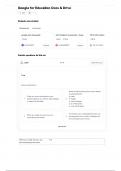
Google for Education Docs & Drive
Save
Students also studied
Flashcard sets Study guides
google docs study guide Unit 1 Chapter 2: Assessment - Goog... ITNW 1425: Module
27 terms Teacher 27 terms 16 terms
jonathan14861 Preview campbellg2020 Preview Star_The_Player
Practice questions for this set
Learn 1 /7 Study with Learn
True
Choose matching term
Which of the following items can be added
to a presentation?
Once you submit a template to your a. video
1 domain's gallery, you cannot make changes 2 b. images
or delete the template. c. custom shapes
d. all of the above
e. none of the above
Formatting rules in spreadsheets allow you
When you create new doc, you are
3 4 to change the color of text or background
automatically the owner.
of a cell based upon a value.
Don't know?
When you create new doc, you True
are automatically the owner.
, Forms allow you to set the weekly digest
frequency of notifications for
form responses. Which of the
following is not an option?
Once you submit a template to False
your domain's gallery, you
cannot make changes or delete
the template.
Google Docs allows you to save True
any document, spread sheet,
presentation, drawing, or form
as a template for others to use.
To share from your mobile docs share
list, select one or more
documents, press the ______
button.
Unlike Docs, Spreadsheets and False
presentations, it is not possible
to have multiple editors in a
drawing Google Docs.
You can use the _______ to copy web clipboard
and paste from one
presentation to another.
Which of the following is not a Gantt Chart
chart type available by default in
a Google Docs spreadsheets?
In the docs lists, type ___ when ?
you're not in the search bar. and
a window appear showing all
available shortcuts.
Formatting rules in spreadsheets True
allow you to change the color of
text or background of a cell
based upon a value.
Images can be added directly to drag and drop
a Document by ________ from the
desktop.
You can apply formatting or paint format
conditional formatting rules
you've used on one set of
spreadsheet cells to another
separate set of cells using the
_______ tools.
You can send an email to the File > Email collaborators
collaborators on a a document
by going to:
Save
Students also studied
Flashcard sets Study guides
google docs study guide Unit 1 Chapter 2: Assessment - Goog... ITNW 1425: Module
27 terms Teacher 27 terms 16 terms
jonathan14861 Preview campbellg2020 Preview Star_The_Player
Practice questions for this set
Learn 1 /7 Study with Learn
True
Choose matching term
Which of the following items can be added
to a presentation?
Once you submit a template to your a. video
1 domain's gallery, you cannot make changes 2 b. images
or delete the template. c. custom shapes
d. all of the above
e. none of the above
Formatting rules in spreadsheets allow you
When you create new doc, you are
3 4 to change the color of text or background
automatically the owner.
of a cell based upon a value.
Don't know?
When you create new doc, you True
are automatically the owner.
, Forms allow you to set the weekly digest
frequency of notifications for
form responses. Which of the
following is not an option?
Once you submit a template to False
your domain's gallery, you
cannot make changes or delete
the template.
Google Docs allows you to save True
any document, spread sheet,
presentation, drawing, or form
as a template for others to use.
To share from your mobile docs share
list, select one or more
documents, press the ______
button.
Unlike Docs, Spreadsheets and False
presentations, it is not possible
to have multiple editors in a
drawing Google Docs.
You can use the _______ to copy web clipboard
and paste from one
presentation to another.
Which of the following is not a Gantt Chart
chart type available by default in
a Google Docs spreadsheets?
In the docs lists, type ___ when ?
you're not in the search bar. and
a window appear showing all
available shortcuts.
Formatting rules in spreadsheets True
allow you to change the color of
text or background of a cell
based upon a value.
Images can be added directly to drag and drop
a Document by ________ from the
desktop.
You can apply formatting or paint format
conditional formatting rules
you've used on one set of
spreadsheet cells to another
separate set of cells using the
_______ tools.
You can send an email to the File > Email collaborators
collaborators on a a document
by going to: