

Hoorcollege 5:
Operating system: interface between hardware, executable programs and the
computer operator(the user). Main tasks of an OS;
1. Process management: manage programs -> start, stop, errors, interrupts
& time sharing
2. Memory management: manage memory -> information sharing
(communication) & protection (security) between programs & processes
3. File management: information storage outside memory -> coordinate
access. Read & write of files.
4. Device management: (CPU-) external device access -> resource sharing
and interface procedures.
Explanations components:
, - System vs. Application programs: applications are user-centric; system programs manage
system operations
- System commands: elementary programs that perform 1 or few system calls
- Kernel: OS main tasks
- Hardware-Abstraction Layer → idea: unify naming & procedure to access multiple similar
drivers
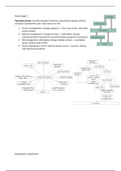
Simple OS structures(Early UNIX and DOS). The application program can
call the system programs. The system program can either interface drivers
or hardware functions directly. There was a lack of hardware access
protection. You could write a program that would overwrite the
instruction of other programs. Lots of ‘loopholes’ to circumvent OS
constraints. The application program can also directly access the memory.
It is very hard to maintain. For each new program that is released you
need new functions and new interfaces to covert its calls to the hardware.
There are also common incompatibilities, if you write a new version of OS, you need to recompile
the whole stack. So the new version is actually a reinstall of your OS and not an update because
everything has to be changed as well.
An OS has two execution modes:
- Kernel mode (supervisor mode): full resource access, no restrictions -> direct hardware calls.
- User mode: restricted instruction set available that programs can directly execute, memory
segment access protection so programs cannot enter other programs segments -> no direct
hardware access (apart from the CPU and memory).
If a program want access to certain memory or hardware it will ask for permission.
Why splitting the kernel mode and user mode?:
1. Memory protection: to prevent programs manipulation other programs.
2. Protect OS from software manipulation (-> intrusion protection, e.g. firewall or anti-virus)
3. Access synchronisation to single-access hardware. E.G. the webcam can only serve one
program, you can have a program that can ask access to the webcam and the OS will say,
‘yes you can have permission’, when another program want to access the webcam, the first
program needs to drop their permission so the second program can use it.
Task/objectives of an OS:
- Program creation, execution & coordination – the process life cycle
- I/O operations
- File-system manipulation, manage the filesystem(how can we read and write files)
- Communication -> IPC(communication between processes) & Network
- Error detection
- Resource allocation & management
Operating system: interface between hardware, executable programs and the
computer operator(the user). Main tasks of an OS;
1. Process management: manage programs -> start, stop, errors, interrupts
& time sharing
2. Memory management: manage memory -> information sharing
(communication) & protection (security) between programs & processes
3. File management: information storage outside memory -> coordinate
access. Read & write of files.
4. Device management: (CPU-) external device access -> resource sharing
and interface procedures.
Explanations components:
, - System vs. Application programs: applications are user-centric; system programs manage
system operations
- System commands: elementary programs that perform 1 or few system calls
- Kernel: OS main tasks
- Hardware-Abstraction Layer → idea: unify naming & procedure to access multiple similar
drivers
Simple OS structures(Early UNIX and DOS). The application program can
call the system programs. The system program can either interface drivers
or hardware functions directly. There was a lack of hardware access
protection. You could write a program that would overwrite the
instruction of other programs. Lots of ‘loopholes’ to circumvent OS
constraints. The application program can also directly access the memory.
It is very hard to maintain. For each new program that is released you
need new functions and new interfaces to covert its calls to the hardware.
There are also common incompatibilities, if you write a new version of OS, you need to recompile
the whole stack. So the new version is actually a reinstall of your OS and not an update because
everything has to be changed as well.
An OS has two execution modes:
- Kernel mode (supervisor mode): full resource access, no restrictions -> direct hardware calls.
- User mode: restricted instruction set available that programs can directly execute, memory
segment access protection so programs cannot enter other programs segments -> no direct
hardware access (apart from the CPU and memory).
If a program want access to certain memory or hardware it will ask for permission.
Why splitting the kernel mode and user mode?:
1. Memory protection: to prevent programs manipulation other programs.
2. Protect OS from software manipulation (-> intrusion protection, e.g. firewall or anti-virus)
3. Access synchronisation to single-access hardware. E.G. the webcam can only serve one
program, you can have a program that can ask access to the webcam and the OS will say,
‘yes you can have permission’, when another program want to access the webcam, the first
program needs to drop their permission so the second program can use it.
Task/objectives of an OS:
- Program creation, execution & coordination – the process life cycle
- I/O operations
- File-system manipulation, manage the filesystem(how can we read and write files)
- Communication -> IPC(communication between processes) & Network
- Error detection
- Resource allocation & management


