
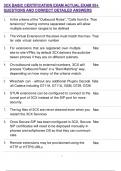
1. In the criteria of the "Outbound Rules", "Calls from Ex- True
tension(s)" having comma separated values will allow
multiple extension ranges to be defined
2. The Virtual Extension of the slave must match the mas- True
ter side virtual extension number
3. For extensions that are registered over multiple False
site-to-site VPNs, by default 3CX delivers the audio be-
tween phones if they are on different subnets.
4. On outbound calls to external numbers, 3CX will False
process "Outbound Rules" in a "Best Matching" way,
depending on how many of the criteria match.
5. Wireshark can - without any additional Plugins Decode False
all Codecs including G711A, G711U, GSM, G729, G726
6. STUN extensions can be configured to connect to the False
tunnel port of 3CX instead of the SIP port for more
security.
7. The log files of 3CX are never cleaned even when you False
restart the 3CX Services
8. Once Secure SIP has been configured in 3CX, Secure False
SIP certificates will need to be deployed manually in
phones and softphones OS so that they can communi-
cate.
9. Remote extensions may be provisioned using the False
HTTP or HTTPS URLs
, 10. The default Voicemail PIN of an extension consist of 4 False
random alphanumerical characters.
11. Your 3CX has only one SIP Trunk and receives a call True
from number 8135791691. If you have a "Inbound CID
Reformatting" rule on the Trunk with "Source Pattern"
813(...)(.*) and "Replace Pattern" \1\2, the extension
that receives the call will see "5791691" as the caller ID
on its display.
12. When 3CX has been installed without a FQDN from 3CX True
and in split DNS mode, the DNS server must not be
installed on the same machine as the phone system.
13. Your Local IP Phone loses the registration to 3CX True
and you want do troubleshoot the issue. You
should start a Wireshark Capture on the 3CX Serv-
er, reboot the phone, and then apply the Filter
sip.Cseq.Method==REGISTER in order to see if registra-
tions are reaching 3CX
14. Your 3CX has only one SIP Trunk and receives a call True
from number 422033272020 and you want it to be pre-
sented on the extension display as +44272020. You can
do this with a "Inbound CID Reformatting" rule on the
Trunk with "Source Pattern" 44(..)(..)(.*) and "Replace
Pattern" +44\3.
15. When selecting the option "I need a 3CX FQDN" an True
internal DNS is not mandatory
16. False
tension(s)" having comma separated values will allow
multiple extension ranges to be defined
2. The Virtual Extension of the slave must match the mas- True
ter side virtual extension number
3. For extensions that are registered over multiple False
site-to-site VPNs, by default 3CX delivers the audio be-
tween phones if they are on different subnets.
4. On outbound calls to external numbers, 3CX will False
process "Outbound Rules" in a "Best Matching" way,
depending on how many of the criteria match.
5. Wireshark can - without any additional Plugins Decode False
all Codecs including G711A, G711U, GSM, G729, G726
6. STUN extensions can be configured to connect to the False
tunnel port of 3CX instead of the SIP port for more
security.
7. The log files of 3CX are never cleaned even when you False
restart the 3CX Services
8. Once Secure SIP has been configured in 3CX, Secure False
SIP certificates will need to be deployed manually in
phones and softphones OS so that they can communi-
cate.
9. Remote extensions may be provisioned using the False
HTTP or HTTPS URLs
, 10. The default Voicemail PIN of an extension consist of 4 False
random alphanumerical characters.
11. Your 3CX has only one SIP Trunk and receives a call True
from number 8135791691. If you have a "Inbound CID
Reformatting" rule on the Trunk with "Source Pattern"
813(...)(.*) and "Replace Pattern" \1\2, the extension
that receives the call will see "5791691" as the caller ID
on its display.
12. When 3CX has been installed without a FQDN from 3CX True
and in split DNS mode, the DNS server must not be
installed on the same machine as the phone system.
13. Your Local IP Phone loses the registration to 3CX True
and you want do troubleshoot the issue. You
should start a Wireshark Capture on the 3CX Serv-
er, reboot the phone, and then apply the Filter
sip.Cseq.Method==REGISTER in order to see if registra-
tions are reaching 3CX
14. Your 3CX has only one SIP Trunk and receives a call True
from number 422033272020 and you want it to be pre-
sented on the extension display as +44272020. You can
do this with a "Inbound CID Reformatting" rule on the
Trunk with "Source Pattern" 44(..)(..)(.*) and "Replace
Pattern" +44\3.
15. When selecting the option "I need a 3CX FQDN" an True
internal DNS is not mandatory
16. False


