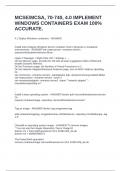
MCSE/MCSA, 70-740, 4.0 IMPLEMENT
WINDOWS CONTAINERS EXAM 100%
ACCURATE.
4.1 Deploy Windows containers - ANSWER
;
Install and configure Windows Server container host in physical or virtualized
environments - ANSWER"set-vmprocessor -vmname server1 -
exposevirtualizationextension $true
Hyper-V Manager > Right-Click VM > Settings > ...
On the Memory page, provide the VM with at least 4 gigabytes (GB) of RAM and
disable Dynamic Memory.
On the Processor page, set Number of Virtual Processors to 2.
On the Network Adapter/Advanced Features page, turn on MAC Address Spoofing.
Or...
set-vmmemory -vmname server1 -startupbytes 4gb -dynamicmemoryenabled $false
set-vmprocessor -vmname server1 -count 2
set-vmnetworkadapter -vmname server1 -name ""network adapter"" -
macaddressspoofing on"
;
;
Install a base operating system - ANSWER"docker pull microsoft/windowsservercore
Or...
request-containerimage -repository microsoft/windowsservercore"
;
Tag an image - ANSWER"docker tag imagename:tag
add-containerimagetag -imageidorname c452b8c6ee1a -repository hholt/killerapp -tag
1.5"
;
Uninstall an operating system image - ANSWER"To remove images
* You can use the images Repository:Tag or Image ID
docker rmi -f microsoft/nanoserver:10.0.14393.206_de-de
docker rmi -f a896e5590871
The PowerShell equivalent
remove-containerimage microsoft/nanoserver:10.0.14393.206_de-de
WINDOWS CONTAINERS EXAM 100%
ACCURATE.
4.1 Deploy Windows containers - ANSWER
;
Install and configure Windows Server container host in physical or virtualized
environments - ANSWER"set-vmprocessor -vmname server1 -
exposevirtualizationextension $true
Hyper-V Manager > Right-Click VM > Settings > ...
On the Memory page, provide the VM with at least 4 gigabytes (GB) of RAM and
disable Dynamic Memory.
On the Processor page, set Number of Virtual Processors to 2.
On the Network Adapter/Advanced Features page, turn on MAC Address Spoofing.
Or...
set-vmmemory -vmname server1 -startupbytes 4gb -dynamicmemoryenabled $false
set-vmprocessor -vmname server1 -count 2
set-vmnetworkadapter -vmname server1 -name ""network adapter"" -
macaddressspoofing on"
;
;
Install a base operating system - ANSWER"docker pull microsoft/windowsservercore
Or...
request-containerimage -repository microsoft/windowsservercore"
;
Tag an image - ANSWER"docker tag imagename:tag
add-containerimagetag -imageidorname c452b8c6ee1a -repository hholt/killerapp -tag
1.5"
;
Uninstall an operating system image - ANSWER"To remove images
* You can use the images Repository:Tag or Image ID
docker rmi -f microsoft/nanoserver:10.0.14393.206_de-de
docker rmi -f a896e5590871
The PowerShell equivalent
remove-containerimage microsoft/nanoserver:10.0.14393.206_de-de