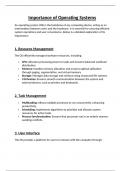
Importance of Operating Systems
An operating system (OS) is the backbone of any computing device, acting as an
intermediary between users and the hardware. It is essential for ensuring efficient
system operations and user convenience. Below is a detailed exploration of its
importance:
1. Resource Management
The OS efficiently manages hardware resources, including:
CPU: Allocates processing power to tasks and ensures balanced workload
distribution.
Memory: Handles memory allocation and ensures optimal utilization
through paging, segmentation, and virtual memory.
Storage: Manages data storage and retrieval using structured file systems.
I/O Devices: Ensures smooth communication between the system and
external devices, such as printers and keyboards.
2. Task Management
Multitasking: Allows multiple processes to run concurrently, enhancing
productivity.
Scheduling: Implements algorithms to prioritize and allocate system
resources for active tasks.
Process Synchronization: Ensures that processes run in an orderly manner,
avoiding conflicts.
3. User Interface
The OS provides a platform for users to interact with the computer through:
, Graphical User Interface (GUI): User-friendly visual interaction via icons,
menus, and windows.
Command-Line Interface (CLI): Allows advanced users to execute tasks
through text-based commands.
The interface improves user experience by abstracting complex hardware-level
operations.
4. System Security
The OS plays a crucial role in safeguarding the system by:
User Authentication: Verifies identities through passwords, biometrics, or
tokens.
Access Control: Implements permissions to restrict unauthorized access to
files and applications.
Encryption: Protects sensitive data from breaches or theft.
Firewall and Antivirus Integration: Shields the system from malware,
viruses, and network intrusions.
5. Data and File Management
The OS organizes data storage and retrieval:
File Systems: Structures data in directories for efficient access.
File Operations: Enables users to create, read, write, and delete files
seamlessly.
Data Backup and Recovery: Ensures data integrity and availability even in
the event of a failure.
An operating system (OS) is the backbone of any computing device, acting as an
intermediary between users and the hardware. It is essential for ensuring efficient
system operations and user convenience. Below is a detailed exploration of its
importance:
1. Resource Management
The OS efficiently manages hardware resources, including:
CPU: Allocates processing power to tasks and ensures balanced workload
distribution.
Memory: Handles memory allocation and ensures optimal utilization
through paging, segmentation, and virtual memory.
Storage: Manages data storage and retrieval using structured file systems.
I/O Devices: Ensures smooth communication between the system and
external devices, such as printers and keyboards.
2. Task Management
Multitasking: Allows multiple processes to run concurrently, enhancing
productivity.
Scheduling: Implements algorithms to prioritize and allocate system
resources for active tasks.
Process Synchronization: Ensures that processes run in an orderly manner,
avoiding conflicts.
3. User Interface
The OS provides a platform for users to interact with the computer through:
, Graphical User Interface (GUI): User-friendly visual interaction via icons,
menus, and windows.
Command-Line Interface (CLI): Allows advanced users to execute tasks
through text-based commands.
The interface improves user experience by abstracting complex hardware-level
operations.
4. System Security
The OS plays a crucial role in safeguarding the system by:
User Authentication: Verifies identities through passwords, biometrics, or
tokens.
Access Control: Implements permissions to restrict unauthorized access to
files and applications.
Encryption: Protects sensitive data from breaches or theft.
Firewall and Antivirus Integration: Shields the system from malware,
viruses, and network intrusions.
5. Data and File Management
The OS organizes data storage and retrieval:
File Systems: Structures data in directories for efficient access.
File Operations: Enables users to create, read, write, and delete files
seamlessly.
Data Backup and Recovery: Ensures data integrity and availability even in
the event of a failure.