
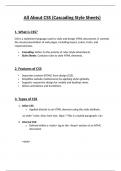
All About CSS (Cascading Style Sheets)
1. What is CSS?
CSS is a stylesheet language used to style and design HTML documents. It controls
the visual presentation of web pages, including layout, colors, fonts, and
responsiveness.
Cascading: Refers to the priority of rules (style inheritance).
Style Sheets: Contains rules to style HTML elements.
2. Features of CSS
Separates content (HTML) from design (CSS).
Simplifies website maintenance by applying styles globally.
Supports responsive design for mobile and desktop views.
Allows animations and transitions.
3. Types of CSS
1. Inline CSS:
o Applied directly to an HTML element using the style attribute.
<p style="color: blue; font-size: 16px;">This is a styled paragraph.</p>
2. Internal CSS:
o Defined within a <style> tag in the <head> section of an HTML
document.
<style>
, p{
color: green;
font-size: 14px;
}
</style>
3. External CSS:
o Stored in a separate .css file and linked using the <link> tag.
<link rel="stylesheet" href="styles.css">
4. Basic Syntax
CSS uses selectors to target HTML elements and applies styles using
properties and values.
selector {
property: value;
}
Example:
h1 {
color: red;
font-size: 24px;
}
5. Selectors in CSS
1. Basic Selectors:
o Element Selector: Targets all elements of a specific type.
Example: p { color: blue; }
o Class Selector: Targets elements with a specific class.
Example: .header { font-weight: bold; }
o ID Selector: Targets an element with a specific ID.
Example: #main { background-color: yellow; }
1. What is CSS?
CSS is a stylesheet language used to style and design HTML documents. It controls
the visual presentation of web pages, including layout, colors, fonts, and
responsiveness.
Cascading: Refers to the priority of rules (style inheritance).
Style Sheets: Contains rules to style HTML elements.
2. Features of CSS
Separates content (HTML) from design (CSS).
Simplifies website maintenance by applying styles globally.
Supports responsive design for mobile and desktop views.
Allows animations and transitions.
3. Types of CSS
1. Inline CSS:
o Applied directly to an HTML element using the style attribute.
<p style="color: blue; font-size: 16px;">This is a styled paragraph.</p>
2. Internal CSS:
o Defined within a <style> tag in the <head> section of an HTML
document.
<style>
, p{
color: green;
font-size: 14px;
}
</style>
3. External CSS:
o Stored in a separate .css file and linked using the <link> tag.
<link rel="stylesheet" href="styles.css">
4. Basic Syntax
CSS uses selectors to target HTML elements and applies styles using
properties and values.
selector {
property: value;
}
Example:
h1 {
color: red;
font-size: 24px;
}
5. Selectors in CSS
1. Basic Selectors:
o Element Selector: Targets all elements of a specific type.
Example: p { color: blue; }
o Class Selector: Targets elements with a specific class.
Example: .header { font-weight: bold; }
o ID Selector: Targets an element with a specific ID.
Example: #main { background-color: yellow; }


