
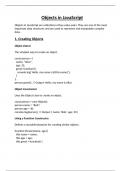
Objects in JavaScript
Objects in JavaScript are collections of key-value pairs. They are one of the most
important data structures and are used to represent and manipulate complex
data.
1. Creating Objects
Object Literal
The simplest way to create an object.
const person = {
name: "Alice",
age: 25,
greet: function() {
console.log(`Hello, my name is ${this.name}`);
}
};
person.greet(); // Output: Hello, my name is Alice
Object Constructor
Uses the Object class to create an object.
const person = new Object();
person.name = "Bob";
person.age = 30;
console.log(person); // Output: { name: 'Bob', age: 30 }
Using a Function Constructor
Defines a reusable blueprint for creating similar objects.
function Person(name, age) {
this.name = name;
this.age = age;
this.greet = function() {
, console.log(`Hello, my name is ${this.name}`);
};
}
const alice = new Person("Alice", 25);
alice.greet(); // Output: Hello, my name is Alice
Using Object.create
Creates an object with a specified prototype.
const prototype = { greet() { console.log("Hello!"); } };
const obj = Object.create(prototype);
obj.greet(); // Output: Hello!
2. Accessing Properties
Dot Notation
console.log(person.name); // Output: Alice
Bracket Notation
Used when property names are dynamic or contain special characters.
console.log(person["name"]); // Output: Alice
Dynamic Property Names
const prop = "age";
console.log(person[prop]); // Output: 25
3. Modifying Properties
Add, update, or delete properties dynamically.
person.location = "New York"; // Adding
person.age = 26; // Updating
Objects in JavaScript are collections of key-value pairs. They are one of the most
important data structures and are used to represent and manipulate complex
data.
1. Creating Objects
Object Literal
The simplest way to create an object.
const person = {
name: "Alice",
age: 25,
greet: function() {
console.log(`Hello, my name is ${this.name}`);
}
};
person.greet(); // Output: Hello, my name is Alice
Object Constructor
Uses the Object class to create an object.
const person = new Object();
person.name = "Bob";
person.age = 30;
console.log(person); // Output: { name: 'Bob', age: 30 }
Using a Function Constructor
Defines a reusable blueprint for creating similar objects.
function Person(name, age) {
this.name = name;
this.age = age;
this.greet = function() {
, console.log(`Hello, my name is ${this.name}`);
};
}
const alice = new Person("Alice", 25);
alice.greet(); // Output: Hello, my name is Alice
Using Object.create
Creates an object with a specified prototype.
const prototype = { greet() { console.log("Hello!"); } };
const obj = Object.create(prototype);
obj.greet(); // Output: Hello!
2. Accessing Properties
Dot Notation
console.log(person.name); // Output: Alice
Bracket Notation
Used when property names are dynamic or contain special characters.
console.log(person["name"]); // Output: Alice
Dynamic Property Names
const prop = "age";
console.log(person[prop]); // Output: 25
3. Modifying Properties
Add, update, or delete properties dynamically.
person.location = "New York"; // Adding
person.age = 26; // Updating


