C Setup
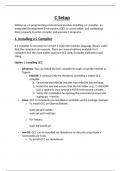
Setting up a C programming environment involves installing a C compiler, an
Integrated Development Environment (IDE), or a text editor, and configuring
them properly to write, compile, and execute C programs.
1. Installing a C Compiler
A C compiler is necessary to convert C code into machine language (binary code)
that the computer can execute. There are several options available for C
compilers, but the most widely used are GCC (GNU Compiler Collection) and
Clang.
Option 1: Installing GCC
Windows: You can install the GCC compiler through a tool like MinGW or
Cygwin.
o MinGW: A minimal GNU for Windows, providing a native GCC
compiler.
1. Download the MinGW installer from MinGW SourceForge.
2. Install the tool and ensure that the bin folder (e.g., C:\MinGW\
bin) is added to your system’s PATH environment variable.
3. Verify the installation by opening the command prompt and
typing gcc --version.
Linux: GCC is commonly pre-installed or available via the package manager.
o To install GCC on Ubuntu/Debian:
sudo apt-get update
sudo apt-get install gcc
o For Fedora:
sudo dnf install gcc
macOS: GCC can be installed via Homebrew or directly using Xcode's
Command Line Tools.
o To install GCC via Homebrew:
Setting up a C programming environment involves installing a C compiler, an
Integrated Development Environment (IDE), or a text editor, and configuring
them properly to write, compile, and execute C programs.
1. Installing a C Compiler
A C compiler is necessary to convert C code into machine language (binary code)
that the computer can execute. There are several options available for C
compilers, but the most widely used are GCC (GNU Compiler Collection) and
Clang.
Option 1: Installing GCC
Windows: You can install the GCC compiler through a tool like MinGW or
Cygwin.
o MinGW: A minimal GNU for Windows, providing a native GCC
compiler.
1. Download the MinGW installer from MinGW SourceForge.
2. Install the tool and ensure that the bin folder (e.g., C:\MinGW\
bin) is added to your system’s PATH environment variable.
3. Verify the installation by opening the command prompt and
typing gcc --version.
Linux: GCC is commonly pre-installed or available via the package manager.
o To install GCC on Ubuntu/Debian:
sudo apt-get update
sudo apt-get install gcc
o For Fedora:
sudo dnf install gcc
macOS: GCC can be installed via Homebrew or directly using Xcode's
Command Line Tools.
o To install GCC via Homebrew: