

Written by students who passed Immediately available after payment Read online or as PDF Wrong document? Swap it for free 4.6 TrustPilot
logo-home
Document preview thumbnail
Preview 2 out of 10 pages
Exam (elaborations)

Alteryx Certification Study Guide Solution ( Latest Version ) Already Passed

Document preview thumbnail
Preview 2 out of 10 pages

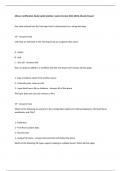
Alteryx Certification Study Guide Solution ( Latest Version ) Already Passed Any value entered into the Text Input tool is characterized as a string data type T/F - Answers False Cells that are left blank in the Text Input tool are assigned what value? A - Empty B - Null C - Zero (0) - Answers Null How can data be added to a workflow with the Text Input tool? Choose all that apply. 1- Copy and paste values from another source 2 - Manually enter values in cells 3 - Input data from a file or database - Answers All of the above The Input Data tool can only connect to files T/F - Answers False Which of the following are present in the configuration options for Alteryx Databases, Microsoft Excel workbooks, and CSVs? 1 - Delimiters 2 - First Row Contains Data 3 - Record Limit 4 - Output File Name - Answers Record Limit and Output File Name Which of the following file types support reading in multiple sheets? Select all that apply 1 - .xls 2 - All listed options 3 - .yxdb 4 - .csv 5 - .xlsx - Answers .xlsx What happens when Designer fail to read in a sheet? A - a warning message appears B - an error message appears C - this would never happen in Designer D- nothing happens - Answers A warning message appears The Dynamic Input tool is the only tool required to import multiple sheets at once T/F - Answers False Data is only created or modified when a workflow with a configured Output Data tool is run T/F - Answers True Select the statements that are true. 1 - The Output Data tool's configuration options change based on the output file type. 2 - The Output Data tool can only write to files. 3 - The Output Data tool can only produce one file at a time. 4 - The Output Data tool does not include an output anchor. - Answers 1 & 4 Select all the ways in which a Browse tool can be added to the Canvas. 1 - Right click a tool on the Canvas and select "Add Browse After" 2 - Select a tool on the Canvas and hit CTRL + Shift + B 3 - Drag a Browse tool on the Canvas from the Tool Palette - Answers All the Above Which of the following data types are acceptable for identifying matching values when using the Find Replace tool? Select all that apply. 1 - Spatial 2 - DateTime 3 - Numeric 4 - String - Answers String The dataset that is connected to the "F" input of the Find Replace tool is the input in which data values are replaced or appended. T/F - Answers True Select all features which are not associated with the Find Replace tool. 1 - Appending more than one column 2 - Case insensitivity 3 - Works with numeric values 4 - Embedded select window 5 - Appending a column 6 - Partial field matching - Answers Works with numeric values & Embedded select window Columns classified as a numeric type may be joined to columns classified as any data type when joining by specific fields T/F - Answers False Which of the following is not an available option for combining data in the Union tool? A - Manual Configuration B - Column Position C - Column Name D - Data Type - Answers Data Type Which of the following statements about the Unique tool are NOT true? Select all that apply. 1 - The Unique tool is case sensitive 2 - You can select up to 10 columns in one Unique tool 3 - It's best practice to join the results from the U & D outputs - Answers 2 & 3 The Unique tool is case sensitive and will display the last value from the dataset in the U when duplicate values are found. T/F - Answers False Choose all of the following processes that can be performed with a Select tool. 1 - Rename columns 2 - Change a data type 3 - Change a column size 4 - Remove columns - Answers All of the above The ability to reorder and rename columns, as well as change a column's data type, exists only in the Select tool. T/F - Answers False The Formula tool is the only tool in Designer in which expressions can be written. T/F - Answers False From the options listed below, how can functions be inserted into the Expression Editor? 1 - Typing the name of a function directly into the Expression Editor and selecting the function from the auto-completed options. 2 - Right clicking in the Expression Editor and selecting a function. 3 - Clicking on the Function Library icon to navigate and select a function. - Answers 1 and 3 Select the statement that is false.

Content preview

Alteryx Certification Study Guide Solution ( Latest Version 2024-2025) Already Passed


Any value entered into the Text Input tool is characterized as a string data type


T/F - Answers False

Cells that are left blank in the Text Input tool are assigned what value?


A - Empty

B - Null

C - Zero (0) - Answers Null

How can data be added to a workflow with the Text Input tool? Choose all that apply.


1- Copy and paste values from another source

2 - Manually enter values in cells

3 - Input data from a file or database - Answers All of the above

The Input Data tool can only connect to files


T/F - Answers False

Which of the following are present in the configuration options for Alteryx Databases, Microsoft Excel
workbooks, and CSVs?


1 - Delimiters

2 - First Row Contains Data

3 - Record Limit

4 - Output File Name - Answers Record Limit and Output File Name

Which of the following file types support reading in multiple sheets? Select all that apply

, 1 - .xls

2 - All listed options

3 - .yxdb

4 - .csv

5 - .xlsx - Answers .xlsx

What happens when Designer fail to read in a sheet?


A - a warning message appears

B - an error message appears

C - this would never happen in Designer

D- nothing happens - Answers A warning message appears

The Dynamic Input tool is the only tool required to import multiple sheets at once


T/F - Answers False

Data is only created or modified when a workflow with a configured Output Data tool is run


T/F - Answers True

Select the statements that are true.


1 - The Output Data tool's configuration options change based on the output file type.

2 - The Output Data tool can only write to files.

3 - The Output Data tool can only produce one file at a time.

4 - The Output Data tool does not include an output anchor. - Answers 1 & 4

Select all the ways in which a Browse tool can be added to the Canvas.

Document information

Uploaded on
December 18, 2024
Number of pages
10
Written in
2024/2025
Type
Exam (elaborations)
Contains
Questions & answers
$8.79

Wrong document? Swap it for free Within 14 days of purchase and before downloading, you can choose a different document. You can simply spend the amount again.
Written by students who passed
Immediately available after payment
Read online or as PDF

Seller avatar
Reputation scores are based on the amount of documents a seller has sold for a fee and the reviews they have received for those documents. There are three levels: Bronze, Silver and Gold. The better the reputation, the more your can rely on the quality of the sellers work.
TutorJosh
3.4
(74)
Sold
484
Followers
16
Items
32665
Last sold
2 days ago


Why students choose Stuvia

Created by fellow students, verified by reviews

Quality you can trust: written by students who passed their tests and reviewed by others who've used these notes.

Didn't get what you expected? Choose another document

No worries! You can instantly pick a different document that better fits what you're looking for.

Pay as you like, start learning right away

No subscription, no commitments. Pay the way you're used to via credit card and download your PDF document instantly.

Student with book image

“Bought, downloaded, and aced it. It really can be that simple.”

Alisha Student

Working on your references?

Create accurate citations in APA, MLA and Harvard with our free citation generator.

Working on your references?

Frequently asked questions
