
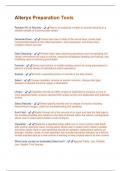
Alteryx Preparation Tools
Random N% of Records - Return an expected number of records resulting in a
random sample of incoming data stream
Generate Rows - Create new rows of data at the record level; create rows
incrementally based on the initial expression, loop expression, and stops when
condition criteria are met
Data Cleansing - Perform basic data cleansing operations such as replacing null
values, eliminating null rows or colums, removing whitespace (leading and trailing), and
modifying case or removing punctuation
Formula - Derive new column or modify existing column by using expressions to
perform a broad variety of calculations and/or operations
Sample - Extracts a specified portion of records in the data stream
Select - Change metadata; rename or reorder columns, change data type,
deselect unneeded columns, assign a description
Unique - Classifies records as either unique or duplicate by grouping on one or
more specified fields; uniques reported with unique anchor and duplicates with duplicate
anchor
Select Records - Select specific records and or ranges of records including
discontinuous ranges; useful for troubleshooting and sampling
Auto Field - Reads through all of the records of an input and sets the field type to
the smallest possible size relative to the data contained within the column; configuration
allows user to select which fields to auto configure
Imputation - Replaces a specified value within one or more numeric data fields
with another specified value; configuration allows user to select which fields to update
and what values (Null or user specified) should be replaced; replacement options are
average, median, mode, or user specified; can include imputation indicator as a field or
include imputed data as a new column if wanting to keep original data in its own column
Which tools contain an embedded Select tool? - Append Fields, Join, Multiple
Join, Spatial, Find Nearest
Random N% of Records - Return an expected number of records resulting in a
random sample of incoming data stream
Generate Rows - Create new rows of data at the record level; create rows
incrementally based on the initial expression, loop expression, and stops when
condition criteria are met
Data Cleansing - Perform basic data cleansing operations such as replacing null
values, eliminating null rows or colums, removing whitespace (leading and trailing), and
modifying case or removing punctuation
Formula - Derive new column or modify existing column by using expressions to
perform a broad variety of calculations and/or operations
Sample - Extracts a specified portion of records in the data stream
Select - Change metadata; rename or reorder columns, change data type,
deselect unneeded columns, assign a description
Unique - Classifies records as either unique or duplicate by grouping on one or
more specified fields; uniques reported with unique anchor and duplicates with duplicate
anchor
Select Records - Select specific records and or ranges of records including
discontinuous ranges; useful for troubleshooting and sampling
Auto Field - Reads through all of the records of an input and sets the field type to
the smallest possible size relative to the data contained within the column; configuration
allows user to select which fields to auto configure
Imputation - Replaces a specified value within one or more numeric data fields
with another specified value; configuration allows user to select which fields to update
and what values (Null or user specified) should be replaced; replacement options are
average, median, mode, or user specified; can include imputation indicator as a field or
include imputed data as a new column if wanting to keep original data in its own column
Which tools contain an embedded Select tool? - Append Fields, Join, Multiple
Join, Spatial, Find Nearest


