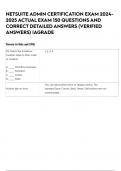
NETSUITE ADMIN CERTIFICATION EXAM 2024-
2025 ACTUAL EXAM 150 QUESTIONS AND
CORRECT DETAILED ANSWERS (VERIFIED
ANSWERS) |AGRADE
Terms in this set (90)
25) Match the SuiteFlow 1, 4, 3, 2
creation steps to their order
of creation.
A. _______ Workflow Summary
B. _______ Transition
C. _______ Action
D. _______ State
You can add buttons here or display menus. The
Actions tab on form standard Save, Cancel, Back, Reset, Edit buttons are not
customizable.
,An Administrator wishes to c
publish a PDF file of the
Travel and Expense Policy
to an intranet for all
employees to access.
All employees have
NetSuite login access.
The File is in a File Cabinet
Folder that is restricted to
the Human Resources
Group.
Which setting is required to
post the file such that
employees are allowed to
open or download the file
but not replace it?
A. On File: Available
Without Login checkbox is
marked
B. All employees must be
added to the Human
Resources Group
C. Information Item is
published to a Category
where Audience is set to
"All Roles" and "All
Employees"
D. The file's URL is pasted
into an Information Item
where Audience is set to
"All Roles" and "All
Employees"
The admin role can be False. Use of customized System Admin role for
customized (True or False) everyday use is recommended.
, Search for changes made to saved searches and when
Analytics Audit Trail
they were made
The A/R clerk does not see B&C
a reminder for Bills to Pay
on their home dashboard.
Which two verifications
should the Administrator
perform?
A. The user is using a
NetSuite-supported
browser.
B. The reminder has been
added to the Reminders
portlet.
C. The role has the Process
Bills permission with Edit
level.
D. The user has clicked the
refresh link in the Reminders
portlet.
, A bookkeeper who worked C
from home is being
terminated at the end of the
week.
What should the
Administrator do to prevent
the bookkeeper from
logging in after they are
terminated and transacting
business from home?
A. Enable the IP restrictions
feature.
B. Remove the Bookkeeper
Role from the employee
record.
C. Clear the Give Access
checkbox on the employee
record.
D. Update IP address
restriction on the employee
record to office IP address
2025 ACTUAL EXAM 150 QUESTIONS AND
CORRECT DETAILED ANSWERS (VERIFIED
ANSWERS) |AGRADE
Terms in this set (90)
25) Match the SuiteFlow 1, 4, 3, 2
creation steps to their order
of creation.
A. _______ Workflow Summary
B. _______ Transition
C. _______ Action
D. _______ State
You can add buttons here or display menus. The
Actions tab on form standard Save, Cancel, Back, Reset, Edit buttons are not
customizable.
,An Administrator wishes to c
publish a PDF file of the
Travel and Expense Policy
to an intranet for all
employees to access.
All employees have
NetSuite login access.
The File is in a File Cabinet
Folder that is restricted to
the Human Resources
Group.
Which setting is required to
post the file such that
employees are allowed to
open or download the file
but not replace it?
A. On File: Available
Without Login checkbox is
marked
B. All employees must be
added to the Human
Resources Group
C. Information Item is
published to a Category
where Audience is set to
"All Roles" and "All
Employees"
D. The file's URL is pasted
into an Information Item
where Audience is set to
"All Roles" and "All
Employees"
The admin role can be False. Use of customized System Admin role for
customized (True or False) everyday use is recommended.
, Search for changes made to saved searches and when
Analytics Audit Trail
they were made
The A/R clerk does not see B&C
a reminder for Bills to Pay
on their home dashboard.
Which two verifications
should the Administrator
perform?
A. The user is using a
NetSuite-supported
browser.
B. The reminder has been
added to the Reminders
portlet.
C. The role has the Process
Bills permission with Edit
level.
D. The user has clicked the
refresh link in the Reminders
portlet.
, A bookkeeper who worked C
from home is being
terminated at the end of the
week.
What should the
Administrator do to prevent
the bookkeeper from
logging in after they are
terminated and transacting
business from home?
A. Enable the IP restrictions
feature.
B. Remove the Bookkeeper
Role from the employee
record.
C. Clear the Give Access
checkbox on the employee
record.
D. Update IP address
restriction on the employee
record to office IP address