Gmetrix Certification Study Guide Questions With 100% Correct!!
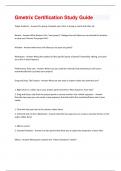
Target Audience - Answer-the group of people your client is trying to reach with their ad Browse - Answer-What button is the "new project" dialogue box will allow you to selected the location to save your Premier Pro project file? Window - Answer-what menu will allow you to open any panel? Workspace - Answer-What does adobe call the specific layout of panels? (Assembly, editing, and color are a few of these layouts) Preferences/ Auto save - Answer-Where can you send the intervals that premiere pro will use to automatically back up (save) your project? Drag and Drop, File/ Import - Answer-What are two ways to import media into premiere pro? 1. Right click on a video clip in your project panel and select "New Sequence From Clip" 2. Drag and Drop a clip from the project panel or source monitor into a blank sequence. - AnswerDescribe two ways you can create a new sequence that will match the resolution/frame rate of your media. 1. Click with the pen tool on the volume rubber band 2. Ctrl/Cmd click on the rubberband - Answer-describe two ways you can create a new key frames on the audio rubber band 1. Effects control 2. Essential Graphics - Answer-List two panels that allow you to adjust the properties of your titles Effects - Answer-What panel contains the "Video Transitions" folder?1. Muted Audio 2. Spell Check - Answer-Select two examples of things you should check in your project before exporting. H.264 - Answer-What file format is recommended for exporting your video? Ripple Edit tool - Answer-This tool is used to chance the In or Out point of a clip on the timeline and then automatically rippling all the other clips on the timeline with one step Rolling Edit Tool - Answer-This tool is used to change the cut point between the two clips. It allows you to adjust the IN/Out points of two adjacent clips in one step. Razor Tool - Answer-This tool is used to split a clip Slip tool - Answer-This tool is used to move clips In/Out points on the timeline without changing the clips on the either side. Slide tool - Answer-This Tool is used to move a clip on the timeline without changing the clips In/Out points of the selected clip but changing the In/Out points of the clips on either side
Written for
- Institution
- Gmetrix Certification
- Course
- Gmetrix Certification
Document information
- Uploaded on
- May 7, 2024
- Number of pages
- 2
- Written in
- 2023/2024
- Type
- Exam (elaborations)
- Contains
- Questions & answers
Subjects

Also available in package deal