CHSS Midterms || A+ Graded Already.
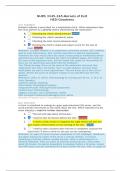
After installing a program and then realizing it was not what you thought it was, you would like to remove the program from your computer. List the steps you would follow to accomplish that. correct answers 1- Try the uninstall routine 2- Delete the program files 3- Delete the registry entries 4- Rmove the program entry from the menu and the desktop 5- remove startup processesBefore buying Windows 10 home for your personal computer, what do you need to check first regarding the microprocessor in your computer?(This is not referring to he speed in GHz of the Microprocessor) correct answers 32 vs 64 bitHow and why would you need to change the booting sequence of the computer? correct answers The booting sequence tells the computer, as the booting process occurs, which drive holds the Operating System. Typically it will be the Hard drive that would be the bootable drive, but if you are trying to install the OS then the boot drive needs to be changed to the DVD rom drive or the USB-external drive, as needed. To change the booting sequence, you will need to go to the system setup (DEL, or F2 or F12, depending on the system) and then select the required drive as the 1st booting drive.In the process of installing Windows 8.1/10 you are asked to provide the name of the user, what is this used for? correct answers A user account with that name is created, and that user account is assigned administrator statusOnce you install Windows 8.1/10 and the system boots up to windows, what would need to be done next in order to have a fully functional system? correct answers Activate Windows Install Windows updates verify that the hardware is working (Device Manager) enable AV and Firewall Install regular applicationsWhat are the minimum system requirements in order to install 64 bit Windows 7/8/10 into a computer? correct answers Microprocessor speed-1 GHz Memory- 2 GB Hard drive- 20 GB Video Card - 128 MB DirectX 9 wit WDDM 1.0What does it mean to partition and format the drive? correct answers Partitioning is the logical divisiion of the physical hardrive into logical drives which are later given different letters by the OS. Each partition needs to be formatted, that is, it needs to be prepared to accept data, before it can be used.What is the role of the UEFI/ BIOS ? correct answers This chip contains the software that manages the computer before the OS is in charge. It provides the POST and then looks for and loads the operating system (booting process)When would you do an upgrade of Windows 8.1/10 versus a Clean install ? correct answers Upgrade means that you already have a previous version of the OS in the computer. When you use the upgrade version, the previous user and environment settings, as well as the applications in the previous installation, are made available in the new OS. A Clean Installation
Written for
- Institution
- CHSS - Certified HIPAA Security Specialist
- Course
- CHSS - Certified HIPAA Security Specialist
Document information
- Uploaded on
- April 17, 2024
- Number of pages
- 8
- Written in
- 2023/2024
- Type
- Exam (elaborations)
- Contains
- Questions & answers
Subjects
-
after installing a program and then realizing it w