
illustrator certification practice 2024 Questions and Answers(A+ Solution guide)
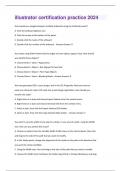
How would you navigate between multiple artboards using the Artboards panel? A. Click the Artboard Options icon. B. Click the arrows at the bottom of the panel. C. Double-click the name of the artboard. D. Double-click the number of the artboard. - Answer-Answer: D You notice using Pixel Preview that the edges of some objects appear fuzzy. How should you identify these objects? A. Choose Select Same Appearance B. Choose Select Object Not Aligned To Pixel Grid C. Choose Select Object Point Type Objects D. Choose Select Same Blending Mode - Answer-Answer: B You have generated CSS in your design, and in the CSS Properties Panel you want to paste one character style's CSS code into a web design application. How should you transfer the code? A. Right+click on a style and choose Export Options from the context menu. B. Right+click on a style and choose Generate CSS from the context menu. C. Select a style, then click the Export Selected CSS button. D. Select a style, then click the Copy Selected Style button. - Answer-Answer: C You want to vary the width of one side of a stroke, in one area of a path, using the Width tool. How can you achieve this result? A. Choose an option from the Variable Width Profile menu in the Control panel, then click and drag to the side of the path that you want to modify. B. In the Stroke panel, change the alignment of the stroke on the path in the direction that you want the stroke modified. C. Using the Width tool, click and drag to the side of the path that you want to modify. D. Choose the Width tool, hold down the Option key (OS X) or Alt key (Windows), and dragin the direction that you want to modify the stroke. - Answer-Answer: C How would you view only the artboard on screen and hide your toolbar and panels? A. Choose View Edit Views. B. Click the Document Setup button in the Control panel. C. Click the Change Screen Mode button in the Tools panel. D. Choose View Hide Windows. E. Choose Window Hide All Windows. - Answer-Answer: E You want to make specific areas of an object partially or completely transparent based on the gray values of a second object placed in front. How should you set up the two objects? A. Select both objects and choose Object Compound Path Make. B. Group the two objects and choose Object Clipping Mask Make. C. Select the object in front and apply the Overlay blending mode. D. Draw or paste the second object into the first object's opacity mask. - Answer-Answer: C You paint with the Eraser tool over an area containing multiple objects. When you release the mouse button, only a few of the objects in the painted area have been erased. What are two reasons not all the objects were erased? (Choose two.) A. Several items were symbols. B. Several items were filled with a spot color when erasing. C. Several items were selected when erasing. D. Several items were expanded objects when erasing. E. Several items were mapped to a perspective grid. - Answer-Answer: A,E
Document information
- Uploaded on
- March 29, 2024
- Number of pages
- 4
- Written in
- 2023/2024
- Type
- Exam (elaborations)
- Contains
- Questions & answers


