Page 1 of 19
Contents
Task 1 [Flowchart, Pseudo Code, Storyboard / Game Description].............................................................. 1
Task 2 [Game] ............................................................................................................................................... 3
Task 3 [Test Plan, Debugging, Improvements] ............................................................................................. 4
Task 4 [User Manual & Technical Manual, Report] ...................................................................................... 8
Task 1 [Flowchart, Pseudo Code, Storyboard / Game Description]
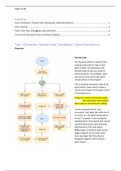
Flowchart
Pseudo Code
For the game which I created I have
used pseudo code to make a clear
path of what I am planning to do.
Pseudo code can be very useful in
many situations. For example, when
you are not sure how to go about
certain action in the program.
This is example of pseudo code of my
game which I have used to make a
certain hard aspect of the game which
is shooting lasers:
If player1 is active and presses space
Then draw laser from player1
Else if player1 not active do nothing
In both examples which I just
presented I had taken the code out of
my notes as I was planning the game.
In the 1st example I had to program
shooting lasers from player that would
automatically spawn upon pressing
shooting key in this case space.
Additionally, it connects with overall
bigger program as the lasers have
their own logic that they have to
disappear together with enemies
upon impact.
Contents
Task 1 [Flowchart, Pseudo Code, Storyboard / Game Description].............................................................. 1
Task 2 [Game] ............................................................................................................................................... 3
Task 3 [Test Plan, Debugging, Improvements] ............................................................................................. 4
Task 4 [User Manual & Technical Manual, Report] ...................................................................................... 8
Task 1 [Flowchart, Pseudo Code, Storyboard / Game Description]
Flowchart
Pseudo Code
For the game which I created I have
used pseudo code to make a clear
path of what I am planning to do.
Pseudo code can be very useful in
many situations. For example, when
you are not sure how to go about
certain action in the program.
This is example of pseudo code of my
game which I have used to make a
certain hard aspect of the game which
is shooting lasers:
If player1 is active and presses space
Then draw laser from player1
Else if player1 not active do nothing
In both examples which I just
presented I had taken the code out of
my notes as I was planning the game.
In the 1st example I had to program
shooting lasers from player that would
automatically spawn upon pressing
shooting key in this case space.
Additionally, it connects with overall
bigger program as the lasers have
their own logic that they have to
disappear together with enemies
upon impact.