
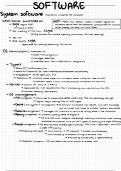
SOFTWARE
System software performs a task for the computer
When comp Switched on UEFI BIOS but better /used modern
systems)
.
=
,
in
↳ BIOS begins POST ↳
supports secure boot COS checked for to check for malware
validity
firmware on ROM conser friendly ,
can book ru n more faster
->
Get of HW from CMOS
inventory ↳
backed HW+ user
battery , non-volatile
memory that stores
settings
↳
Test HWr
↳> BIOS locates MBR
responsible for loading executing
+
OS +Kernel
OS (Operating System) -> provides UI
- loads truns
programs
->
manages resources
-> interface btwn HW+ application programs
:
↳
Types
↳
Desktop OS = MacOS , Windows Linux
,
↳ Mobile OS Android OS iOS limited resources
, uses of smartphone more
efficiently
↳ Embedded OS=> Traffic lights , cars ,
TVs
↳>
Application OS -D stand alone apps Crun wio need to interact w/other Sw , uses HW+OS(
-> network apps (run on multiple computers connected via network)
↳ Kermel core of OS (found in RAM)
->
responsible for I10 requests from SW+ for CPU
translating into instructions
-> handles peripherals
memory +
OS
management
↳
↳ File management -
allows user to delete , move , copy files into
create ,
save,
secondary storage
logical way of saving files
->
of diff .
types
↳ Device (I10 system) management OS controls manipulates HW devices wio user's
knowledge
and minimises time taken to transfer tol from slow devices
↳
Resource management -
manages
HW+ controls all activities taking place in the computer
Memory management
↳ - allocates space to
memory programs
->
S ensures each program has enough memory , no process uses
memory
allocated to another ,
and all diff types of
memory are used efficiently
↳ Process management - OS ensures each process
gets enough
CPU time +
resources +
that CPU
is used efficiently
OS
↳Processing techniques ->
multi-tasking - executes is process simultaneously
->
running at time
-o threads
multi-threading the same
-> executed
by multiple CPUs or
hyperthreading
↳ Scheduler= program in OS that determines which process to process next
System software performs a task for the computer
When comp Switched on UEFI BIOS but better /used modern
systems)
.
=
,
in
↳ BIOS begins POST ↳
supports secure boot COS checked for to check for malware
validity
firmware on ROM conser friendly ,
can book ru n more faster
->
Get of HW from CMOS
inventory ↳
backed HW+ user
battery , non-volatile
memory that stores
settings
↳
Test HWr
↳> BIOS locates MBR
responsible for loading executing
+
OS +Kernel
OS (Operating System) -> provides UI
- loads truns
programs
->
manages resources
-> interface btwn HW+ application programs
:
↳
Types
↳
Desktop OS = MacOS , Windows Linux
,
↳ Mobile OS Android OS iOS limited resources
, uses of smartphone more
efficiently
↳ Embedded OS=> Traffic lights , cars ,
TVs
↳>
Application OS -D stand alone apps Crun wio need to interact w/other Sw , uses HW+OS(
-> network apps (run on multiple computers connected via network)
↳ Kermel core of OS (found in RAM)
->
responsible for I10 requests from SW+ for CPU
translating into instructions
-> handles peripherals
memory +
OS
management
↳
↳ File management -
allows user to delete , move , copy files into
create ,
save,
secondary storage
logical way of saving files
->
of diff .
types
↳ Device (I10 system) management OS controls manipulates HW devices wio user's
knowledge
and minimises time taken to transfer tol from slow devices
↳
Resource management -
manages
HW+ controls all activities taking place in the computer
Memory management
↳ - allocates space to
memory programs
->
S ensures each program has enough memory , no process uses
memory
allocated to another ,
and all diff types of
memory are used efficiently
↳ Process management - OS ensures each process
gets enough
CPU time +
resources +
that CPU
is used efficiently
OS
↳Processing techniques ->
multi-tasking - executes is process simultaneously
->
running at time
-o threads
multi-threading the same
-> executed
by multiple CPUs or
hyperthreading
↳ Scheduler= program in OS that determines which process to process next


