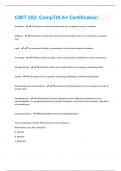
CMIT 202: CompTIA A+ CertificationQuestions With Correct Answers Already Passed!!
Hardware - The physical components that make up a computer system or network. Software - Instructions or data that are stored electronically, either on a hard drive or a special chip. Input - The movement of data or commands to the internal computer hardware. Processing - The flow of data through a series of procedures as defined by a set of instructions. Storage Devices - Devices that contain non-volatile memory for saving or maintaining data. Output - The process of the computer presenting, displaying, or otherwise giving data. Networking and communications - The practice of connecting two or more computers in order to transfer data. Standardization - Standardization allows components from different manufacturers to be interchangeable. If a component meets the specified standards, it will work in the computer, regardless of manufacturer. Componentization - Breaking down into interchangeable pieces You are looking at a female TRS connector on the computer. Which device uses this connector? A. Speaker B. Monitor C. KeyboardD. JoyStick - A. Speaker You need to replace a broken monitor on a desktop system. You decide to replace it with a spare monitor that wasn't being used. Even though the monitor is made by a different manufacturer than the desktop computer, it still works with the computer. Which computer design concept makes this possible? A. Standardization B. Componentization C. Plug and play D. Firmware - A. Standardization Explanation: Standardization allows components from different manufacturers to be interchangeable. If a component meets the specified standards, it will work in the computer, regardless of manufacturer. You are connecting an older dot matrix printer to a computer. The printer's cable is a D-shaped connector with 25 pins. Which port type does the printer connect to? A. USB port B. Serial port C. VGA port D. Parallel port - D. Parallel Port
Document information
- Uploaded on
- December 19, 2023
- Number of pages
- 7
- Written in
- 2023/2024
- Type
- Exam (elaborations)
- Contains
- Questions & answers