
Roland UDVARLAKI
Unit 20 – Customisation of web pages
P4 - Design web pages using CSS to control layout.
-Navigation Diagram:
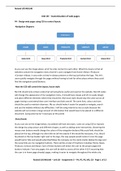
As you can see the image above, all of my sites connect to each other. What this means is that all
websites contain the navigation menu that let’s users navigate from Home->News->Products-
>Contact->About, in any order as they’re always present on the top just below the logo. This let’s
users quickly navigate through the pages without having to look for other places where they could
find the navigation panel/buttons.
-How the CSS will control the layout, house style:
My CSS should only contain codes that will actually be useful and used on the website. My CSS codes
will change the appearance of my navigation menu, it should have classes and id’s to easily design
and place different elements where they should be. My house style should stay the same across all
pages having a consistent/clean user interface and look overall. The same font, colour and sizes
should be used to maintain clearness. My css should make it easier for people to navigate, search
and use the website without any difficulties. I will be using internal as my css style because the
website will not contain a large amount of information that would have to be placed in a different
document. (using external isn’t necessary at this point)
-Story Board:
As you can see on the image below, my website will look very basic. I plan on using CSS to improve
the design by using colours and different shapes, as well as adding some interactivity. (hovering the
mouse over buttons would change the colour of the navigation buttons) My social links should be
placed on the top, although my client did not tell me exactly if this would be necessary, if so, they’d
be placed on the top header right next to the logo, this way people would notice it once the page
would load in fully and would subscribe/follow the company on the social media. Below the logo and
the social links are my navigation buttons. There will be a total of 5 buttons including: Home, News,
Products, Contact and About. Each of these buttons will direct the user to the proper pages the
buttons indicate. From any pages, the user will be able to access all the other 4 (5 if assuming that
the user is in home page already) pages, making it easier to navigate throughout the whole site.
Roland UDVARLAKI – Unit 20 - Assignment 3 – P4, P5, P6, M3, D2 - Page 1 of 13
, Roland UDVARLAKI
Below the navigation buttons is my content area where all the information, main content, images
etc will be placed and hold. Some pages such as the contact page will hold a form telling the user
about different ways they could reach the company while the ‘news’ page will only have a table with
a few rows and columns to let customers know about the latest news.
LOGO: The logo is going placed on the top-left side of the page. It will be a green pig hence the
website’s name is called oinkpiggy.co.nf. It will not contain any text whatsoever. It should contain a
hyperlink that will direct the users back to the home page. The Following css will be used for the
logo:
<img src="LINK OF THE LOGO’S IMAGE" style="display: block; margin: 0 auto; max-width: 15%; max-
height: 15%;"
Roland UDVARLAKI – Unit 20 - Assignment 3 – P4, P5, P6, M3, D2 - Page 2 of 13
Unit 20 – Customisation of web pages
P4 - Design web pages using CSS to control layout.
-Navigation Diagram:
As you can see the image above, all of my sites connect to each other. What this means is that all
websites contain the navigation menu that let’s users navigate from Home->News->Products-
>Contact->About, in any order as they’re always present on the top just below the logo. This let’s
users quickly navigate through the pages without having to look for other places where they could
find the navigation panel/buttons.
-How the CSS will control the layout, house style:
My CSS should only contain codes that will actually be useful and used on the website. My CSS codes
will change the appearance of my navigation menu, it should have classes and id’s to easily design
and place different elements where they should be. My house style should stay the same across all
pages having a consistent/clean user interface and look overall. The same font, colour and sizes
should be used to maintain clearness. My css should make it easier for people to navigate, search
and use the website without any difficulties. I will be using internal as my css style because the
website will not contain a large amount of information that would have to be placed in a different
document. (using external isn’t necessary at this point)
-Story Board:
As you can see on the image below, my website will look very basic. I plan on using CSS to improve
the design by using colours and different shapes, as well as adding some interactivity. (hovering the
mouse over buttons would change the colour of the navigation buttons) My social links should be
placed on the top, although my client did not tell me exactly if this would be necessary, if so, they’d
be placed on the top header right next to the logo, this way people would notice it once the page
would load in fully and would subscribe/follow the company on the social media. Below the logo and
the social links are my navigation buttons. There will be a total of 5 buttons including: Home, News,
Products, Contact and About. Each of these buttons will direct the user to the proper pages the
buttons indicate. From any pages, the user will be able to access all the other 4 (5 if assuming that
the user is in home page already) pages, making it easier to navigate throughout the whole site.
Roland UDVARLAKI – Unit 20 - Assignment 3 – P4, P5, P6, M3, D2 - Page 1 of 13
, Roland UDVARLAKI
Below the navigation buttons is my content area where all the information, main content, images
etc will be placed and hold. Some pages such as the contact page will hold a form telling the user
about different ways they could reach the company while the ‘news’ page will only have a table with
a few rows and columns to let customers know about the latest news.
LOGO: The logo is going placed on the top-left side of the page. It will be a green pig hence the
website’s name is called oinkpiggy.co.nf. It will not contain any text whatsoever. It should contain a
hyperlink that will direct the users back to the home page. The Following css will be used for the
logo:
<img src="LINK OF THE LOGO’S IMAGE" style="display: block; margin: 0 auto; max-width: 15%; max-
height: 15%;"
Roland UDVARLAKI – Unit 20 - Assignment 3 – P4, P5, P6, M3, D2 - Page 2 of 13



