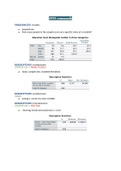
SPSS commands
FREQUENCIES variable.
● proportions
● How many people in the sample score on a specific value of a variable?
DESCRIPTIVES variablename
/STATISTICS = MEAN STDDEV.
● mean, sample size, standard deviation
DESCRIPTIVES variablename
/SAVE.
● saving z-scores in a new variable
DESCRIPTIVES Zvariablename
/STATISTICS = MIN MAX.
● showing minimum/maximum z-score
, DESCRIPTIVES variablename
/STATISTICS = SEMEAN.
● standard error
RECODE variablename (1 2 = 1) (4 THRU 7 = 2) (ELSE=SYSMIS) INTO newvariable.
EXECUTE.
● recoding variable
● THRU means 4 5 6 7 = 2 but it’s smarter
● (ELSE=SYSMIS) other values are skipped, missing (e.g. ‘don’t know’, ‘other’)
● (ELSE=0) when we make dichotomous variable and (1 2 3 = 1) and the rest we want
to be 0, so instead (4 THRU 9 = 0) we do faster/smarter move
VARIABLE LABELS newvariable "Type in a name of new variable".
VALUE LABELS newvariable 1 "Value name" 2 "Next value name" 3 "Last value name".
COMPUTE newvariable = 2022 + - / * variable.
EXECUTE.
● mathematical operation
FREQUENCIES variable
/HISTOGRAM.
● visualization - graph
COMPUTE filtername = (variable=valueyouwant).
FILTER BY filtername.
EXECUTE.
● analyses on a subset of the data only
FREQUENCIES variable.
● proportions
● How many people in the sample score on a specific value of a variable?
DESCRIPTIVES variablename
/STATISTICS = MEAN STDDEV.
● mean, sample size, standard deviation
DESCRIPTIVES variablename
/SAVE.
● saving z-scores in a new variable
DESCRIPTIVES Zvariablename
/STATISTICS = MIN MAX.
● showing minimum/maximum z-score
, DESCRIPTIVES variablename
/STATISTICS = SEMEAN.
● standard error
RECODE variablename (1 2 = 1) (4 THRU 7 = 2) (ELSE=SYSMIS) INTO newvariable.
EXECUTE.
● recoding variable
● THRU means 4 5 6 7 = 2 but it’s smarter
● (ELSE=SYSMIS) other values are skipped, missing (e.g. ‘don’t know’, ‘other’)
● (ELSE=0) when we make dichotomous variable and (1 2 3 = 1) and the rest we want
to be 0, so instead (4 THRU 9 = 0) we do faster/smarter move
VARIABLE LABELS newvariable "Type in a name of new variable".
VALUE LABELS newvariable 1 "Value name" 2 "Next value name" 3 "Last value name".
COMPUTE newvariable = 2022 + - / * variable.
EXECUTE.
● mathematical operation
FREQUENCIES variable
/HISTOGRAM.
● visualization - graph
COMPUTE filtername = (variable=valueyouwant).
FILTER BY filtername.
EXECUTE.
● analyses on a subset of the data only