
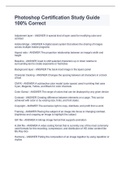
Photoshop Certification Study Guide 100% Correct
Adjustment layer - ANSWER A special kind of layer used for modifying color and contrast Adobe Bridge - ANSWER A digital asset system that allows the sharing of images across multiple Adobe programs Aspect ratio - ANSWER The proportion relationship between an image's width and height Baseline - ANSWER Used to shift selected characters up or down relative to surrounding text to create exponents or footnotes Background layer - ANSWER The back-most image in the layers panel Character tracking - ANSWER Changes the spacing between all characters in a block of text CMYK - ANSWER A subtractive color model (color space) used in printing that uses Cyan, Magenta, Yellow, and Black for color channels Color Gamut - ANSWER The range of colors that can be displayed by any given device Contrast - ANSWER Creating difference between elements on a page. This can be achieved with color or by varying size, fonts, and font styles. Copyright - ANSWER The exclusive right to copy, distribute, and profit from a work Framing - ANSWER Placing the subject of an image into focus or changing contrast, brightness and cropping an image to highlight the subject GIF file - ANSWER A bitmap image format that supports animation H.264 file - ANSWER A video coding format that is currently one of the most commonly used formats for the recording, compression, and distribution of HD video content like Blu Ray dics Harmony - ANSWER Pulling the composition of an image together by using repetition or rhythm Hierarchy - ANSWER Contains elements that lead the reader through each element in order of significance Improving readability - ANSWER Create contrast with font styles and use space and proximity Indexed color - ANSWER Images that use a color palette with a default maximum value of 256 colors JPEG - ANSWER A commonly used format with lossy compression for digital photography Kerning - ANSWER Changes the spacing between two letters of text MPEG - ANSWER A standard for lossy compression of video and audio Non-lossy (full quality) file formats - ANSWER BMP, RAW and PNG Non-destructive editing - ANSWER Changing images without altering the original pixels (adjustment layers) Pixels - ANSWER Individual dots that make up an image PNG - ANSWER A raster graphics file formats that supports lossless data compression Raster (or bitmap) image - ANSWER Represented by pixels in a grid layout and cannot be re-sized without loss of quality Rasterizing - ANSWER Converting a vector image into pixels so more special effects/filters can be applied RAW file - ANSWER Contains unprocessed, uncompressed grayscale picture data from a digital camera's image sensor, along with information about how the image was captured (metadata) Readability - ANSWER Level of ease the reader can understand information in the design which can be improved using spacing and proximity or creating contrast with font styles Repitition - ANSWER Creating visual consistency by repeating an element such as colors, styles, or shapes Resolution - ANSWER Measurement of an image's size by the number of dots that make up the image RGB - ANSWER Color mode best for digital documents (not printed) that allows access top the most features in Photoshop including 3D using Red, Green, and Blue color channels Rule of Thirds - ANSWER 9 Equal sections divided by equally space horizontal and equally spaced vertical lines used to create a visually appealing image or design Scale - ANSWER Using the relative size of elements against each other to attract attention to a focal point Sans serif font features - ANSWER Simple modern looking fonts (no decorative lines), better in digital documents due to readability at small sizes
Document information
- Uploaded on
- March 13, 2023
- Number of pages
- 3
- Written in
- 2022/2023
- Type
- Exam (elaborations)
- Contains
- Questions & answers


