Grader - Excel 2019
Instructions Project
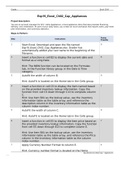
Exp19_Excel_Ch02_Cap_Appliances
Project Description:
You are an account manager for W.C. Hicks Appliances, a local appliance store that also provides financing,
delivery, and installation. As part of your daily tasks, you create an excel workbook that reports sales, pay-ment
plan information, and summary statistics.
Steps to Perform:
Points
Step Instructions
Possible
1 Start Excel. Download and open the file named 0
Exp19_Excel_Ch02_Cap_Appliances.xlsx. Grader has
automatically added your last name to the beginning of the
filename.
2 Insert a function in cell B2 to display the current date and 8
format as a Long Date.
Hint: The NOW function can be located on the Formulas
tab, in the Function library group, in the Date & Time
category.
3 Autofit the width of column B. 0
Hint: AutoFit is located on the Home tab in the Cells group.
4 Insert a function in cell C5 to display the item named based 7
on the provided inventory lookup information. Copy the
function from cell C5 down through C13 to complete column
C.
Hint: Use item SKU as the lookup value, use the inventory
information table as the table array, and reference the
description column in the inventory information table as the
column index number.
5 AutoFit the width of column C. 0
Hint: AutoFit is located on the Home tab in the Cells group.
6 Insert a function in cell E5 to display the item price based on 7
the provided inventory lookup information. Copy the function
from cell E5 down through E13 to complete column E.
Hint: Use item SKU as the lookup value, use the inventory
information table as the table array, and reference the Price
column in the inventory information table as the column
index number.
7 Apply Currency Number Format to column E. 4
Hint: Currency number format is located on the Home
Exp19_Excel_Ch02_Cap - Appliances
1.5
, Grader - Excel 2019
Instructions tab in the Number group. Project
Exp19_Excel_Ch02_Cap - Appliances
1.5
Instructions Project
Exp19_Excel_Ch02_Cap_Appliances
Project Description:
You are an account manager for W.C. Hicks Appliances, a local appliance store that also provides financing,
delivery, and installation. As part of your daily tasks, you create an excel workbook that reports sales, pay-ment
plan information, and summary statistics.
Steps to Perform:
Points
Step Instructions
Possible
1 Start Excel. Download and open the file named 0
Exp19_Excel_Ch02_Cap_Appliances.xlsx. Grader has
automatically added your last name to the beginning of the
filename.
2 Insert a function in cell B2 to display the current date and 8
format as a Long Date.
Hint: The NOW function can be located on the Formulas
tab, in the Function library group, in the Date & Time
category.
3 Autofit the width of column B. 0
Hint: AutoFit is located on the Home tab in the Cells group.
4 Insert a function in cell C5 to display the item named based 7
on the provided inventory lookup information. Copy the
function from cell C5 down through C13 to complete column
C.
Hint: Use item SKU as the lookup value, use the inventory
information table as the table array, and reference the
description column in the inventory information table as the
column index number.
5 AutoFit the width of column C. 0
Hint: AutoFit is located on the Home tab in the Cells group.
6 Insert a function in cell E5 to display the item price based on 7
the provided inventory lookup information. Copy the function
from cell E5 down through E13 to complete column E.
Hint: Use item SKU as the lookup value, use the inventory
information table as the table array, and reference the Price
column in the inventory information table as the column
index number.
7 Apply Currency Number Format to column E. 4
Hint: Currency number format is located on the Home
Exp19_Excel_Ch02_Cap - Appliances
1.5
, Grader - Excel 2019
Instructions tab in the Number group. Project
Exp19_Excel_Ch02_Cap - Appliances
1.5