
Class XI Computer Science (083)
Functions
❖ FUNCTIONS
In programming, Function can be defined as a named group of instructions
that accomplish a specific task when it is invoked. Once defined, a
function can be called repeatedly from different places of the program
without writing all the codes of that function every time, or it can be
called from inside another function, by simply writing the name of the
function and passing the required parameters. The programmer can define
as many functions as desired while writing the code.
❖ The Advantages of Function
• Increases readability, particularly for longer code as by using
functions, the program is better organized and easy to understand.
• Reduces code length as same code is not required to be written at
multiple places in a program. This also makes debugging easier.
• Increases reusability, as function can be called from another function
or another program. Thus, we can reuse or build upon already defined
functions and avoid repetitions of writing the same piece of code.
• Work can be easily divided among team members and completed in parallel.
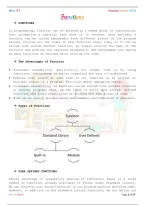
❖ Types of Functions
Function
Standard Library User Defined
Built-in Module
❖ USER DEFINED FUNCTIONS
Taking advantage of reusability feature of functions, there is a large
number of functions already available in Python under standard library.
We can directly call these functions in our program without defining them.
However, in addition to the standard library functions, we can define our
Pre. by Pijush Page 1 of 17
,Class XI Computer Science (083)
own functions while writing the program. Such functions are called user
defined functions. Thus, a function defined to achieve some tasks as per
the programmer's requirement is called a user defined function.
❖ Creating User Defined Function
A function definition begins with def (short for define). The syntax for
creating a user defined function is as follows:
def<Function name> ([parameter 1, parameter 2, ….]) : Function Header
set of instructions to be executed
[return <value>] : Function Body
• The items enclosed in "[ ]" are called parameters and they are optional.
Hence, a function may or may not have parameters. Also, a function may
or may not return a value.
• Function header always ends with a colon (:).
• Function name should be unique. Rules for naming identifiers also
applies for function naming.
• The statements outside the function indentation are not considered as
part of the function.
#Function to add two numbers
#The requirements are listed below:
#1. We need to accept 2 numbers from the user.
#2. Calculate their sum
#3. Display the sum.
#function definition
def addnum():
fnum = int(input("Enter first number: "))
snum = int(input("Enter second number: "))
sum = fnum + snum
print("The sum of ",fnum,"and ",snum,"is ",sum)
#function call
addnum()
In order to execute the function addnum(), we need to call it. The function
can be called in the program by writing function name.
❖ Arguments and Parameters
In the above example, the numbers were accepted from the user within the
function itself, but it is also possible for a user defined function to
receive values at the time of being called. An argument is a value passed
Pre. by Pijush Page 2 of 17
, Class XI Computer Science (083)
to the function during the function call which is received in corresponding
parameter defined in function header.
#Program to find the sum of first n natural numbers
#The requirements are:
#1. n be passed as an argument
#2. Calculate sum of first n natural numbers
#3. Display the sum
#function header
def sumSquares(n): #n is the parameter
sum = 0
for i in range(1,n+1):
sum = sum + i
print("The sum of first",n,"natural numbers is: ",sum)
num = int(input("Enter the value for n: "))
#num is an argument referring to the value input by the user
sumSquares(num) #function call
(A) String as Parameters
In the above programs, the arguments passed are of numeric type only.
However, in some programs, user may need to pass string values as an
argument.
For example, if first name is Gyan and lastname is Vardhan, the output
should be:
Hello Gyan Vardhan
#Function to display full name
#The requirements are listed below:
#1. The function should have 2 parameters to accept first name and
#last name.
#2. Concatenate names using + operator with a space between first
#name and last name.
#3. Display full name.
def fullname(first,last):
#+ operator is used to concatenate strings
fullname = first + " " + last
print("Hello",fullname)
#function ends here
first = input("Enter first name: ")
last = input("Enter last name: ")
#function call
fullname(first,last)
Pre. by Pijush Page 3 of 17
Functions
❖ FUNCTIONS
In programming, Function can be defined as a named group of instructions
that accomplish a specific task when it is invoked. Once defined, a
function can be called repeatedly from different places of the program
without writing all the codes of that function every time, or it can be
called from inside another function, by simply writing the name of the
function and passing the required parameters. The programmer can define
as many functions as desired while writing the code.
❖ The Advantages of Function
• Increases readability, particularly for longer code as by using
functions, the program is better organized and easy to understand.
• Reduces code length as same code is not required to be written at
multiple places in a program. This also makes debugging easier.
• Increases reusability, as function can be called from another function
or another program. Thus, we can reuse or build upon already defined
functions and avoid repetitions of writing the same piece of code.
• Work can be easily divided among team members and completed in parallel.
❖ Types of Functions
Function
Standard Library User Defined
Built-in Module
❖ USER DEFINED FUNCTIONS
Taking advantage of reusability feature of functions, there is a large
number of functions already available in Python under standard library.
We can directly call these functions in our program without defining them.
However, in addition to the standard library functions, we can define our
Pre. by Pijush Page 1 of 17
,Class XI Computer Science (083)
own functions while writing the program. Such functions are called user
defined functions. Thus, a function defined to achieve some tasks as per
the programmer's requirement is called a user defined function.
❖ Creating User Defined Function
A function definition begins with def (short for define). The syntax for
creating a user defined function is as follows:
def<Function name> ([parameter 1, parameter 2, ….]) : Function Header
set of instructions to be executed
[return <value>] : Function Body
• The items enclosed in "[ ]" are called parameters and they are optional.
Hence, a function may or may not have parameters. Also, a function may
or may not return a value.
• Function header always ends with a colon (:).
• Function name should be unique. Rules for naming identifiers also
applies for function naming.
• The statements outside the function indentation are not considered as
part of the function.
#Function to add two numbers
#The requirements are listed below:
#1. We need to accept 2 numbers from the user.
#2. Calculate their sum
#3. Display the sum.
#function definition
def addnum():
fnum = int(input("Enter first number: "))
snum = int(input("Enter second number: "))
sum = fnum + snum
print("The sum of ",fnum,"and ",snum,"is ",sum)
#function call
addnum()
In order to execute the function addnum(), we need to call it. The function
can be called in the program by writing function name.
❖ Arguments and Parameters
In the above example, the numbers were accepted from the user within the
function itself, but it is also possible for a user defined function to
receive values at the time of being called. An argument is a value passed
Pre. by Pijush Page 2 of 17
, Class XI Computer Science (083)
to the function during the function call which is received in corresponding
parameter defined in function header.
#Program to find the sum of first n natural numbers
#The requirements are:
#1. n be passed as an argument
#2. Calculate sum of first n natural numbers
#3. Display the sum
#function header
def sumSquares(n): #n is the parameter
sum = 0
for i in range(1,n+1):
sum = sum + i
print("The sum of first",n,"natural numbers is: ",sum)
num = int(input("Enter the value for n: "))
#num is an argument referring to the value input by the user
sumSquares(num) #function call
(A) String as Parameters
In the above programs, the arguments passed are of numeric type only.
However, in some programs, user may need to pass string values as an
argument.
For example, if first name is Gyan and lastname is Vardhan, the output
should be:
Hello Gyan Vardhan
#Function to display full name
#The requirements are listed below:
#1. The function should have 2 parameters to accept first name and
#last name.
#2. Concatenate names using + operator with a space between first
#name and last name.
#3. Display full name.
def fullname(first,last):
#+ operator is used to concatenate strings
fullname = first + " " + last
print("Hello",fullname)
#function ends here
first = input("Enter first name: ")
last = input("Enter last name: ")
#function call
fullname(first,last)
Pre. by Pijush Page 3 of 17


