
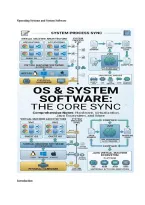
Operating Systems and System Software
Introduction
, A school without a principal is like a computer without an operating system. The hardware is
there; the CPU, memory, disk, keyboard, screen. But nobody is organising who does what and
when. The master program that controls the computer’s resources and lets you actually use it is
the Operating System (OS). The OS, as well as tools like translators and virtual machines, are
all included in the larger category known as System Software.
1. What an Operating System Does
The operating system (OS) sits between the hardware and the user’s applications. Its main jobs
are:
• Process management
Process management is about deciding which programs run on the CPU and when.
• Memory management
Memory management involves sharing RAM between programs safely.
• File management
File management is organising files and folders on storage.
• Device management
Device management is controlling printers, keyboards, disks, and other devices.
• Security and user accounts
Security and user accounts include passwords, permissions, and protecting data.
Introduction
, A school without a principal is like a computer without an operating system. The hardware is
there; the CPU, memory, disk, keyboard, screen. But nobody is organising who does what and
when. The master program that controls the computer’s resources and lets you actually use it is
the Operating System (OS). The OS, as well as tools like translators and virtual machines, are
all included in the larger category known as System Software.
1. What an Operating System Does
The operating system (OS) sits between the hardware and the user’s applications. Its main jobs
are:
• Process management
Process management is about deciding which programs run on the CPU and when.
• Memory management
Memory management involves sharing RAM between programs safely.
• File management
File management is organising files and folders on storage.
• Device management
Device management is controlling printers, keyboards, disks, and other devices.
• Security and user accounts
Security and user accounts include passwords, permissions, and protecting data.


