
WGU D197 GitLab Setup Instructions for Lab
Submissions
Gitlab-How To
(Instructions to set up WGU Gitlab Environment)
Gitlab-How To ................................................................................................................................... 1
Run the Pipeline ............................................................................................................................. 1
Access your Repository................................................................................................................... 2
Creation of New Branch .................................................................................................................. 2
Submissions .................................................................................................................................. 2
Run the Pipeline
Step 1: Click or use link (https://gitlab.com/groups/wgu-gitlab-environment/-/saml/sso?token=Hzwm1Anx) to open
WGU Gitlab Environment.
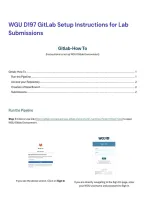
If you see the above screen. Click on Sign In If you are directly navigating to the Sign On page, enter
your WGU username and password to Sign in.
, ♦ You will be redirecting to WGU Gitlab Environment project
Step 2: Click on Students sub-group.
♦ The Students sub-group should include a list of repositories for each course
Step 3: Select repository with your Course Code & Name (eg: D197 Version Control)
Submissions
Gitlab-How To
(Instructions to set up WGU Gitlab Environment)
Gitlab-How To ................................................................................................................................... 1
Run the Pipeline ............................................................................................................................. 1
Access your Repository................................................................................................................... 2
Creation of New Branch .................................................................................................................. 2
Submissions .................................................................................................................................. 2
Run the Pipeline
Step 1: Click or use link (https://gitlab.com/groups/wgu-gitlab-environment/-/saml/sso?token=Hzwm1Anx) to open
WGU Gitlab Environment.
If you see the above screen. Click on Sign In If you are directly navigating to the Sign On page, enter
your WGU username and password to Sign in.
, ♦ You will be redirecting to WGU Gitlab Environment project
Step 2: Click on Students sub-group.
♦ The Students sub-group should include a list of repositories for each course
Step 3: Select repository with your Course Code & Name (eg: D197 Version Control)


