
Pr2_Exercises
Erik Fransen
2025-07-14
Independent t-test
Before you start
• Create a folder / directory on your PC where you put all files related to this practical
• Turn this folder into your working directory
# setwd ("C:/wherever your files are")
Data readin and exploration
Read in the dataset ozoneLong.txt. This small dataset contains measurements of ozone (O3 ) in two gardens,
labelled A and B.
myData<-read.table("ozoneLong.txt",header=T,stringsAsFactors=T)
Questions
• How are the data organized? Check the environment in RStudio (click on blue dot), or the str() function.
What do the two variables mean?
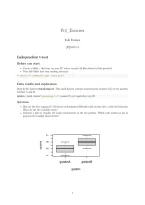
• Generate a plot to visualize the ozone concentration in the two gardens. Which code would you use to
generate the boxplot shown below?
7
ozone
5
3
1
gardenA gardenB
garden
1
,Carrying out the t-test
Research question is whether the mean O3 concentration differs between the two gardens. The most common
parametric and non-parametric tests to test this hypothesis are the independent sample t-test and the
Mann-Withney U test, respectively.
Check out the help function (or any internet resource) for the independent samples t-test in R. Several
commands are possible (try it out!), but with the data in long format, the most convenient way to carry out
the t-test is using the formula interface :
t.test(ozone~garden,data=myData)
Questions
Interpret the output of the t-test on the screen :
• Is there a significant difference in mean O3 value between the two gardens
• What is the 95% confidence interval of the difference?
Extracting elements from the t-test result
The above command directs some default output to the screen, but nothing is stored. The power of R lies
within the ability to store the results of an analysis in an object, and to extract the elements of interest from
this object for further use. The first command here directs the results from the t-test into an object called
myResults. Subsequently, the names() function lists which elements can be extracted from myResults. The
dollar operator ($) can then be used to extract the elements of interest.
myResult <- t.test(ozone~garden,data=myData)
names(myResult)
myResult$p.value
Questions
Further explore the content of the object with the results of the t-test.
• Use the $ operator to extract the 95% confidence interval of the difference
• What type of object is the 95% confidence interval of the difference? How would you extract the lower
and the upper limit, respectively?
• One of the elements you can extract from the results is the “estimate”. What is meant by the estimate?
Data in wide format
Dataset ozone.txt contains the same data as ozoneLong.txt, albeit in a different (wide) format. The data
on the two gardens are now in 2 separate columns, but the data are still UNpaired.
Questions
Ask ChatGPT (or any AI tool) for the R code to carry out the independent t-test, starting from the data in
wide format. Verify that you get the same result as before starting from the data in long format.
dataWide<-read.table("ozone.txt",header=T)
result<-t.test(dataWide$gardenA,dataWide$gardenB)
2
,Parametric versus nonparametric testing
Requirements for parametric testing
Statistical hypothesis tests like the t-test rely on a number of distributional assumptions about the data
– in particular, the normality of the sample mean. In brief : the (observed) sample mean comes from a
normal distribution, with average equal to the (unobserved) underlying population mean. The spread (of the
observed sample mean around the unobserved population mean) is given by the standard error, which equal
to the standard deviation divided by the square root of the sample size. These assumptions obout the sample
mean are met if :
- The sample sizes are large enough (at least 10 observations/group)
- The distribution is approximately normal
These requirements must be met across all samples (groups) in the dataset. The normality requirement
becomes less crucial as the sample size increases.
Questions
• Carry out a visual check of the normality in the ozone data, using a histogram
• Look up how to generate a QQplot to test a numeric variable against the normal distribution. Make
sure a diagonal reference line is added. Apply this to the ozone data.
• Test the normality of the two samples using the Shapiro-wilk test.
• Was it justified to carry out a parametric test?
• Carry out a Mann-Withney U test on the ozone data, to test if the average ozone concentration is the
same in both gardens. Do you come to the same conclusion as the independent t-test?
• Optional : Use the ozone.txt dataset, with the same data in wide format (2 separate columns for
garden A and garden B) and carry out the same tests.
3
, Linear regression
Data readin and exploration
The tannin.txt dataset describes the growth of caterpillars as a function of the tannin content in their food.
Growth is the numeric response (dependent) variable.
tanninData <- read.table ( "tannin.txt" , header = T )
It’s good practice to do some data exploration first. By now, we all know what these commands stand for:
str(tanninData)
summary(tanninData)
To generate a scatterplot with growth in the Y-axis and tannin in the X, several commands are possible.
The formula interface, similar syntax for the t-test, can be used if the X- and Y-values are columns from a
dataframe. The name of the dataframe is supplied using the data= argument. Alternatively, the vector with
the x resp. y variable can be supplied.
plot(growth ~ tannin , data = tanninData)
plot(tanninData$tannin, tanninData$growth)
Since one column out of a data frame is equal to a vector, the following also works:
plot(tanninData$growth ~ tanninData$tannin)
Fitting a linear regression model
The R function to fit a linear model is lm(). The first (mandatory) argument of the lm() function is the
formula, with the following structure:
dependent (outcome) variable
∼
independent (input) variable(s)
This formula means that the outcome (dependent) variable is modeled as a function of the independent
variable. If this latter is numeric, R performs linear regression. The data= argument must be added,
indicating the data frame where the variables come from.
lm() is a so-called generic function, ie. it behaves differently according to the type of data it receives. Later
we will use the same lm() function for ANOVA, in which case the independent variable is a factor.
For the tannin example, a linear model is fitted:
lm (growth ~ tannin , data = tanninData)
The default output on the screen is pretty disappointing. You just get the two coefficients for intercept and
slope. A lot more output data are available, which can be stored in an object of class lm.
model <- lm (growth~tannin , data = tanninData)
class ( model )
The object called “model” now contains all results produced by the lm() function. You should look at it as a
basket full of results, and you can pick out the one result you need. There are several ways to access the
different results. Most convenient is the summary() function, giving a nice overview of the main results:
summary(model)
You can see details on the estimated effects: regression coefficients, the standard error of the estimate, and
the p-values, and so on.
4
Erik Fransen
2025-07-14
Independent t-test
Before you start
• Create a folder / directory on your PC where you put all files related to this practical
• Turn this folder into your working directory
# setwd ("C:/wherever your files are")
Data readin and exploration
Read in the dataset ozoneLong.txt. This small dataset contains measurements of ozone (O3 ) in two gardens,
labelled A and B.
myData<-read.table("ozoneLong.txt",header=T,stringsAsFactors=T)
Questions
• How are the data organized? Check the environment in RStudio (click on blue dot), or the str() function.
What do the two variables mean?
• Generate a plot to visualize the ozone concentration in the two gardens. Which code would you use to
generate the boxplot shown below?
7
ozone
5
3
1
gardenA gardenB
garden
1
,Carrying out the t-test
Research question is whether the mean O3 concentration differs between the two gardens. The most common
parametric and non-parametric tests to test this hypothesis are the independent sample t-test and the
Mann-Withney U test, respectively.
Check out the help function (or any internet resource) for the independent samples t-test in R. Several
commands are possible (try it out!), but with the data in long format, the most convenient way to carry out
the t-test is using the formula interface :
t.test(ozone~garden,data=myData)
Questions
Interpret the output of the t-test on the screen :
• Is there a significant difference in mean O3 value between the two gardens
• What is the 95% confidence interval of the difference?
Extracting elements from the t-test result
The above command directs some default output to the screen, but nothing is stored. The power of R lies
within the ability to store the results of an analysis in an object, and to extract the elements of interest from
this object for further use. The first command here directs the results from the t-test into an object called
myResults. Subsequently, the names() function lists which elements can be extracted from myResults. The
dollar operator ($) can then be used to extract the elements of interest.
myResult <- t.test(ozone~garden,data=myData)
names(myResult)
myResult$p.value
Questions
Further explore the content of the object with the results of the t-test.
• Use the $ operator to extract the 95% confidence interval of the difference
• What type of object is the 95% confidence interval of the difference? How would you extract the lower
and the upper limit, respectively?
• One of the elements you can extract from the results is the “estimate”. What is meant by the estimate?
Data in wide format
Dataset ozone.txt contains the same data as ozoneLong.txt, albeit in a different (wide) format. The data
on the two gardens are now in 2 separate columns, but the data are still UNpaired.
Questions
Ask ChatGPT (or any AI tool) for the R code to carry out the independent t-test, starting from the data in
wide format. Verify that you get the same result as before starting from the data in long format.
dataWide<-read.table("ozone.txt",header=T)
result<-t.test(dataWide$gardenA,dataWide$gardenB)
2
,Parametric versus nonparametric testing
Requirements for parametric testing
Statistical hypothesis tests like the t-test rely on a number of distributional assumptions about the data
– in particular, the normality of the sample mean. In brief : the (observed) sample mean comes from a
normal distribution, with average equal to the (unobserved) underlying population mean. The spread (of the
observed sample mean around the unobserved population mean) is given by the standard error, which equal
to the standard deviation divided by the square root of the sample size. These assumptions obout the sample
mean are met if :
- The sample sizes are large enough (at least 10 observations/group)
- The distribution is approximately normal
These requirements must be met across all samples (groups) in the dataset. The normality requirement
becomes less crucial as the sample size increases.
Questions
• Carry out a visual check of the normality in the ozone data, using a histogram
• Look up how to generate a QQplot to test a numeric variable against the normal distribution. Make
sure a diagonal reference line is added. Apply this to the ozone data.
• Test the normality of the two samples using the Shapiro-wilk test.
• Was it justified to carry out a parametric test?
• Carry out a Mann-Withney U test on the ozone data, to test if the average ozone concentration is the
same in both gardens. Do you come to the same conclusion as the independent t-test?
• Optional : Use the ozone.txt dataset, with the same data in wide format (2 separate columns for
garden A and garden B) and carry out the same tests.
3
, Linear regression
Data readin and exploration
The tannin.txt dataset describes the growth of caterpillars as a function of the tannin content in their food.
Growth is the numeric response (dependent) variable.
tanninData <- read.table ( "tannin.txt" , header = T )
It’s good practice to do some data exploration first. By now, we all know what these commands stand for:
str(tanninData)
summary(tanninData)
To generate a scatterplot with growth in the Y-axis and tannin in the X, several commands are possible.
The formula interface, similar syntax for the t-test, can be used if the X- and Y-values are columns from a
dataframe. The name of the dataframe is supplied using the data= argument. Alternatively, the vector with
the x resp. y variable can be supplied.
plot(growth ~ tannin , data = tanninData)
plot(tanninData$tannin, tanninData$growth)
Since one column out of a data frame is equal to a vector, the following also works:
plot(tanninData$growth ~ tanninData$tannin)
Fitting a linear regression model
The R function to fit a linear model is lm(). The first (mandatory) argument of the lm() function is the
formula, with the following structure:
dependent (outcome) variable
∼
independent (input) variable(s)
This formula means that the outcome (dependent) variable is modeled as a function of the independent
variable. If this latter is numeric, R performs linear regression. The data= argument must be added,
indicating the data frame where the variables come from.
lm() is a so-called generic function, ie. it behaves differently according to the type of data it receives. Later
we will use the same lm() function for ANOVA, in which case the independent variable is a factor.
For the tannin example, a linear model is fitted:
lm (growth ~ tannin , data = tanninData)
The default output on the screen is pretty disappointing. You just get the two coefficients for intercept and
slope. A lot more output data are available, which can be stored in an object of class lm.
model <- lm (growth~tannin , data = tanninData)
class ( model )
The object called “model” now contains all results produced by the lm() function. You should look at it as a
basket full of results, and you can pick out the one result you need. There are several ways to access the
different results. Most convenient is the summary() function, giving a nice overview of the main results:
summary(model)
You can see details on the estimated effects: regression coefficients, the standard error of the estimate, and
the p-values, and so on.
4


