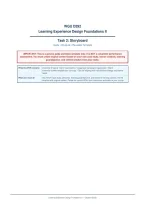
WGU D292
Learning Experience Design Foundations II
Task 2: Storyboard
Guide • Structure • Reusable Template
IMPORTANT: This is a general guide and blank template only. It is NOT a completed performance
assessment. You must create original content based on your own case study, learner analysis, learning
goal/objective, and refined solution from prior tasks.
What this PDF contains Overview of typical Task 2 expectations • Suggested storyboard organization • Blank
screen-by-screen template you can copy • Tips for aligning with instructional strategy and learner
needs
What you must do Use YOUR case study, personas, learning goal/objective, and refined e-learning solution. Fill the
template with original content. Follow the current WGU task instructions and rubric in your course.
Learning Experience Design Foundations II — Student Guide
, D292 Task 2 Storyboard Guide & Template Original Template — Not a Completed Submission
1. Typical Task 2 Expectations (General)
Always verify against the official task instructions and rubric in your WGU course of study. Requirements can be updated.
Common elements students are asked to address:
• Carry forward contextual information from prior LXD tasks (instructional setting, target learners, problem, goal, objective).
• Identify an instructional strategy that guides the design of the storyboard.
• Create an original storyboard for a roughly one-hour e-learning module (often suggested length of about 4–10 screens).
• Conceptually represent text, visuals, audio, and interactions that support the learning objective and learner needs.
• Show organization of content that supports achievement of the objective (e.g., activate → model → guided practice →
independent practice → assessment/reflection).
• Address accessibility / UDL considerations where required by the rubric.
2. Suggested Storyboard Organization
A common flow for a one-hour module (adapt to your objective and strategy):
1. Title / Welcome + Learning Objective
2. Activate prior knowledge / engagement hook
3–5. Content mini-lessons or concept screens (I do / modeling)
6. Guided practice (We do)
7. Independent practice or application (You do)
8. Check for understanding / brief assessment
9. Summary, reflection, and next steps
Keep total learner time near one hour. Prioritize interaction over long blocks of text.
3. Instructional Strategy (Name It Explicitly)
Your storyboard should be guided by a named strategy. Examples students often use:
• Gradual Release of Responsibility (I do → We do → You do)
• Problem-Based or Scenario-Based Learning
• Cooperative / Collaborative Learning
• Exploration and Discovery
• Direct Instruction with guided practice
In your written portion, explain why the strategy fits your learners and how the storyboard screens reflect it.
Page 2
Learning Experience Design Foundations II
Task 2: Storyboard
Guide • Structure • Reusable Template
IMPORTANT: This is a general guide and blank template only. It is NOT a completed performance
assessment. You must create original content based on your own case study, learner analysis, learning
goal/objective, and refined solution from prior tasks.
What this PDF contains Overview of typical Task 2 expectations • Suggested storyboard organization • Blank
screen-by-screen template you can copy • Tips for aligning with instructional strategy and learner
needs
What you must do Use YOUR case study, personas, learning goal/objective, and refined e-learning solution. Fill the
template with original content. Follow the current WGU task instructions and rubric in your course.
Learning Experience Design Foundations II — Student Guide
, D292 Task 2 Storyboard Guide & Template Original Template — Not a Completed Submission
1. Typical Task 2 Expectations (General)
Always verify against the official task instructions and rubric in your WGU course of study. Requirements can be updated.
Common elements students are asked to address:
• Carry forward contextual information from prior LXD tasks (instructional setting, target learners, problem, goal, objective).
• Identify an instructional strategy that guides the design of the storyboard.
• Create an original storyboard for a roughly one-hour e-learning module (often suggested length of about 4–10 screens).
• Conceptually represent text, visuals, audio, and interactions that support the learning objective and learner needs.
• Show organization of content that supports achievement of the objective (e.g., activate → model → guided practice →
independent practice → assessment/reflection).
• Address accessibility / UDL considerations where required by the rubric.
2. Suggested Storyboard Organization
A common flow for a one-hour module (adapt to your objective and strategy):
1. Title / Welcome + Learning Objective
2. Activate prior knowledge / engagement hook
3–5. Content mini-lessons or concept screens (I do / modeling)
6. Guided practice (We do)
7. Independent practice or application (You do)
8. Check for understanding / brief assessment
9. Summary, reflection, and next steps
Keep total learner time near one hour. Prioritize interaction over long blocks of text.
3. Instructional Strategy (Name It Explicitly)
Your storyboard should be guided by a named strategy. Examples students often use:
• Gradual Release of Responsibility (I do → We do → You do)
• Problem-Based or Scenario-Based Learning
• Cooperative / Collaborative Learning
• Exploration and Discovery
• Direct Instruction with guided practice
In your written portion, explain why the strategy fits your learners and how the storyboard screens reflect it.
Page 2