
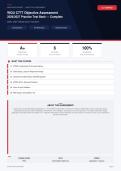
WEB DEVELOPMENT · OBJECTIVE ASSESSMENT A+ VERIFIED
WGU C777 Objective Assessment
2026/2027 Practice Test Bank — Complete
Official Exam Test Bank
150 Questions Full Rationales Verified Answers
A+ 6 100%
QUESTIONS SECTIONS RATIONALES
Complete coverage Core exam domains Every answer explained
WHAT THIS COVERS
01 HTML5 Fundamentals & Semantic Markup
02 CSS3 Styling, Layout & Responsive Design
03 JavaScript Fundamentals & DOM Manipulation
04 HTML5 APIs & Advanced Features
05 Forms & Input Validation
06 Web Design, Accessibility & UX
ABOUT THIS ASSESSMENT
Build mastery in web development applications — from HTML5 fundamentals and semantic markup to CSS3 styling, layout, responsive design,
JavaScript fundamentals, DOM manipulation, HTML5 APIs, form validation, accessibility, and user experience. This original study bank targets
application and analysis skills for the WGU C777 Objective Assessment, with full rationales for every answer. For review use only; not an institutional
proctored assessment.
PASSING SCORE LEVEL FORMAT
75% Intermediate (Web Dev) Application / Analysis
STUVIA ACTUAL EXAM Page 1
, SECTION 1: HTML5 Fundamentals & Semantic Markup
Q1. A developer is converting a legacy webpage that uses multiple nested <div> elements with class names such as 'header', 'nav', and
'footer' for layout structure. The team lead requests that the markup be updated to improve accessibility and SEO without changing
visual appearance. Which HTML5 elements should replace the corresponding divs?
A. <header>, <navigation>, <footer>
B. <header>, <nav>, <footer>
C. <head>, <nav>, <foot>
D. <top>, <menu>, <bottom>
Correct Answer: A
Rationale:
HTML5 provides semantic elements <header>, <nav>, and <footer> that convey meaning to browsers, assistive technologies, and search engines. The
<navigation> tag does not exist; the correct element is <nav>. Using these elements improves document outline and accessibility.
Q2. While reviewing a colleague’s HTML, a junior developer notices that the main content of the page is wrapped only in a series of
<div> tags and the document outline is flat. The page contains an article with two related sidebars. Which combination of HTML5
structural elements produces the clearest semantic structure?
A. <main> containing <article> and two <aside> elements
B. <section> containing three <div> elements with ARIA roles
C. <body> containing only <article> and <div class='sidebar'>
D. <content> containing <article> and two <sidebar> elements
Correct Answer: B
Rationale:
The <main> element identifies the primary content, <article> denotes independent content, and <aside> marks complementary content such as
sidebars. These native semantic elements are preferred over generic divs or non-existent tags.
Q3. A blog post template needs to display the publication date, author name, and a short summary that search engines can easily
extract. The designer also wants the title of the post to appear in the browser tab. Which set of elements and attributes best satisfies
both requirements?
A. Use <h1> for the title, <time datetime='...'> for the date, and a <meta name='description'> in the head
B. Use <title> for the post title only and place the date inside a plain <span>
C. Use <h1> and put the date and author inside an <address> element
D. Use a single <meta> tag that contains title, date, and summary as free text
Correct Answer: C
Rationale:
The <title> element (usually set via the page <title> or a corresponding h1 that matches) controls the browser tab; <time> with a machine-readable
datetime attribute is the correct way to mark dates; the description meta tag supplies the summary for search engines.
Q4. An accessibility audit flags a page because screen readers cannot determine the purpose of several groups of related form controls
and images. The developer must add the most appropriate native HTML5 grouping and labeling constructs. Which approach is
recommended?
A. Wrap related controls in <fieldset> with a <legend>, and provide <figcaption> for each figure
B. Add aria-label to every individual input and img element
C. Place all controls inside a single <div role='group'> and use title attributes
D. Use only CSS classes named 'group' and 'label' for visual indication
Correct Answer: D
Rationale:
Native <fieldset>/<legend> creates an accessible group name for form controls, and <figure>/<figcaption> associates captions with images or other
content. These are preferable to relying solely on ARIA when native elements exist.
STUVIA ACTUAL EXAM · Page 2
, SECTION 1: HTML5 Fundamentals & Semantic Markup
Q5. A developer needs to embed a short video that should display a custom poster image before playback, support multiple source
formats for browser compatibility, and include fallback text for older browsers. Which markup pattern is correct?
A. <video poster='thumb.jpg'><source src='clip.mp4' type='video/mp4'><source src='clip.webm' type='video/webm'>Your browser does not
support video.</video>
B. <video src='clip.mp4' poster='thumb.jpg'></video> with no fallback
C. <object data='clip.mp4'><img src='thumb.jpg'></object>
D. <embed src='clip.mp4' poster='thumb.jpg'>
Correct Answer: C
Rationale:
The <video> element accepts a poster attribute, multiple <source> children for format fallback, and nested fallback content for browsers that do not
support the element.
Q6. During a code review, a team member questions why the developer used <section> instead of <div> for a group of related headings
and paragraphs that form a thematic unit but are not independently distributable. Which explanation is most accurate?
A. <section> conveys that the content is a thematic grouping with its own heading outline entry, while <div> is purely presentational
B. <section> is required by the HTML5 specification for any content that has a heading
C. <div> is deprecated in HTML5 and must never be used
D. <section> automatically creates an ARIA landmark that <div> cannot
Correct Answer: D
Rationale:
The <section> element represents a thematic grouping of content, typically with a heading, and participates in the document outline. A <div> has no
semantic meaning and should be used only when no other element is appropriate.
Q7. A news website must mark the main story, a set of related links in the sidebar, and a copyright notice that appears on every page.
Which three HTML5 elements correctly map to these three regions?
A. <article>, <aside>, <footer>
B. <main>, <section>, <address>
C. <content>, <sidebar>, <copyright>
D. <story>, <related>, <legal>
Correct Answer: A
Rationale:
<article> is suitable for a self-contained composition such as a news story, <aside> for tangentially related content, and <footer> for the copyright notice
that belongs to the page or section.
Q8. A developer is creating a definition list for a glossary of web terms. The terms and their definitions must be correctly associated for
both visual presentation and assistive technology. Which element pairing is required?
A. <dl> containing pairs of <dt> and <dd>
B. <ul> containing <li> elements that each hold a term and definition
C. <table> with two columns labeled Term and Definition
D. <div class='glossary'> with <span class='term'> and <span class='def'>
Correct Answer: B
Rationale:
The <dl>, <dt>, and <dd> elements form the native HTML construct for description lists, providing explicit semantic association between terms and their
descriptions.
STUVIA ACTUAL EXAM · Page 3
, SECTION 1: HTML5 Fundamentals & Semantic Markup
Q9. An interactive widget displays a progress indicator for a file upload. The value ranges from 0 to 100 and should be exposed to
assistive technologies. Which HTML5 element is designed for this purpose?
A. <progress value='45' max='100'>45%</progress>
B. <meter value='45' min='0' max='100'>
C. <input type='range' value='45' max='100'>
D. <div role='progressbar' aria-valuenow='45'>
Correct Answer: A
Rationale:
The <progress> element specifically represents the completion progress of a task. While <meter> is for scalar measurements within a known range and
ARIA can approximate the role, the native progress element is the most appropriate.
Q10. A page must include a block of sample HTML code that should appear exactly as typed, including indentation and angle brackets,
without the browser interpreting the tags. Which element should wrap the code sample?
A. <pre><code><div class="example">...</div></code></pre>
B. <code><div class="example">...</div></code>
C. <samp><div class="example">...</div></samp>
D. <xmp><div class="example">...</div></xmp>
Correct Answer: B
Rationale:
The combination of <pre> for preserving whitespace and <code> for marking computer code, with proper escaping of < and >, is the standard,
accessible way to display code samples. The <xmp> element is obsolete.
Q11. A developer needs to create a navigation menu that will be repeated across many pages. The menu should be identifiable as
navigation by both browsers and assistive technologies, and its links should be listed. Which markup is most appropriate?
A. <nav><ul><li><a href='/'>Home</a></li>...</ul></nav>
B. <div id='nav'><a href='/'>Home</a>...</div>
C. <menu><li><a href='/'>Home</a></li>...</menu>
D. <navigation><ul><li><a href='/'>Home</a></li>...</ul></navigation>
Correct Answer: C
Rationale:
The <nav> element explicitly identifies a section of navigation links. Nesting an unordered list inside it is a common, accessible pattern. The <menu>
element has a different purpose and <navigation> is not a valid tag.
Q12. When a user prints a long article, the developer wants page numbers, the article title, and the site name to appear in the margin of
every printed page. Which HTML5 feature supports this requirement?
A. CSS @page rules combined with running headers generated from <title> or specific elements
B. The <header> element automatically repeats on every printed page
C. A special <print-header> element placed in the <head>
D. JavaScript that inserts page numbers at print time only
Correct Answer: D
Rationale:
CSS Paged Media (@page, running elements, etc.) is the standard mechanism for controlling headers and footers when printing. HTML itself does not
automatically repeat content on printed pages.
STUVIA ACTUAL EXAM · Page 4
WGU C777 Objective Assessment
2026/2027 Practice Test Bank — Complete
Official Exam Test Bank
150 Questions Full Rationales Verified Answers
A+ 6 100%
QUESTIONS SECTIONS RATIONALES
Complete coverage Core exam domains Every answer explained
WHAT THIS COVERS
01 HTML5 Fundamentals & Semantic Markup
02 CSS3 Styling, Layout & Responsive Design
03 JavaScript Fundamentals & DOM Manipulation
04 HTML5 APIs & Advanced Features
05 Forms & Input Validation
06 Web Design, Accessibility & UX
ABOUT THIS ASSESSMENT
Build mastery in web development applications — from HTML5 fundamentals and semantic markup to CSS3 styling, layout, responsive design,
JavaScript fundamentals, DOM manipulation, HTML5 APIs, form validation, accessibility, and user experience. This original study bank targets
application and analysis skills for the WGU C777 Objective Assessment, with full rationales for every answer. For review use only; not an institutional
proctored assessment.
PASSING SCORE LEVEL FORMAT
75% Intermediate (Web Dev) Application / Analysis
STUVIA ACTUAL EXAM Page 1
, SECTION 1: HTML5 Fundamentals & Semantic Markup
Q1. A developer is converting a legacy webpage that uses multiple nested <div> elements with class names such as 'header', 'nav', and
'footer' for layout structure. The team lead requests that the markup be updated to improve accessibility and SEO without changing
visual appearance. Which HTML5 elements should replace the corresponding divs?
A. <header>, <navigation>, <footer>
B. <header>, <nav>, <footer>
C. <head>, <nav>, <foot>
D. <top>, <menu>, <bottom>
Correct Answer: A
Rationale:
HTML5 provides semantic elements <header>, <nav>, and <footer> that convey meaning to browsers, assistive technologies, and search engines. The
<navigation> tag does not exist; the correct element is <nav>. Using these elements improves document outline and accessibility.
Q2. While reviewing a colleague’s HTML, a junior developer notices that the main content of the page is wrapped only in a series of
<div> tags and the document outline is flat. The page contains an article with two related sidebars. Which combination of HTML5
structural elements produces the clearest semantic structure?
A. <main> containing <article> and two <aside> elements
B. <section> containing three <div> elements with ARIA roles
C. <body> containing only <article> and <div class='sidebar'>
D. <content> containing <article> and two <sidebar> elements
Correct Answer: B
Rationale:
The <main> element identifies the primary content, <article> denotes independent content, and <aside> marks complementary content such as
sidebars. These native semantic elements are preferred over generic divs or non-existent tags.
Q3. A blog post template needs to display the publication date, author name, and a short summary that search engines can easily
extract. The designer also wants the title of the post to appear in the browser tab. Which set of elements and attributes best satisfies
both requirements?
A. Use <h1> for the title, <time datetime='...'> for the date, and a <meta name='description'> in the head
B. Use <title> for the post title only and place the date inside a plain <span>
C. Use <h1> and put the date and author inside an <address> element
D. Use a single <meta> tag that contains title, date, and summary as free text
Correct Answer: C
Rationale:
The <title> element (usually set via the page <title> or a corresponding h1 that matches) controls the browser tab; <time> with a machine-readable
datetime attribute is the correct way to mark dates; the description meta tag supplies the summary for search engines.
Q4. An accessibility audit flags a page because screen readers cannot determine the purpose of several groups of related form controls
and images. The developer must add the most appropriate native HTML5 grouping and labeling constructs. Which approach is
recommended?
A. Wrap related controls in <fieldset> with a <legend>, and provide <figcaption> for each figure
B. Add aria-label to every individual input and img element
C. Place all controls inside a single <div role='group'> and use title attributes
D. Use only CSS classes named 'group' and 'label' for visual indication
Correct Answer: D
Rationale:
Native <fieldset>/<legend> creates an accessible group name for form controls, and <figure>/<figcaption> associates captions with images or other
content. These are preferable to relying solely on ARIA when native elements exist.
STUVIA ACTUAL EXAM · Page 2
, SECTION 1: HTML5 Fundamentals & Semantic Markup
Q5. A developer needs to embed a short video that should display a custom poster image before playback, support multiple source
formats for browser compatibility, and include fallback text for older browsers. Which markup pattern is correct?
A. <video poster='thumb.jpg'><source src='clip.mp4' type='video/mp4'><source src='clip.webm' type='video/webm'>Your browser does not
support video.</video>
B. <video src='clip.mp4' poster='thumb.jpg'></video> with no fallback
C. <object data='clip.mp4'><img src='thumb.jpg'></object>
D. <embed src='clip.mp4' poster='thumb.jpg'>
Correct Answer: C
Rationale:
The <video> element accepts a poster attribute, multiple <source> children for format fallback, and nested fallback content for browsers that do not
support the element.
Q6. During a code review, a team member questions why the developer used <section> instead of <div> for a group of related headings
and paragraphs that form a thematic unit but are not independently distributable. Which explanation is most accurate?
A. <section> conveys that the content is a thematic grouping with its own heading outline entry, while <div> is purely presentational
B. <section> is required by the HTML5 specification for any content that has a heading
C. <div> is deprecated in HTML5 and must never be used
D. <section> automatically creates an ARIA landmark that <div> cannot
Correct Answer: D
Rationale:
The <section> element represents a thematic grouping of content, typically with a heading, and participates in the document outline. A <div> has no
semantic meaning and should be used only when no other element is appropriate.
Q7. A news website must mark the main story, a set of related links in the sidebar, and a copyright notice that appears on every page.
Which three HTML5 elements correctly map to these three regions?
A. <article>, <aside>, <footer>
B. <main>, <section>, <address>
C. <content>, <sidebar>, <copyright>
D. <story>, <related>, <legal>
Correct Answer: A
Rationale:
<article> is suitable for a self-contained composition such as a news story, <aside> for tangentially related content, and <footer> for the copyright notice
that belongs to the page or section.
Q8. A developer is creating a definition list for a glossary of web terms. The terms and their definitions must be correctly associated for
both visual presentation and assistive technology. Which element pairing is required?
A. <dl> containing pairs of <dt> and <dd>
B. <ul> containing <li> elements that each hold a term and definition
C. <table> with two columns labeled Term and Definition
D. <div class='glossary'> with <span class='term'> and <span class='def'>
Correct Answer: B
Rationale:
The <dl>, <dt>, and <dd> elements form the native HTML construct for description lists, providing explicit semantic association between terms and their
descriptions.
STUVIA ACTUAL EXAM · Page 3
, SECTION 1: HTML5 Fundamentals & Semantic Markup
Q9. An interactive widget displays a progress indicator for a file upload. The value ranges from 0 to 100 and should be exposed to
assistive technologies. Which HTML5 element is designed for this purpose?
A. <progress value='45' max='100'>45%</progress>
B. <meter value='45' min='0' max='100'>
C. <input type='range' value='45' max='100'>
D. <div role='progressbar' aria-valuenow='45'>
Correct Answer: A
Rationale:
The <progress> element specifically represents the completion progress of a task. While <meter> is for scalar measurements within a known range and
ARIA can approximate the role, the native progress element is the most appropriate.
Q10. A page must include a block of sample HTML code that should appear exactly as typed, including indentation and angle brackets,
without the browser interpreting the tags. Which element should wrap the code sample?
A. <pre><code><div class="example">...</div></code></pre>
B. <code><div class="example">...</div></code>
C. <samp><div class="example">...</div></samp>
D. <xmp><div class="example">...</div></xmp>
Correct Answer: B
Rationale:
The combination of <pre> for preserving whitespace and <code> for marking computer code, with proper escaping of < and >, is the standard,
accessible way to display code samples. The <xmp> element is obsolete.
Q11. A developer needs to create a navigation menu that will be repeated across many pages. The menu should be identifiable as
navigation by both browsers and assistive technologies, and its links should be listed. Which markup is most appropriate?
A. <nav><ul><li><a href='/'>Home</a></li>...</ul></nav>
B. <div id='nav'><a href='/'>Home</a>...</div>
C. <menu><li><a href='/'>Home</a></li>...</menu>
D. <navigation><ul><li><a href='/'>Home</a></li>...</ul></navigation>
Correct Answer: C
Rationale:
The <nav> element explicitly identifies a section of navigation links. Nesting an unordered list inside it is a common, accessible pattern. The <menu>
element has a different purpose and <navigation> is not a valid tag.
Q12. When a user prints a long article, the developer wants page numbers, the article title, and the site name to appear in the margin of
every printed page. Which HTML5 feature supports this requirement?
A. CSS @page rules combined with running headers generated from <title> or specific elements
B. The <header> element automatically repeats on every printed page
C. A special <print-header> element placed in the <head>
D. JavaScript that inserts page numbers at print time only
Correct Answer: D
Rationale:
CSS Paged Media (@page, running elements, etc.) is the standard mechanism for controlling headers and footers when printing. HTML itself does not
automatically repeat content on printed pages.
STUVIA ACTUAL EXAM · Page 4


