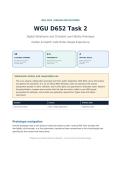
DES 3100 | DESIGN APPLICATIONS
WGU D652 Task 2
Digital Wireframe and Clickable Low-Fidelity Prototype
Harbor & Hearth Cafe Order-Ahead Experience
12 1:1 2
CLICKABLE SCREENS TRACEABILITY OFFICIAL SKILLS
Nine primary-flow screens Every written action names Digital wireframe plus
plus three recoverable the exact screen and low-fidelity digital
exception states. visible control. prototype.
Submission status and responsible use
This is an original, independent exemplar built from public September 2026 WGU course information
and general UX standards. It is not an official WGU template, does not reproduce the private
assessment prompt or rubric verbatim, and no third party can guarantee an evaluator result. Replace
the placeholders, compare every section with the task and rubric visible in your WGU portal,
personalize the rationale, and provide any separately required live Figma share link before
submission.
Student Course Artifact date
[Your name and ID] D652 - Design Applications September 2026
Prototype navigation
Use the prototype map or the buttons inside each phone screen. Internal PDF links simulate the
low-fidelity click-through. In a live submission, reproduce these connections in the visual-design tool
specified by the current task instructions.
Prepared as a detailed model for adaptation - not a promise of automatic passage.
, 1. September 2026 alignment basis
What is official, what is inferred, and what must be verified in the student portal.
Official course anchor
The September 2026 WGU Institutional Catalog lists D652 (DES 3100) as a three-competency-unit
Term 5 course. Its official description moves from storyboards to a wireframe and low-fidelity
prototype using industry-standard visual design tools, emphasizing visual composition, interactivity,
usability, balance, thematic consistency, visual aesthetics, and ethical considerations.
Evidence level Finding How this exemplar responds
Official WGU, Sep. D652 is Design Applications (DES 3100), 3 CUs, Term Labels and deliverables use the current course identity.
2026 5.
Official WGU program Competency 1: create a digital wireframe using All screens are built from lines, rectangles, circles, text roles, and
guide simple shapes. restrained grayscale/accent colors.
Official WGU program Competency 2: create a low-fidelity digital prototype The PDF contains working internal links; a Figma reproduction
guide using digital tools and techniques. checklist is included.
Public student report; A Task 2 revision cited a written interaction Screen IDs, button labels, destinations, and expected results are
anecdotal description that did not logically align with the repeated verbatim in the interaction matrix.
screens.
Student portal The full task prompt, rubric aspect names, A portal verification gate appears in the final preflight checklist;
controls submission fields, approved tools, and link private rubric language is not invented here.
permissions may change.
Assessment-facing working interpretation
- Task 2 should make the selected Task 1 concept concrete as a coherent digital wireframe and
connected low-fidelity prototype.
- Interactivity must be demonstrable: a reviewer can start, progress, recover from errors, and finish
without relying on arrows or prose alone.
- The written explanation must match what is visible and clickable, using stable screen names and exact
control labels.
- Design rationale should explicitly address composition, balance, consistency, aesthetics, usability,
accessibility, and ethics because those themes appear in the official course description.
WGU D652 Task 2 | Independent rubric-aligned exemplar | September 2026 Page 2
, 2. Scenario continuity from Task 1
The Task 2 prototype implements the same selected concept and user need.
Element Task 1 foundation carried into Task 2
Organization Harbor & Hearth Cafe, a fictional neighborhood cafe with two pickup locations.
Primary user Maya Chen, 34, a time-constrained commuter who often orders one-handed while moving between
transit and work.
Problem Busy cafe customers need a clear, low-friction way to customize and pay for pickup orders because
in-store uncertainty and queues make arrival time unpredictable.
Design goal Let a first-time mobile user select a store, customize one drink, see the complete price and pickup
estimate before payment, recover from common failures, and identify the pickup state.
Success endpoint The user reaches a clearly labeled Ready for pickup state with order number, shelf location, and
assistance guidance.
Constraints Low fidelity; mobile-first; transparent pricing; optional data collection; no manipulative urgency;
recoverable errors.
Primary use case
At 8:10 AM, Maya has approximately twelve minutes before her train. She opens the cafe experience,
chooses Pine Street because it shows the shorter estimate, selects a cafe latte, chooses medium and oat
milk, reviews the full $5.55 total, pays, tracks preparation, and collects the drink from Shelf B.
Exception use cases
- A selected modifier becomes unavailable; the system explains that nothing was added or charged and
offers explicit substitutes or cancellation.
- Payment fails; the system states that no charge occurred, preserves the cart, and offers retry, another
method, or return to cart.
- Live status loses connectivity; the system preserves the order number and last-known state, then offers
retry and pickup details.
Continuity decision
Task 2 does not introduce a new persona, business, or unrelated feature set. The wireframe is a
direct implementation of the same Task 1 user flow, including a recovery path.
WGU D652 Task 2 | Independent rubric-aligned exemplar | September 2026 Page 3
WGU D652 Task 2
Digital Wireframe and Clickable Low-Fidelity Prototype
Harbor & Hearth Cafe Order-Ahead Experience
12 1:1 2
CLICKABLE SCREENS TRACEABILITY OFFICIAL SKILLS
Nine primary-flow screens Every written action names Digital wireframe plus
plus three recoverable the exact screen and low-fidelity digital
exception states. visible control. prototype.
Submission status and responsible use
This is an original, independent exemplar built from public September 2026 WGU course information
and general UX standards. It is not an official WGU template, does not reproduce the private
assessment prompt or rubric verbatim, and no third party can guarantee an evaluator result. Replace
the placeholders, compare every section with the task and rubric visible in your WGU portal,
personalize the rationale, and provide any separately required live Figma share link before
submission.
Student Course Artifact date
[Your name and ID] D652 - Design Applications September 2026
Prototype navigation
Use the prototype map or the buttons inside each phone screen. Internal PDF links simulate the
low-fidelity click-through. In a live submission, reproduce these connections in the visual-design tool
specified by the current task instructions.
Prepared as a detailed model for adaptation - not a promise of automatic passage.
, 1. September 2026 alignment basis
What is official, what is inferred, and what must be verified in the student portal.
Official course anchor
The September 2026 WGU Institutional Catalog lists D652 (DES 3100) as a three-competency-unit
Term 5 course. Its official description moves from storyboards to a wireframe and low-fidelity
prototype using industry-standard visual design tools, emphasizing visual composition, interactivity,
usability, balance, thematic consistency, visual aesthetics, and ethical considerations.
Evidence level Finding How this exemplar responds
Official WGU, Sep. D652 is Design Applications (DES 3100), 3 CUs, Term Labels and deliverables use the current course identity.
2026 5.
Official WGU program Competency 1: create a digital wireframe using All screens are built from lines, rectangles, circles, text roles, and
guide simple shapes. restrained grayscale/accent colors.
Official WGU program Competency 2: create a low-fidelity digital prototype The PDF contains working internal links; a Figma reproduction
guide using digital tools and techniques. checklist is included.
Public student report; A Task 2 revision cited a written interaction Screen IDs, button labels, destinations, and expected results are
anecdotal description that did not logically align with the repeated verbatim in the interaction matrix.
screens.
Student portal The full task prompt, rubric aspect names, A portal verification gate appears in the final preflight checklist;
controls submission fields, approved tools, and link private rubric language is not invented here.
permissions may change.
Assessment-facing working interpretation
- Task 2 should make the selected Task 1 concept concrete as a coherent digital wireframe and
connected low-fidelity prototype.
- Interactivity must be demonstrable: a reviewer can start, progress, recover from errors, and finish
without relying on arrows or prose alone.
- The written explanation must match what is visible and clickable, using stable screen names and exact
control labels.
- Design rationale should explicitly address composition, balance, consistency, aesthetics, usability,
accessibility, and ethics because those themes appear in the official course description.
WGU D652 Task 2 | Independent rubric-aligned exemplar | September 2026 Page 2
, 2. Scenario continuity from Task 1
The Task 2 prototype implements the same selected concept and user need.
Element Task 1 foundation carried into Task 2
Organization Harbor & Hearth Cafe, a fictional neighborhood cafe with two pickup locations.
Primary user Maya Chen, 34, a time-constrained commuter who often orders one-handed while moving between
transit and work.
Problem Busy cafe customers need a clear, low-friction way to customize and pay for pickup orders because
in-store uncertainty and queues make arrival time unpredictable.
Design goal Let a first-time mobile user select a store, customize one drink, see the complete price and pickup
estimate before payment, recover from common failures, and identify the pickup state.
Success endpoint The user reaches a clearly labeled Ready for pickup state with order number, shelf location, and
assistance guidance.
Constraints Low fidelity; mobile-first; transparent pricing; optional data collection; no manipulative urgency;
recoverable errors.
Primary use case
At 8:10 AM, Maya has approximately twelve minutes before her train. She opens the cafe experience,
chooses Pine Street because it shows the shorter estimate, selects a cafe latte, chooses medium and oat
milk, reviews the full $5.55 total, pays, tracks preparation, and collects the drink from Shelf B.
Exception use cases
- A selected modifier becomes unavailable; the system explains that nothing was added or charged and
offers explicit substitutes or cancellation.
- Payment fails; the system states that no charge occurred, preserves the cart, and offers retry, another
method, or return to cart.
- Live status loses connectivity; the system preserves the order number and last-known state, then offers
retry and pickup details.
Continuity decision
Task 2 does not introduce a new persona, business, or unrelated feature set. The wireframe is a
direct implementation of the same Task 1 user flow, including a recovery path.
WGU D652 Task 2 | Independent rubric-aligned exemplar | September 2026 Page 3