
Excel Formulas
Excel Formulas.pdf Excel Formulas.pdf Excel Formulas.pdf
Study online at https://quizlet.com/_fz2x3z
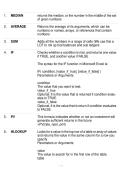
1. MEDIAN returns the median, or the number in the middle of the set
of given numbers
2. AVERAGE Returns the average of its arguments, which can be
numbers or names, arrays, or references that contain
numbers
3. SUM Adds all the numbers in a range of cells (We use this a
LOT to roll up trial balances and sub ledgers
4. IF Checks whether a condition is met, and returns one value
if TRUE, and another value if FALSE
The syntax for the IF function in Microsoft Excel is:
IF( condition, [value_if_true], [value_if_false] )
Parameters or Arguments
condition
The value that you want to test.
value_if_true
Optional. It is the value that is returned if condition evalu-
ates to TRUE.
value_if_false
Optional. It is the value that is return if condition evaluates
to FALSE.
5. PV This formula indicates whether or not an investment will
generate sufficient returns in the future
=PV(rate, nper, pmt)
6. HLOOKUP Looks for a value in the top row of a table or array of values
and returns the value in the same column for a row you
specify
Parameters or Arguments
value
The value to search for in the first row of the table.
table
Excel Formulas.pdf Excel Formulas.pdf Excel Formulas.pdf
, Excel Formulas
Excel Formulas.pdf Excel Formulas.pdf Excel Formulas.pdf
Study online at https://quizlet.com/_fz2x3z
Two or more rows of data that is sorted in ascending
order.
index_number
The row number in table from which the matching value
must be returned. The first row is 1.
not_exact_match
Optional. It determines if you are looking for an exact
match based on value. Enter FALSE to find an exact
match. Enter TRUE to find an approximate match, which
means that if an exact match if not found, then it will look
for the next largest value that is less than value. If this
parameter is omitted, it will return an approximate match.
Note:
If index_number is less than 1, the HLOOKUP function
will return #VALUE!.
If index_number is greater than the number of columns in
table, the HLOOKUP function will return #REF!.
If you enter FALSE for the not_exact_match parameter
and no exact match is found, then the HLOOKUP function
will return #N/A.
7. SUMIF Adds the cells specified by a given criteria (We use this a
LOT to roll up trial balances and sub ledgers)
SYNTAX
The syntax for the SUMIF function in Microsoft Excel is:
SUMIF( range, criteria, [sum_range] )
Parameters or Arguments
range
The range of cells that you want to apply the criteria
against.
criteria
The criteria used to determine which cells to add.
sum_range
Optional. It is the cells to sum. If this parameter is omitted,
it uses range as the sum_range.
Excel Formulas.pdf Excel Formulas.pdf Excel Formulas.pdf
Excel Formulas.pdf Excel Formulas.pdf Excel Formulas.pdf
Study online at https://quizlet.com/_fz2x3z
1. MEDIAN returns the median, or the number in the middle of the set
of given numbers
2. AVERAGE Returns the average of its arguments, which can be
numbers or names, arrays, or references that contain
numbers
3. SUM Adds all the numbers in a range of cells (We use this a
LOT to roll up trial balances and sub ledgers
4. IF Checks whether a condition is met, and returns one value
if TRUE, and another value if FALSE
The syntax for the IF function in Microsoft Excel is:
IF( condition, [value_if_true], [value_if_false] )
Parameters or Arguments
condition
The value that you want to test.
value_if_true
Optional. It is the value that is returned if condition evalu-
ates to TRUE.
value_if_false
Optional. It is the value that is return if condition evaluates
to FALSE.
5. PV This formula indicates whether or not an investment will
generate sufficient returns in the future
=PV(rate, nper, pmt)
6. HLOOKUP Looks for a value in the top row of a table or array of values
and returns the value in the same column for a row you
specify
Parameters or Arguments
value
The value to search for in the first row of the table.
table
Excel Formulas.pdf Excel Formulas.pdf Excel Formulas.pdf
, Excel Formulas
Excel Formulas.pdf Excel Formulas.pdf Excel Formulas.pdf
Study online at https://quizlet.com/_fz2x3z
Two or more rows of data that is sorted in ascending
order.
index_number
The row number in table from which the matching value
must be returned. The first row is 1.
not_exact_match
Optional. It determines if you are looking for an exact
match based on value. Enter FALSE to find an exact
match. Enter TRUE to find an approximate match, which
means that if an exact match if not found, then it will look
for the next largest value that is less than value. If this
parameter is omitted, it will return an approximate match.
Note:
If index_number is less than 1, the HLOOKUP function
will return #VALUE!.
If index_number is greater than the number of columns in
table, the HLOOKUP function will return #REF!.
If you enter FALSE for the not_exact_match parameter
and no exact match is found, then the HLOOKUP function
will return #N/A.
7. SUMIF Adds the cells specified by a given criteria (We use this a
LOT to roll up trial balances and sub ledgers)
SYNTAX
The syntax for the SUMIF function in Microsoft Excel is:
SUMIF( range, criteria, [sum_range] )
Parameters or Arguments
range
The range of cells that you want to apply the criteria
against.
criteria
The criteria used to determine which cells to add.
sum_range
Optional. It is the cells to sum. If this parameter is omitted,
it uses range as the sum_range.
Excel Formulas.pdf Excel Formulas.pdf Excel Formulas.pdf


