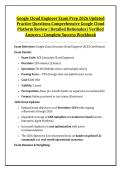
Google Cloud Engineer Exam Prep 2026 Updated
Practice Questions Comprehensive Google Cloud
Platform Review | Detailed Rationales | Verified
Answers | Complete Success Workbook
Exam Reference: Google Cloud Associate Cloud Engineer (ACE) Certification
Exam Details:
• Exam Code: ACE (Associate Cloud Engineer)
• Duration: 120 minutes (2 hours)
• Questions: 50–60 (Multiple choice and multiple select)
• Passing Score: ~70% (Google does not publish exact score)
• Cost: $200 USD
• Validity: 2 years
• Prerequisites: None (6+ months hands-on experience recommended)
• Format: Online proctored or test center (Kryterion)
2026 Exam Updates:
• Updated exam objectives as of November 2024 with ongoing
refinements through 2026
• Expanded coverage of GKE Autopilot and Gemini in Cloud (Gemini
Enterprise Agent Platform)
• Increased emphasis on cost optimization with active
recommendations
• The 2026 objectives have sharpened focus on hands-on gcloud CLI
commands and real-world operational scenarios
Exam Domains & Weighting:
,Domain Weight
1. Setting Up a Cloud Solution Environment ~17-20%
2. Planning and Configuring a Cloud Solution ~17-20%
3. Deploying and Implementing a Cloud Solution ~22-25%
4. Ensuring Successful Operation of a Cloud Solution ~20-22%
5. Configuring Access and Security ~18-21%
Note: Domain 3 (Deploying and Implementing) carries the highest weight at
25% and is the single largest domain on the exam.
DOMAIN 1: SETTING UP A CLOUD SOLUTION ENVIRONMENT (~17-20%)
Question 1
A company is setting up a new Google Cloud organization. They need to
structure their resources to support multiple teams (Finance, Engineering,
Marketing) and multiple environments (Development, Staging, Production).
What is the CORRECT resource hierarchy structure to implement?
A) Organization → Folders (by team) → Projects (by environment) →
Resources
B) Organization → Projects (by team) → Folders (by environment) →
Resources
C) Organization → Resources → Projects → Folders
D) Organization → Folders (by environment) → Projects (by team) →
Resources
Answer: A
,Rationale: The correct GCP resource hierarchy is Organization → Folders →
Projects → Resources. The recommended practice is to organize folders by
team or business unit, then create projects within each folder for different
environments (dev, staging, prod). This allows for consistent policy
application at the folder level and clear separation of environments. Option B
has the folder/project order reversed. Option C is incorrect—projects contain
resources, not the other way around. Option D organizes by environment first,
which makes team-level policy application more difficult.
Question 2
A developer needs to switch between multiple Google Cloud projects using the
gcloud CLI. Which gcloud command should they use to change the active
project?
A) gcloud projects switch PROJECT_ID
B) gcloud config set project PROJECT_ID
C) gcloud projects set PROJECT_ID
D) gcloud config project PROJECT_ID
Answer: B
Rationale: The correct command is gcloud config set project PROJECT_ID.
This updates the active project in the current gcloud configuration. gcloud
projects list (A is close but not the correct command) lists available
projects. gcloud projects set (C) and gcloud config project (D) are not valid
commands.
Question 3
A company wants to set up billing for a new Google Cloud project. They need
to link the project to a billing account. Which of the following is the CORRECT
sequence of steps?
A) Create project → Enable APIs → Link billing account
B) Create project → Link billing account → Enable APIs
C) Link billing account → Create project → Enable APIs
D) Enable APIs → Create project → Link billing account
, Answer: B
Rationale: The correct sequence is: Create the project first, then link it to a
billing account, then enable the necessary APIs. A project must exist before it
can be linked to a billing account. APIs can be enabled after billing is set up.
Option A is incorrect because enabling APIs before billing is set up may fail.
Option C is incorrect because you can't link a billing account to a project that
doesn't exist yet.
Question 4
A cloud administrator needs to create a new project from the command line.
Which gcloud command should they use?
A) gcloud projects create PROJECT_ID
B) gcloud projects new PROJECT_ID
C) gcloud init PROJECT_ID
D) gcloud config create PROJECT_ID
Answer: A
Rationale: The correct command is gcloud projects create
PROJECT_ID. gcloud projects new (B) is not a valid command. gcloud init (C)
initializes a gcloud environment but does not create projects. gcloud config
create (D) is not a valid command.
Question 5
A company needs to set up a shared VPC to allow multiple projects in the
same organization to use a common network. Where should the shared VPC
be created?
A) In each project that needs to use it
B) In a separate host project with the Shared VPC Admin role
C) In the organization root
D) In a folder, not a project
Answer: B
Practice Questions Comprehensive Google Cloud
Platform Review | Detailed Rationales | Verified
Answers | Complete Success Workbook
Exam Reference: Google Cloud Associate Cloud Engineer (ACE) Certification
Exam Details:
• Exam Code: ACE (Associate Cloud Engineer)
• Duration: 120 minutes (2 hours)
• Questions: 50–60 (Multiple choice and multiple select)
• Passing Score: ~70% (Google does not publish exact score)
• Cost: $200 USD
• Validity: 2 years
• Prerequisites: None (6+ months hands-on experience recommended)
• Format: Online proctored or test center (Kryterion)
2026 Exam Updates:
• Updated exam objectives as of November 2024 with ongoing
refinements through 2026
• Expanded coverage of GKE Autopilot and Gemini in Cloud (Gemini
Enterprise Agent Platform)
• Increased emphasis on cost optimization with active
recommendations
• The 2026 objectives have sharpened focus on hands-on gcloud CLI
commands and real-world operational scenarios
Exam Domains & Weighting:
,Domain Weight
1. Setting Up a Cloud Solution Environment ~17-20%
2. Planning and Configuring a Cloud Solution ~17-20%
3. Deploying and Implementing a Cloud Solution ~22-25%
4. Ensuring Successful Operation of a Cloud Solution ~20-22%
5. Configuring Access and Security ~18-21%
Note: Domain 3 (Deploying and Implementing) carries the highest weight at
25% and is the single largest domain on the exam.
DOMAIN 1: SETTING UP A CLOUD SOLUTION ENVIRONMENT (~17-20%)
Question 1
A company is setting up a new Google Cloud organization. They need to
structure their resources to support multiple teams (Finance, Engineering,
Marketing) and multiple environments (Development, Staging, Production).
What is the CORRECT resource hierarchy structure to implement?
A) Organization → Folders (by team) → Projects (by environment) →
Resources
B) Organization → Projects (by team) → Folders (by environment) →
Resources
C) Organization → Resources → Projects → Folders
D) Organization → Folders (by environment) → Projects (by team) →
Resources
Answer: A
,Rationale: The correct GCP resource hierarchy is Organization → Folders →
Projects → Resources. The recommended practice is to organize folders by
team or business unit, then create projects within each folder for different
environments (dev, staging, prod). This allows for consistent policy
application at the folder level and clear separation of environments. Option B
has the folder/project order reversed. Option C is incorrect—projects contain
resources, not the other way around. Option D organizes by environment first,
which makes team-level policy application more difficult.
Question 2
A developer needs to switch between multiple Google Cloud projects using the
gcloud CLI. Which gcloud command should they use to change the active
project?
A) gcloud projects switch PROJECT_ID
B) gcloud config set project PROJECT_ID
C) gcloud projects set PROJECT_ID
D) gcloud config project PROJECT_ID
Answer: B
Rationale: The correct command is gcloud config set project PROJECT_ID.
This updates the active project in the current gcloud configuration. gcloud
projects list (A is close but not the correct command) lists available
projects. gcloud projects set (C) and gcloud config project (D) are not valid
commands.
Question 3
A company wants to set up billing for a new Google Cloud project. They need
to link the project to a billing account. Which of the following is the CORRECT
sequence of steps?
A) Create project → Enable APIs → Link billing account
B) Create project → Link billing account → Enable APIs
C) Link billing account → Create project → Enable APIs
D) Enable APIs → Create project → Link billing account
, Answer: B
Rationale: The correct sequence is: Create the project first, then link it to a
billing account, then enable the necessary APIs. A project must exist before it
can be linked to a billing account. APIs can be enabled after billing is set up.
Option A is incorrect because enabling APIs before billing is set up may fail.
Option C is incorrect because you can't link a billing account to a project that
doesn't exist yet.
Question 4
A cloud administrator needs to create a new project from the command line.
Which gcloud command should they use?
A) gcloud projects create PROJECT_ID
B) gcloud projects new PROJECT_ID
C) gcloud init PROJECT_ID
D) gcloud config create PROJECT_ID
Answer: A
Rationale: The correct command is gcloud projects create
PROJECT_ID. gcloud projects new (B) is not a valid command. gcloud init (C)
initializes a gcloud environment but does not create projects. gcloud config
create (D) is not a valid command.
Question 5
A company needs to set up a shared VPC to allow multiple projects in the
same organization to use a common network. Where should the shared VPC
be created?
A) In each project that needs to use it
B) In a separate host project with the Shared VPC Admin role
C) In the organization root
D) In a folder, not a project
Answer: B