

ARGUS Certification Exam
Study online at https://quizlet.com/_6wsok
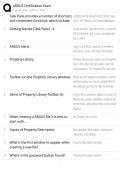
1. Task Pane provides a number of shortcuts Getting Started, ARGUS Alerts, ARGUS Valu-
and convenient functions, which include: ation - DCF Wizard, and Shared Workspace
2. Getting Started (Task Pane) - 4 Create new files, open recent files, connect to
ARGUS website, and access a shared work-
place online
3. ARGUS Alerts Login to the ARGUS website to receive in-
stant alerts, news, and other information
4. Property Library Window allows you to view a list of property
files in the active directory when other AR-
GUS Valuation - DCF property files are open.
5. Toolbar (on the Property Library window) Allows you to navigate to directories and to
perform actions on one or multiple ARGUS
files without opening the files themselves
6. Items of Property Library Toolbar (5) Email a file to someone, report on a batch of
ARGUS files, create a portfolio, compare two
or more files, add selected files to the Tenant
Registry
7. When creating a ARGUS file it is best to the Property Description
start with...
8. Inputs of Property Description Basic property information - timing area
measures, and inflation
9. What is the first window to appear when Property Description window
creating a new file?
10. Where is the password button found? Property Description window
1/9
, ARGUS Certification Exam
Study online at https://quizlet.com/_6wsok
11. Property Type can or cannot be changed CANNOT!
once selected?
12. Property Timing tab is found where? Property Description window
13. Property Timing tab includes: Analysis start date, Reporting Start Date, and
# of years to Report or End Date
14. Analysis Start Date Sets the date at which ARGUS Valuation - DCF
calculations will occur. For example, month
6 is relative to the analysis start date (not
Reporting Start Date)
15. All entries that begin with a "relative" start Analysis Start Date
date will be relative to which date?
16. Reporting Start Date - Sets the date at which reports will begin
- Does not alter the timing of base calcula-
tions in the program
17. Reporting Start Date must fall (where) rel- on or after the Analysis Start Date
ative to the Analysis Start Date
18. Analysis of up to (xx) years may be con- 40
ducted
19. If the analysis begins midyear... ARGUS will calculate a stub year with the
partial year in the first year
20. Default unit of Area Measures is? Square Feet
21. When entering a inflation percentage that decimal
is less than 1%, it must be in what form?
2/9
Study online at https://quizlet.com/_6wsok
1. Task Pane provides a number of shortcuts Getting Started, ARGUS Alerts, ARGUS Valu-
and convenient functions, which include: ation - DCF Wizard, and Shared Workspace
2. Getting Started (Task Pane) - 4 Create new files, open recent files, connect to
ARGUS website, and access a shared work-
place online
3. ARGUS Alerts Login to the ARGUS website to receive in-
stant alerts, news, and other information
4. Property Library Window allows you to view a list of property
files in the active directory when other AR-
GUS Valuation - DCF property files are open.
5. Toolbar (on the Property Library window) Allows you to navigate to directories and to
perform actions on one or multiple ARGUS
files without opening the files themselves
6. Items of Property Library Toolbar (5) Email a file to someone, report on a batch of
ARGUS files, create a portfolio, compare two
or more files, add selected files to the Tenant
Registry
7. When creating a ARGUS file it is best to the Property Description
start with...
8. Inputs of Property Description Basic property information - timing area
measures, and inflation
9. What is the first window to appear when Property Description window
creating a new file?
10. Where is the password button found? Property Description window
1/9
, ARGUS Certification Exam
Study online at https://quizlet.com/_6wsok
11. Property Type can or cannot be changed CANNOT!
once selected?
12. Property Timing tab is found where? Property Description window
13. Property Timing tab includes: Analysis start date, Reporting Start Date, and
# of years to Report or End Date
14. Analysis Start Date Sets the date at which ARGUS Valuation - DCF
calculations will occur. For example, month
6 is relative to the analysis start date (not
Reporting Start Date)
15. All entries that begin with a "relative" start Analysis Start Date
date will be relative to which date?
16. Reporting Start Date - Sets the date at which reports will begin
- Does not alter the timing of base calcula-
tions in the program
17. Reporting Start Date must fall (where) rel- on or after the Analysis Start Date
ative to the Analysis Start Date
18. Analysis of up to (xx) years may be con- 40
ducted
19. If the analysis begins midyear... ARGUS will calculate a stub year with the
partial year in the first year
20. Default unit of Area Measures is? Square Feet
21. When entering a inflation percentage that decimal
is less than 1%, it must be in what form?
2/9


