
• Wrong document? Swap it for free
  • Written by students who passed
  • Immediately available after payment
  • Read online or as PDF
Sell
Where do you study
Your language
Document preview thumbnail
Preview 1 out of 4 pages
Exam (elaborations)

EUP1501 Assignment 4 (COMPLETE ANSWERS) Semester 1 2026

Document preview thumbnail
Preview 1 out of 4 pages

Ethical Information and Communication Technologies for Development Solutions - EUP1501 Assignment 4 Semester 1 2026; 100 % TRUSTED workings, Expert Solved, Explanations and Solutions. For assistance call or W.h.a.t.s.a.p.p us on ...(.+.2.5.4.7.7.9.5.4.0.1.3.2)........... EUP1501 Semester 1 2026 Formative Assessment 4 Total Grade: 50 This practical assessment is designed to evaluate students' proficiency in Microsoft Excel by testing their ability to apply key functions, formulas, and data analysis tools to solve real-world problems and manage datasets effectively. Read the instructions carefully. Scenario You are the Class Administrator for BSc Computer Science (Year 1), and you are responsible for managing and analysing academic performance data for 20 students across five modules: Mathematics, Programming, Databases, Computer Networks, and Artificial Intelligence (AI). The faculty requires a professional Excel workbook that automatically analyses student performance and supports academic decision-making. Open a blank spreadsheet. Create the Student Marks Dataset using the data provided below, and complete the tasks: [5] Student_ID Name Maths Programming Databases Networks AI Average Score S001 Alice 78 85 69 72 80 S002 Brian 45 58 60 55 50 S003 Carol 90 92 88 91 95 S004 David 66 64 70 62 68 S005 Emma 82 76 79 81 77 S006 Farai 49 47 52 45 50 S007 Grace 59 61 55 60 58 S008 Hakeem 74 73 71 70 69 S009 Isabella 95 98 94 96 97 S010 Jason 38 42 35 40 45 S011 Khanyi 68 65 63 70 64 S012 Liam 55 53 50 58 52 S013 Maria 72 70 68 75 73 S014 Nthabiseng 81 85 79 80 84 S015 Oliver 60 59 58 62 61 S016 Priya 88 90 85 87 89 S017 Quinn 47 49 46 44 48 S018 Rudo 69 67 66 65 64 S019 Sipho 52 50 48 54 56 S020 Thabo 76 74 73 72 75 Section A: Calculations [25] 1. Use function “Average” to calculate the average score for all students (no decimals). [5] 2. Insert “Lowest score” on A22:B22 (Merge, Left align), and use “MIN Function” to find the lowest score for all subjects. [5] 3. Insert Highest score on A23:B23 (Merge, Left align), and use “MAX Function” to find the highest score for all subjects. [5] 4. Insert a new column “Grades Status” after “Average score” column. [10] Use the following score condition for the grade status (use IFS function) • Distinction: Average score ≥ 75 • Merit: Average Score ≥ 65 and 75 • Pass: Average Score ≥ 50 and 65 • Fail: Average Score 50 Section B: Data Formatting [10] 1. Format headers bold, centre Align, font size to 12pt. [2] 2. Apply table design to the table (Dark Green, Table style Medium 4 or any green). [4] 3. Insert a new row above the 1st row. On A1 type BSc 1st year Final Marks. Font size: 14pt, Bold. Merge and centre align (AI:I1). [4] Section C: Data Analysis [8] 1. Create a Column Chart “2D”. - Use only 1st 10 Students - Column: Name, Maths, Programming, Databases, Networks, and AI. - Label it (Chart title) “Student Performance Summary” Save the spreadsheet as Surname-StudentNumber (e.g. Brown_123456) and upload (Do not convert to pdf) [2] _________________________________________________________________________________

Content preview

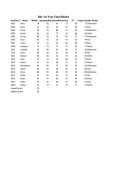
BSc 1st Year Final Marks
Student_ID Name MathsProgramming
DatabasesNetworks AI Average Score
Grade Status
S001 Alice 78 85 69 72 80 77 Distinction
S002 Brian 45 58 60 55 50 54 Pass
S003 Carol 90 92 88 91 95 91 Distinction 120
S004 David 66 64 70 62 68 66 Merit
100
S005 Emma 82 76 79 81 77 79 Distinction
S006 Farai 49 47 52 45 50 49 Fail 80
S007 Grace 59 61 55 60 58 59 Pass
60
S008 Hakeem 74 73 71 70 69 71 Merit
S009 Isabella 95 98 94 96 97 96 Distinction 40
S010 Jason 38 42 35 40 45 40 Fail
S011 Khanyi 68 65 63 70 64 66 Merit 20
S012 Liam 55 53 50 58 52 54 Pass
0
S013 Maria 72 70 68 75 73 72 Merit Alice Bria
S014 Nthabiseng 81 85 79 80 84 82 Distinction
S015 Oliver 60 59 58 62 61 60 Pass
S016 Priya 88 90 85 87 89 88 Distinction
S017 Quinn 47 49 46 44 48 47 Fail
S018 Rudo 69 67 66 65 64 66 Merit
S019 Sipho 52 50 48 54 56 52 Pass
S020 Thabo 76 74 73 72 75 74 Merit
Lowest Score 35
Highest Score 98


Connected book
 image
Publisher: 2019 ISBN: 9783030184001 Edition: Unknown

Document information

Uploaded on
April 3, 2026
File latest updated on
April 3, 2026
Number of pages
4
Written in
2025/2026
Type
Exam (elaborations)
Contains
Questions & answers
$3.51

Wrong document? Swap it for free Within 14 days of purchase and before downloading, you can choose a different document. You can simply spend the amount again.
Written by students who passed
Immediately available after payment
Read online or as PDF

Seller avatar
Reputation scores are based on the amount of documents a seller has sold for a fee and the reviews they have received for those documents. There are three levels: Bronze, Silver and Gold. The better the reputation, the more your can rely on the quality of the sellers work.
LIBRARYpro
3.8
(1504)
Sold
10779
Followers
4904
Items
5057
Last sold
4 days ago


Why students choose Stuvia

Created by fellow students, verified by reviews

Quality you can trust: written by students who passed their tests and reviewed by others who've used these notes.

Didn't get what you expected? Choose another document

No worries! You can instantly pick a different document that better fits what you're looking for.

Pay as you like, start learning right away

No subscription, no commitments. Pay the way you're used to via credit card and download your PDF document instantly.

Student with book image

“Bought, downloaded, and aced it. It really can be that simple.”

Alisha Student

Working on your references?

Create accurate citations in APA, MLA and Harvard with our free citation generator.

Working on your references?

Frequently asked questions
