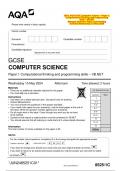
2024_AQA-GCSE Computer Science – Paper 1:
Computational Thinking and Programming
Skills – VB.NET
(Merged Question Paper and Marking
Please write clearly in block capitals. Scheme) Wednesday 15 May 2024
Centre number
Surname Candidate number
Forename(s)
Candidate signature
I declare this is my own work.
GCSE
COMPUTER SCIENCE
Paper 1 Computational thinking and programming skills – VB.NET
Wednesday 15 May 2024 Afternoon Time allowed: 2 hours
Materials
• There are no additional materials required for this paper. For Examiner’s Use
• You must not use a calculator.
Question Mark
Instructions
1
• Use black ink or black ball-point pen. Use pencil only for drawing.
• Answer all questions. 2–3
• You must answer the questions in the spaces provided. 4–5
• If you need extra space for your answer(s), use the lined pages at the end of 6–7
this book. Write the question number against your answer(s).
• Do all rough work in this book. Cross through any work you do not want 8–9
to be marked. 10–11
• Questions that require a coded solution must be answered in VB.NET.
12
• You should assume that all indexing in code starts at 0 unless stated otherwise.
13–14
15
Information
The total number of marks available for this paper is 90. TOTAL
Advice
For the multiple-choice questions, completely fill in the lozenge alongside the appropriate answer.
CORRECT METHOD WRONG METHODS
If you want to change your answer you must cross out your original answer as shown.
If you wish to return to an answer previously crossed out, ring the answer you now wish to select
as shown.
*JUN2485251C01*
IB/G/Jun24/G4005/E11 8525/1C
,GCSE Computer Science: Paper 1 - Computational Thinking and Programming Skills
(VB.NET)
The GCSE Computer Science Paper 1: Computational Thinking and Programming Skills (VB.NET) is
scheduled for May 2025. This paper focuses on computational thinking, problem-solving, and programming
skills using the VB.NET (Visual Basic .NET) programming language.
Key Areas Covered:
1. Computational Thinking
o Decomposition: Breaking down complex problems into smaller, more manageable subproblems to make them
easier to solve.
o Pattern Recognition: Identifying similarities or patterns within data or problems that can lead to more efficient
problem-solving approaches.
o Abstraction: Focusing on essential features while ignoring irrelevant details to simplify the problem.
o Algorithmic Thinking: Developing algorithms (step-by-step procedures) to solve problems, ensuring logical
correctness and efficiency.
2. Algorithms
o Key Algorithms: Understanding and applying fundamental algorithms:
Linear Search: Searching through a list one element at a time.
Binary Search: A faster search method for sorted lists, repeatedly dividing the list in half.
Sorting Algorithms: Implementing sorting techniques such as bubble sort, merge sort, and quick sort.
o Algorithm Representation: Expressing algorithms through pseudocode and flowcharts to communicate the logic
effectively.
o Efficiency: Analyzing algorithm efficiency using concepts like time complexity (Big O notation).
3. Programming Concepts
o Variables and Data Types: Using variables to store data and understanding the various data types such as
Integer, String, Boolean, Double, and Date in VB.NET.
o Control Structures: Writing code with conditional statements (If...Then...Else, Select Case) and
looping structures (For...Next, Do...Loop).
o Functions and Subroutines: Creating functions to return values and subroutines to perform specific tasks without
returning a value.
o Error Handling: Implementing error handling using Try...Catch blocks in VB.NET to manage run-time errors and
exceptions.
4. VB.NET Programming
o Syntax and Code Structure: Understanding the basic syntax of VB.NET, including indentation, variable declaration,
and structure of a program.
o Control Flow: Using control structures to direct the flow of program execution (e.g., decision-making with If,
iterative loops with For, While, etc.).
o Arrays and Collections: Declaring and using arrays to store multiple values and manipulating them (e.g., iterating
through arrays with loops).
o String Handling: Performing operations on strings, including concatenation, slicing, and searching for substrings.
5. Data Representation
o Binary Representation: Understanding how data is represented in binary, and converting between binary and
decimal numbers.
o Character Encoding: Using ASCII and Unicode encoding systems for storing characters in VB.NET.
o Data Storage: Knowledge of data storage units (e.g., bytes, kilobytes, megabytes) and how information is stored
and retrieved in memory.
6. File Handling
o Reading and Writing Files: Using VB.NET to open, read, and write data to text files (e.g., .txt, .csv files) using
StreamReader and StreamWriter.
o File Operations: Performing operations like appending, creating, deleting, and closing files.
7. Software Development Life Cycle (SDLC)
o Phases of SDLC: Understanding the different stages of software development, including requirements gathering,
design, development, testing, and maintenance.
o Using SDLC Principles: Applying these stages in creating software solutions in VB.NET, ensuring structured and
efficient development processes.
8. Testing and Debugging
o Error Types: Identifying and fixing errors like syntax errors, runtime errors, and logical errors in VB.NET.
o Testing: Creating test cases to verify the functionality of the code and ensure it works as intended.
o Debugging: Using debugging tools in VB.NET (e.g., breakpoints, watch variables) to trace issues and fix bugs in the
program.
,9. Ethical, Legal, and Environmental Issues
o Ethics in Programming: Discussing ethical concerns such as privacy, security, and the responsible use of
programming languages.
o Impact on Society: Understanding the social implications of programming, including issues related to data
protection, copyright, and the environmental impacts of digital technology.
, 2
Do not write
outside the
Answer all questions. box
0 1Figure 1 shows an algorithm, represented using pseudo-code.
The algorithm assigns different values to two variables, then asks the user to input
a letter.
Figure 1
film "Godzilla vs. Kong"
year 2021
OUTPUT "Please guess a letter"
letter USERINPUT
0 1 . 1 Which pseudo-code statement assigns the length of the string film to a variable
called value?
Shade one lozenge.
[1 mark]
A film LEN(value)
B film film + value
C value film
D value LEN(film)
0 1 . 2 The POSITION subroutine returns the position of the first occurrence of a character in
a string.
For example:
• POSITION("Godzilla vs. Kong", "o") would return 1
• POSITION("Godzilla vs. Kong", "z") would return 3
letter and film are variables used in the algorithm in Figure 1.
Complete the pseudo-code statement to find the position of the first occurrence of the
contents of letter in film and store this position in the variable location
You must use the POSITION subroutine in your answer.
[1 mark]
location
*02*
IB/G/Jun24/8525/1C
Computational Thinking and Programming
Skills – VB.NET
(Merged Question Paper and Marking
Please write clearly in block capitals. Scheme) Wednesday 15 May 2024
Centre number
Surname Candidate number
Forename(s)
Candidate signature
I declare this is my own work.
GCSE
COMPUTER SCIENCE
Paper 1 Computational thinking and programming skills – VB.NET
Wednesday 15 May 2024 Afternoon Time allowed: 2 hours
Materials
• There are no additional materials required for this paper. For Examiner’s Use
• You must not use a calculator.
Question Mark
Instructions
1
• Use black ink or black ball-point pen. Use pencil only for drawing.
• Answer all questions. 2–3
• You must answer the questions in the spaces provided. 4–5
• If you need extra space for your answer(s), use the lined pages at the end of 6–7
this book. Write the question number against your answer(s).
• Do all rough work in this book. Cross through any work you do not want 8–9
to be marked. 10–11
• Questions that require a coded solution must be answered in VB.NET.
12
• You should assume that all indexing in code starts at 0 unless stated otherwise.
13–14
15
Information
The total number of marks available for this paper is 90. TOTAL
Advice
For the multiple-choice questions, completely fill in the lozenge alongside the appropriate answer.
CORRECT METHOD WRONG METHODS
If you want to change your answer you must cross out your original answer as shown.
If you wish to return to an answer previously crossed out, ring the answer you now wish to select
as shown.
*JUN2485251C01*
IB/G/Jun24/G4005/E11 8525/1C
,GCSE Computer Science: Paper 1 - Computational Thinking and Programming Skills
(VB.NET)
The GCSE Computer Science Paper 1: Computational Thinking and Programming Skills (VB.NET) is
scheduled for May 2025. This paper focuses on computational thinking, problem-solving, and programming
skills using the VB.NET (Visual Basic .NET) programming language.
Key Areas Covered:
1. Computational Thinking
o Decomposition: Breaking down complex problems into smaller, more manageable subproblems to make them
easier to solve.
o Pattern Recognition: Identifying similarities or patterns within data or problems that can lead to more efficient
problem-solving approaches.
o Abstraction: Focusing on essential features while ignoring irrelevant details to simplify the problem.
o Algorithmic Thinking: Developing algorithms (step-by-step procedures) to solve problems, ensuring logical
correctness and efficiency.
2. Algorithms
o Key Algorithms: Understanding and applying fundamental algorithms:
Linear Search: Searching through a list one element at a time.
Binary Search: A faster search method for sorted lists, repeatedly dividing the list in half.
Sorting Algorithms: Implementing sorting techniques such as bubble sort, merge sort, and quick sort.
o Algorithm Representation: Expressing algorithms through pseudocode and flowcharts to communicate the logic
effectively.
o Efficiency: Analyzing algorithm efficiency using concepts like time complexity (Big O notation).
3. Programming Concepts
o Variables and Data Types: Using variables to store data and understanding the various data types such as
Integer, String, Boolean, Double, and Date in VB.NET.
o Control Structures: Writing code with conditional statements (If...Then...Else, Select Case) and
looping structures (For...Next, Do...Loop).
o Functions and Subroutines: Creating functions to return values and subroutines to perform specific tasks without
returning a value.
o Error Handling: Implementing error handling using Try...Catch blocks in VB.NET to manage run-time errors and
exceptions.
4. VB.NET Programming
o Syntax and Code Structure: Understanding the basic syntax of VB.NET, including indentation, variable declaration,
and structure of a program.
o Control Flow: Using control structures to direct the flow of program execution (e.g., decision-making with If,
iterative loops with For, While, etc.).
o Arrays and Collections: Declaring and using arrays to store multiple values and manipulating them (e.g., iterating
through arrays with loops).
o String Handling: Performing operations on strings, including concatenation, slicing, and searching for substrings.
5. Data Representation
o Binary Representation: Understanding how data is represented in binary, and converting between binary and
decimal numbers.
o Character Encoding: Using ASCII and Unicode encoding systems for storing characters in VB.NET.
o Data Storage: Knowledge of data storage units (e.g., bytes, kilobytes, megabytes) and how information is stored
and retrieved in memory.
6. File Handling
o Reading and Writing Files: Using VB.NET to open, read, and write data to text files (e.g., .txt, .csv files) using
StreamReader and StreamWriter.
o File Operations: Performing operations like appending, creating, deleting, and closing files.
7. Software Development Life Cycle (SDLC)
o Phases of SDLC: Understanding the different stages of software development, including requirements gathering,
design, development, testing, and maintenance.
o Using SDLC Principles: Applying these stages in creating software solutions in VB.NET, ensuring structured and
efficient development processes.
8. Testing and Debugging
o Error Types: Identifying and fixing errors like syntax errors, runtime errors, and logical errors in VB.NET.
o Testing: Creating test cases to verify the functionality of the code and ensure it works as intended.
o Debugging: Using debugging tools in VB.NET (e.g., breakpoints, watch variables) to trace issues and fix bugs in the
program.
,9. Ethical, Legal, and Environmental Issues
o Ethics in Programming: Discussing ethical concerns such as privacy, security, and the responsible use of
programming languages.
o Impact on Society: Understanding the social implications of programming, including issues related to data
protection, copyright, and the environmental impacts of digital technology.
, 2
Do not write
outside the
Answer all questions. box
0 1Figure 1 shows an algorithm, represented using pseudo-code.
The algorithm assigns different values to two variables, then asks the user to input
a letter.
Figure 1
film "Godzilla vs. Kong"
year 2021
OUTPUT "Please guess a letter"
letter USERINPUT
0 1 . 1 Which pseudo-code statement assigns the length of the string film to a variable
called value?
Shade one lozenge.
[1 mark]
A film LEN(value)
B film film + value
C value film
D value LEN(film)
0 1 . 2 The POSITION subroutine returns the position of the first occurrence of a character in
a string.
For example:
• POSITION("Godzilla vs. Kong", "o") would return 1
• POSITION("Godzilla vs. Kong", "z") would return 3
letter and film are variables used in the algorithm in Figure 1.
Complete the pseudo-code statement to find the position of the first occurrence of the
contents of letter in film and store this position in the variable location
You must use the POSITION subroutine in your answer.
[1 mark]
location
*02*
IB/G/Jun24/8525/1C