

Lab 4: Drawing constellations on a star chart and using it as a map of the sky
To do this lab print the circular grid on page 3 below; use a pencil (not a pen) with an eraser.
If you don’t have access to a printer you can drag the grid into the program Paint which comes
with Microsoft Windows computers (or Paintbrush if using a MAC). If you don’t have a
computer you can carefully draw the grid by hand.
You will draw stick figures representing the visible parts of some northern constellations; draw
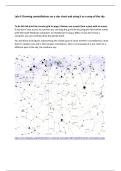
them to relative size and in their proper orientations. Here is an example of a star chart for a
different part of the sky, the southern sky:
https://en.wikipedia.org/wiki/Southern_celestial_hemisphere#/media/File:South_Hemisphere.png
To do this lab print the circular grid on page 3 below; use a pencil (not a pen) with an eraser.
If you don’t have access to a printer you can drag the grid into the program Paint which comes
with Microsoft Windows computers (or Paintbrush if using a MAC). If you don’t have a
computer you can carefully draw the grid by hand.
You will draw stick figures representing the visible parts of some northern constellations; draw
them to relative size and in their proper orientations. Here is an example of a star chart for a
different part of the sky, the southern sky:
https://en.wikipedia.org/wiki/Southern_celestial_hemisphere#/media/File:South_Hemisphere.png


