

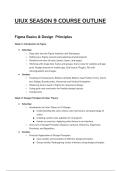
UIUX SEASON 9 COURSE OUTLINE
Figma Basics & Design Principles
Week 1: Introduction to Figma
● Saturday:
○ Deep dive into the Figma Interface and Workspace.
○ Setting up a Figma account and exploring shared projects.
○ Detailed overview of tools, panels, layers, and pages.
○ Working with shape tool, frame and groups, frame sizes for website and app
print, Nudge amount for mobile app, Grid layout, Plugins, Fill with
colors/gradient and images
● Sunday:
○ Creating UI Components: Buttons & Radio Button, Input Fields, Forms, Check
box, Badge, Breadcrumbs, Horizontal and Vertical Navigation
○ Mastering Auto Layout in Figma for responsive design.
○ Using grids and constraints for flexible design layouts.
○ Components
Week 2: Design Principles & Color Theory
● Saturday:
○ Introduction to Color Theory in UI Design:
■ Understanding the color wheel, color harmonies, and psychology of
colors.
■ Creating custom color palettes for UI projects.
■ Hands-on exercise: Applying color theory to an interface.
○ Overview of Design Principles: Balance, Contrast, Hierarchy, Alignment,
Proximity, and Repetition.
● Sunday:
○ Practical Application of Design Principles:
■ Case studies and examples of effective design principles.
■ Group activity: Redesigning a basic interface using design principles.
, ○ Introduction to Typography in UI Design:
■ Font selection, scale, hierarchy, and readability.
■ Pairing fonts and creating consistent typography styles in Figma.
Week 3: Building Reusable Components
● Saturday:
○ Understanding and Creating Reusable Components in Figma.
○ Component states and variants for interactive designs.
○ Utilizing plugins for productivity and design enhancement.
● Sunday:
○ Advanced Components: Interactive States and Variants.
○ Practical session: Building a component library.
○ Peer review: Sharing component libraries and feedback.
Product Development Life Cycle & Projects Intro
Week 4: Introduction to Prototyping & Project Introduction
● Saturday:
○ Introduction to Prototyping in Figma:
■ Setting up interactions and basic animation.
■ Creating simple interactive prototypes.
○ Hands-on practice: Linking screens and adding basic transitions.
● Sunday:
○ Using Overlays, Pop-ups, and Transition Animations.
○ Practical session: Creating a clickable prototype.
○ User testing basics: How to gather feedback from interactive prototypes.
Week 5: Product Development Life Cycle
● Saturday:
○ Overview of the Product Development Life Cycle.
○ Role of UI/UX in product development: From research to testing.
Figma Basics & Design Principles
Week 1: Introduction to Figma
● Saturday:
○ Deep dive into the Figma Interface and Workspace.
○ Setting up a Figma account and exploring shared projects.
○ Detailed overview of tools, panels, layers, and pages.
○ Working with shape tool, frame and groups, frame sizes for website and app
print, Nudge amount for mobile app, Grid layout, Plugins, Fill with
colors/gradient and images
● Sunday:
○ Creating UI Components: Buttons & Radio Button, Input Fields, Forms, Check
box, Badge, Breadcrumbs, Horizontal and Vertical Navigation
○ Mastering Auto Layout in Figma for responsive design.
○ Using grids and constraints for flexible design layouts.
○ Components
Week 2: Design Principles & Color Theory
● Saturday:
○ Introduction to Color Theory in UI Design:
■ Understanding the color wheel, color harmonies, and psychology of
colors.
■ Creating custom color palettes for UI projects.
■ Hands-on exercise: Applying color theory to an interface.
○ Overview of Design Principles: Balance, Contrast, Hierarchy, Alignment,
Proximity, and Repetition.
● Sunday:
○ Practical Application of Design Principles:
■ Case studies and examples of effective design principles.
■ Group activity: Redesigning a basic interface using design principles.
, ○ Introduction to Typography in UI Design:
■ Font selection, scale, hierarchy, and readability.
■ Pairing fonts and creating consistent typography styles in Figma.
Week 3: Building Reusable Components
● Saturday:
○ Understanding and Creating Reusable Components in Figma.
○ Component states and variants for interactive designs.
○ Utilizing plugins for productivity and design enhancement.
● Sunday:
○ Advanced Components: Interactive States and Variants.
○ Practical session: Building a component library.
○ Peer review: Sharing component libraries and feedback.
Product Development Life Cycle & Projects Intro
Week 4: Introduction to Prototyping & Project Introduction
● Saturday:
○ Introduction to Prototyping in Figma:
■ Setting up interactions and basic animation.
■ Creating simple interactive prototypes.
○ Hands-on practice: Linking screens and adding basic transitions.
● Sunday:
○ Using Overlays, Pop-ups, and Transition Animations.
○ Practical session: Creating a clickable prototype.
○ User testing basics: How to gather feedback from interactive prototypes.
Week 5: Product Development Life Cycle
● Saturday:
○ Overview of the Product Development Life Cycle.
○ Role of UI/UX in product development: From research to testing.


