

Adobe Premiere Pro ACA Exam Prep - Tools
Adobe Study
Premiere Pro ACA Exam Prep – Tools / Comprehensive Practic
online at https://quizlet.com/_2ee0sg
1. Selection Tool Tool used to trim the in or out points of a clip in a timeline
Test / Study Guide Newest Actual Questions & Answers (A+ Guide
Solutions.
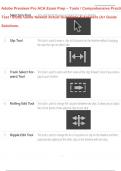
2. Slip Tool This tool is used to move a clips In/Out points on the timeline without changing
the clips the clips on either side.
3. Track Select For- This tool is used to select and then move all the clips forward. Great if you need a
ward Tool gap in your timeline.
4. Rolling Edit Tool This tool is used to change the cut point between two clips. It allows you to adjust
the In/Out points of two adjacent clips in one step.
5. Ripple Edit Tool This tool is used to change the In or Out point of a clip on the timeline and then
automatically rippling all the other clips on the timeline with one step.
1/3
Adobe Study
Premiere Pro ACA Exam Prep – Tools / Comprehensive Practic
online at https://quizlet.com/_2ee0sg
1. Selection Tool Tool used to trim the in or out points of a clip in a timeline
Test / Study Guide Newest Actual Questions & Answers (A+ Guide
Solutions.
2. Slip Tool This tool is used to move a clips In/Out points on the timeline without changing
the clips the clips on either side.
3. Track Select For- This tool is used to select and then move all the clips forward. Great if you need a
ward Tool gap in your timeline.
4. Rolling Edit Tool This tool is used to change the cut point between two clips. It allows you to adjust
the In/Out points of two adjacent clips in one step.
5. Ripple Edit Tool This tool is used to change the In or Out point of a clip on the timeline and then
automatically rippling all the other clips on the timeline with one step.
1/3


