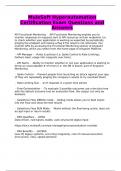
MuleSoft Hyperautomation
Certification Exam Questions and
Answers
API Functional Monitoring - -API Functional Monitoring enables you to
monitor responses to requests sent to API resources at their endpoints (i.e.
to check whether your application is working as expected by periodically
pinging the endpoint and raising a flag if the result is not returned). You
monitor APIs by accessing the Functional Monitoring section of Anypoint
Monitoring, which you select from the home page of Anypoint Platform.
- API Manager - -Rules & policies (i.e. Spike Control & Rate Limiting);
Gathers basic usage info (requests over time),
- API Alerts - -Ability to monitor whether or not your application is starting to
throw an unacceptable # of errors (i.e. the DB is down); part of Anypoint
Monitoring
- Spike Control - -Prevent people from launching an attack against your app
(if they are repeatedly pinging the company's assets to try overload them)
- Rate Limiting SLA - -# of requests in a given time period
- Flow Orchestration - -To evaluate 3 possible outcomes use a decision tree
with the default outcome (not an evaluation flow, this output can only be
boolean)
- Salesforce Flow DEBUG mode - -Debug mode allows you to feed inputs
into the Flow and show the test results
- Salesforce Flow RUN Mode - -Works without the flow being active, does not
accept input or return results
- RPA Qualifiers - -DRSS
Data-driven, rule-based, stable, uses structured digital input
https://docs.mulesoft.com/rpa-manager/processevaluation-consider
- RPA Benefits - -LOCERS
[use of] legacy systems, occurring irregularly, cost of manual execution,
error-prone, risky, speed-sensitive
, - Composer - -does not have the ability to output to CSV files (it does not
have a local filesystem)
- Process Layer - -Process APIs interact with and shape data within a single
system or across systems — breaking down data silos. Process APIs provide
a means of combining data and orchestrating multiple System APIs for a
specific business purpose. Examples of this include creating a 360-degree
view of the customer, order fulfillment, and shipment status. (DataWeave)
- System Layer - -System APIs unlock data from core systems of record
within an organization. Examples of critical systems that APIs could unlock
data from include ERP, customer and billing systems, and proprietary
databases.
- Experience Layer - -Experience APIs provide a business context for the
data and processes that were unlocked and established with System and
Process APIs. Experience APIs expose the data to be consumed by its
intended audience — such as mobile applications, internal portals for
customer data, etc.
- Card - -The individual output from an interview (i.e. under "how the
interview started" or "how the interview finished"
- Interview - -A single run of a Flow
- Flow Orchestration - -parallel, multi-user, mult-step work-stream
- Flow Best Practices - -Summary - Use parent and subflows for
complicated, single-user processes
If your flow involves multiple processes and branching logic, make use of a
main flow that launches other secondary flows.
For example:
'Manage Contact Data' — Main screen flow that launches various
disconnected processes:
1. Associate Contact to Companies
2. Check Contact Data
3. Manage Contact's Associations
https://admin.salesforce.com/blog/2021/the-ultimate-guide-to-flow-best-
practices-and-standards
- Minimize DML statements (flows operate under APEX governor limits) - -
Never perform DML statements In loops & wait until the end of the flow to
edit the database
Certification Exam Questions and
Answers
API Functional Monitoring - -API Functional Monitoring enables you to
monitor responses to requests sent to API resources at their endpoints (i.e.
to check whether your application is working as expected by periodically
pinging the endpoint and raising a flag if the result is not returned). You
monitor APIs by accessing the Functional Monitoring section of Anypoint
Monitoring, which you select from the home page of Anypoint Platform.
- API Manager - -Rules & policies (i.e. Spike Control & Rate Limiting);
Gathers basic usage info (requests over time),
- API Alerts - -Ability to monitor whether or not your application is starting to
throw an unacceptable # of errors (i.e. the DB is down); part of Anypoint
Monitoring
- Spike Control - -Prevent people from launching an attack against your app
(if they are repeatedly pinging the company's assets to try overload them)
- Rate Limiting SLA - -# of requests in a given time period
- Flow Orchestration - -To evaluate 3 possible outcomes use a decision tree
with the default outcome (not an evaluation flow, this output can only be
boolean)
- Salesforce Flow DEBUG mode - -Debug mode allows you to feed inputs
into the Flow and show the test results
- Salesforce Flow RUN Mode - -Works without the flow being active, does not
accept input or return results
- RPA Qualifiers - -DRSS
Data-driven, rule-based, stable, uses structured digital input
https://docs.mulesoft.com/rpa-manager/processevaluation-consider
- RPA Benefits - -LOCERS
[use of] legacy systems, occurring irregularly, cost of manual execution,
error-prone, risky, speed-sensitive
, - Composer - -does not have the ability to output to CSV files (it does not
have a local filesystem)
- Process Layer - -Process APIs interact with and shape data within a single
system or across systems — breaking down data silos. Process APIs provide
a means of combining data and orchestrating multiple System APIs for a
specific business purpose. Examples of this include creating a 360-degree
view of the customer, order fulfillment, and shipment status. (DataWeave)
- System Layer - -System APIs unlock data from core systems of record
within an organization. Examples of critical systems that APIs could unlock
data from include ERP, customer and billing systems, and proprietary
databases.
- Experience Layer - -Experience APIs provide a business context for the
data and processes that were unlocked and established with System and
Process APIs. Experience APIs expose the data to be consumed by its
intended audience — such as mobile applications, internal portals for
customer data, etc.
- Card - -The individual output from an interview (i.e. under "how the
interview started" or "how the interview finished"
- Interview - -A single run of a Flow
- Flow Orchestration - -parallel, multi-user, mult-step work-stream
- Flow Best Practices - -Summary - Use parent and subflows for
complicated, single-user processes
If your flow involves multiple processes and branching logic, make use of a
main flow that launches other secondary flows.
For example:
'Manage Contact Data' — Main screen flow that launches various
disconnected processes:
1. Associate Contact to Companies
2. Check Contact Data
3. Manage Contact's Associations
https://admin.salesforce.com/blog/2021/the-ultimate-guide-to-flow-best-
practices-and-standards
- Minimize DML statements (flows operate under APEX governor limits) - -
Never perform DML statements In loops & wait until the end of the flow to
edit the database