

Connecting to the Internet & Subnetting Network: Tasks
Guided Practice.
In this practice, you will continue working with your subnetted small network. You will use Packet Tracer
in this practice.
Task 1 – Adding additional devices to your subnetted small network.
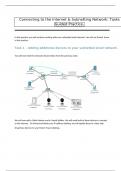
You will start with the network shown below from the previous week.
We will now add a Cable Modem and a Coaxial Splitter. We will need both of these devices to connect
to the Internet. Go ahead and delete your IP address labeling- we will update those in a later task.
Drag these devices to your Packet Tracer desktop.
,We need to connect the Cable Modem and Coaxial Splitter to the network. Move the connection from
R1 to S2 over to the Cable Modem. Then connect the Cable Modem to the Coaxial Splitter using a
Coaxial cable- use any of the three available connectors on the Coaxial Splitter. Label the Cable Modem
and Coaxial Splitter.
, Next, we are going to connect the Coaxial Splitter to the Internet. You were provided the
Internet.pkt file- open this file.
This file is preconfigured, ready to be used, and connected to your network. Go ahead and select it with
your mouse- you will notice the outside lines are now dotted- this means you have selected it.
Guided Practice.
In this practice, you will continue working with your subnetted small network. You will use Packet Tracer
in this practice.
Task 1 – Adding additional devices to your subnetted small network.
You will start with the network shown below from the previous week.
We will now add a Cable Modem and a Coaxial Splitter. We will need both of these devices to connect
to the Internet. Go ahead and delete your IP address labeling- we will update those in a later task.
Drag these devices to your Packet Tracer desktop.
,We need to connect the Cable Modem and Coaxial Splitter to the network. Move the connection from
R1 to S2 over to the Cable Modem. Then connect the Cable Modem to the Coaxial Splitter using a
Coaxial cable- use any of the three available connectors on the Coaxial Splitter. Label the Cable Modem
and Coaxial Splitter.
, Next, we are going to connect the Coaxial Splitter to the Internet. You were provided the
Internet.pkt file- open this file.
This file is preconfigured, ready to be used, and connected to your network. Go ahead and select it with
your mouse- you will notice the outside lines are now dotted- this means you have selected it.


