ECL500 EpicCare Link questions with verified
answers
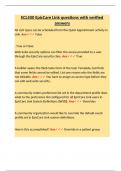
All visit types can be scheduled from the Quick Appointment activity in
Link. Ans✓✓✓ False
. True or False:
Web Suite security options can filter the access provided to a user
through the EpicCare security class. Ans✓✓✓ True
A builder opens the Web Suite form of the User Template, but finds
that some fields cannot be edited. List one reason why the fields are
not editable. Ans✓✓✓ You have to assign an access type before they
can edit web suite security.
A community orders preference list set in the department profile does
what to the preference list configured for all EpicCare Link users in
EpicCare Link System Definitions ﴾WSD﴿. Ans✓✓✓ Overrides
A community organization would like to override the default event
profile set in EpicCare Link system definitions.
How is this accomplished? Ans✓✓✓ Override in a patient group
,A message type is already in use at the Hyperspace organization. What
additional configuration must be done to send that message type in
EpicCare Link? Ans✓✓✓ The message types must be listed on the
Sendable Message Type Configuration table in EpicCare
Link System Definitions.
A ROI group grants a requester what? Ans✓✓✓ Access to the release
of information documented by the HIM team.
A site administrator requests an account for a non‐clinical staff
member. Your Hyperspace administrator launches the Site Wizard, and
notices that the Non‐Clinical user template has been automatically
applied.
Where is this setting configured? Ans✓✓✓ The New Account Request
Screen of EpicCare Link and Tapestry Link System Definitions (WSD)
configures a user template to be applied for each user request type.
Administrators can configure referrals to have what? Ans✓✓✓
Dynamic OCC records
After building the patient and provider groups what must you do to get
the user to be able to view the patients? Ans✓✓✓ link the groups to a
user record
,After scheduling an appointment for an order why can you not cancel
it? Ans✓✓✓ Because it was scheduled
After you have created the provider group and patient group and have
linked those what must you do next? Ans✓✓✓ link the user record to
the provider and patient groups.
After you link to a provider record what must you check? Ans✓✓✓
that provider at login is locked to linked provider
An organization would like a user template to be automatically assigned
to new users after submitting a New Account Request.
What should you configure in order to accommodate this request?
Ans✓✓✓ List the user template in the new account request 1 screen in
EpicCare link/Tapestry link system definitions.
Any people, devices or modiaties that meet certain criteria need what
Ans✓✓✓ a provider record
Are extensions configurable? Ans✓✓✓ Yes
Can a user change their own password from with EpicCare link?
Ans✓✓✓ yes
, Can all orders that require an appointment be scheduled in EpicCare
link Ans✓✓✓ No
Can you add a nurse to the provider group? Ans✓✓✓ no, only provider
records can be added.
Can you create a new chart in EpicCare link? Ans✓✓✓ Yes
Can you link multiple requestor's who work at a clinic to one ROI group
you created. Ans✓✓✓ Yes
Can you list another user as an authorizing provider during a ordering
seesion? Ans✓✓✓ Yes
Can you look and see which patients group a patient belongs to as well
as what provider groups a provider belongs to? Ans✓✓✓ Yes
can you make someone a delegate for another? Ans✓✓✓ Yes
Can you manually populate your patient group. Ans✓✓✓ Yes
can you schedule simple visit types in EpicCare link Ans✓✓✓ no
answers
All visit types can be scheduled from the Quick Appointment activity in
Link. Ans✓✓✓ False
. True or False:
Web Suite security options can filter the access provided to a user
through the EpicCare security class. Ans✓✓✓ True
A builder opens the Web Suite form of the User Template, but finds
that some fields cannot be edited. List one reason why the fields are
not editable. Ans✓✓✓ You have to assign an access type before they
can edit web suite security.
A community orders preference list set in the department profile does
what to the preference list configured for all EpicCare Link users in
EpicCare Link System Definitions ﴾WSD﴿. Ans✓✓✓ Overrides
A community organization would like to override the default event
profile set in EpicCare Link system definitions.
How is this accomplished? Ans✓✓✓ Override in a patient group
,A message type is already in use at the Hyperspace organization. What
additional configuration must be done to send that message type in
EpicCare Link? Ans✓✓✓ The message types must be listed on the
Sendable Message Type Configuration table in EpicCare
Link System Definitions.
A ROI group grants a requester what? Ans✓✓✓ Access to the release
of information documented by the HIM team.
A site administrator requests an account for a non‐clinical staff
member. Your Hyperspace administrator launches the Site Wizard, and
notices that the Non‐Clinical user template has been automatically
applied.
Where is this setting configured? Ans✓✓✓ The New Account Request
Screen of EpicCare Link and Tapestry Link System Definitions (WSD)
configures a user template to be applied for each user request type.
Administrators can configure referrals to have what? Ans✓✓✓
Dynamic OCC records
After building the patient and provider groups what must you do to get
the user to be able to view the patients? Ans✓✓✓ link the groups to a
user record
,After scheduling an appointment for an order why can you not cancel
it? Ans✓✓✓ Because it was scheduled
After you have created the provider group and patient group and have
linked those what must you do next? Ans✓✓✓ link the user record to
the provider and patient groups.
After you link to a provider record what must you check? Ans✓✓✓
that provider at login is locked to linked provider
An organization would like a user template to be automatically assigned
to new users after submitting a New Account Request.
What should you configure in order to accommodate this request?
Ans✓✓✓ List the user template in the new account request 1 screen in
EpicCare link/Tapestry link system definitions.
Any people, devices or modiaties that meet certain criteria need what
Ans✓✓✓ a provider record
Are extensions configurable? Ans✓✓✓ Yes
Can a user change their own password from with EpicCare link?
Ans✓✓✓ yes
, Can all orders that require an appointment be scheduled in EpicCare
link Ans✓✓✓ No
Can you add a nurse to the provider group? Ans✓✓✓ no, only provider
records can be added.
Can you create a new chart in EpicCare link? Ans✓✓✓ Yes
Can you link multiple requestor's who work at a clinic to one ROI group
you created. Ans✓✓✓ Yes
Can you list another user as an authorizing provider during a ordering
seesion? Ans✓✓✓ Yes
Can you look and see which patients group a patient belongs to as well
as what provider groups a provider belongs to? Ans✓✓✓ Yes
can you make someone a delegate for another? Ans✓✓✓ Yes
Can you manually populate your patient group. Ans✓✓✓ Yes
can you schedule simple visit types in EpicCare link Ans✓✓✓ no