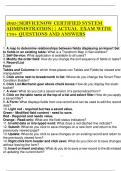
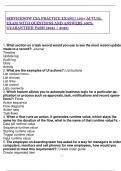
2025|SERVICENOW CERTIFIED SYSTEM
ADMINISTRATION|| ACTUAL EXAM WITH
170+ QUESTIONS AND ANSWERS
1. A map to determine relationships between fields displaying an Import Set
to fields in an existing table: What is a Transform Map in ServiceNow?
2. Self-Service: What application is available to all users?
3. Modify the order field: How do you change the sort sequence of fields or tasks?
4. Record List
Form
Tables and Columns: In which three places can Tables and Fields be viewed and
manipulated?
5. Click arrow next to breadcrumb in list: Where do you change the Smart Filter
Condition Builder?
6. Click List Mechanic gear above check boxes: How do you display the slush-
bucket?
7. A view: What do you call a saved version of a personalized form?
8. Click on the table name at the top of a list and select filter: How do you apply
a saved filter?
9. A Form: What displays fields from one record and can be used to edit the record
data?
10. Light red - required but has a saved value.
Green - Modified field content - need to save.
Red - Required and needs value.
Orange - Read-only: What are the field status indicators?
11. Invalid data or mis-typed word: What does a red-dashed line indicate?
12. Submit: What do you click to save changes on a new form and return to the
previoiusly viewed page?
13. Update: What do you click to save changes on an existing record and return to
the previously viewed form?
14. Right click form header and click save: What do you click on to save changes
without leaving the form?
15. Insert or Insert and stay: What do you do to save a new record to the db instead
of updating the current item?
, 16. UI Policy: What is a rule that applies to a form to dynamically change form
information on the form itself?
17. Data Policy (not used much): What enables admins to set mandatory and
read-only states for a field?
18. UI Actions: What do you use to put buttons, links and context menu items on
forms and lists?
19. A Business Rule: What is a control that applies permissions, sends notifications
and triggers other processes when a record is displayed, inserted, updated or
deleted or when a table is queried?
ADMINISTRATION|| ACTUAL EXAM WITH
170+ QUESTIONS AND ANSWERS
1. A map to determine relationships between fields displaying an Import Set
to fields in an existing table: What is a Transform Map in ServiceNow?
2. Self-Service: What application is available to all users?
3. Modify the order field: How do you change the sort sequence of fields or tasks?
4. Record List
Form
Tables and Columns: In which three places can Tables and Fields be viewed and
manipulated?
5. Click arrow next to breadcrumb in list: Where do you change the Smart Filter
Condition Builder?
6. Click List Mechanic gear above check boxes: How do you display the slush-
bucket?
7. A view: What do you call a saved version of a personalized form?
8. Click on the table name at the top of a list and select filter: How do you apply
a saved filter?
9. A Form: What displays fields from one record and can be used to edit the record
data?
10. Light red - required but has a saved value.
Green - Modified field content - need to save.
Red - Required and needs value.
Orange - Read-only: What are the field status indicators?
11. Invalid data or mis-typed word: What does a red-dashed line indicate?
12. Submit: What do you click to save changes on a new form and return to the
previoiusly viewed page?
13. Update: What do you click to save changes on an existing record and return to
the previously viewed form?
14. Right click form header and click save: What do you click on to save changes
without leaving the form?
15. Insert or Insert and stay: What do you do to save a new record to the db instead
of updating the current item?
, 16. UI Policy: What is a rule that applies to a form to dynamically change form
information on the form itself?
17. Data Policy (not used much): What enables admins to set mandatory and
read-only states for a field?
18. UI Actions: What do you use to put buttons, links and context menu items on
forms and lists?
19. A Business Rule: What is a control that applies permissions, sends notifications
and triggers other processes when a record is displayed, inserted, updated or
deleted or when a table is queried?