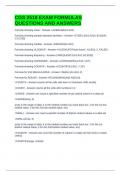
CGS 2518 EXAM FORMULAS
QUESTIONS AND ANSWERS
Formula showing mean - Answer-=AVERAGE(A1:A10)
Formula showing sample standard deviation - Answer-=STDEV.S(A1:A100, B1:B100,
C1:C100)
Formula showing median - Answer-=MEDIAN(A1:A10)
Formula showing VLOOKUP - Answer-=VLOOKUP("Photo frame", A1:B10, 2, FALSE)
Formula showing frequency - Answer-{=FREQUENCY(A1:A10, B1:B10)}
Formula showing AVERAGEIF - Answer-=AVERAGEIF(A1:A10,"<10")
Formula showing COUNTIF - Answer-=COUNTIF(A1:A10, "<10")
Formula for 2nd SMALL/LARGE - Answer-=SMALL(A1:A10, 2)
Formula for ROUND - Answer-=ROUND(MAX)(A$1:A$10),0)
=COUNTA - Answer-counts all the cells with text in it (numbers AND words)
=COUNT - Answer-counts all the cells with numbers in it
=LARGE - Answer-can count a specified number of top ranked values in a data set
=LARGE(array, k)
array is the range of data, k is the ranked number you want back (ex: 1 for the 1st top
ranked value, 2 for the 2nd top ranked value, etc)
=SMALL - Answer-can count a specific number of bottom ranked values in a data set
=SMALL(array, k)
array is the range of data, k is the ranked number you want back (ex: 1 for the 1st
bottom ranked value, 2 for the 2nd bottom ranked value, etc)
=COUNTIF - Answer-can count the number of values in a data set that meet a certain
criteria
=COUNTIF(range, criteria)
QUESTIONS AND ANSWERS
Formula showing mean - Answer-=AVERAGE(A1:A10)
Formula showing sample standard deviation - Answer-=STDEV.S(A1:A100, B1:B100,
C1:C100)
Formula showing median - Answer-=MEDIAN(A1:A10)
Formula showing VLOOKUP - Answer-=VLOOKUP("Photo frame", A1:B10, 2, FALSE)
Formula showing frequency - Answer-{=FREQUENCY(A1:A10, B1:B10)}
Formula showing AVERAGEIF - Answer-=AVERAGEIF(A1:A10,"<10")
Formula showing COUNTIF - Answer-=COUNTIF(A1:A10, "<10")
Formula for 2nd SMALL/LARGE - Answer-=SMALL(A1:A10, 2)
Formula for ROUND - Answer-=ROUND(MAX)(A$1:A$10),0)
=COUNTA - Answer-counts all the cells with text in it (numbers AND words)
=COUNT - Answer-counts all the cells with numbers in it
=LARGE - Answer-can count a specified number of top ranked values in a data set
=LARGE(array, k)
array is the range of data, k is the ranked number you want back (ex: 1 for the 1st top
ranked value, 2 for the 2nd top ranked value, etc)
=SMALL - Answer-can count a specific number of bottom ranked values in a data set
=SMALL(array, k)
array is the range of data, k is the ranked number you want back (ex: 1 for the 1st
bottom ranked value, 2 for the 2nd bottom ranked value, etc)
=COUNTIF - Answer-can count the number of values in a data set that meet a certain
criteria
=COUNTIF(range, criteria)