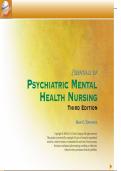
E SSENTIALS OF
PSYCHIATRIC MENTAL
HEALTH NURSING
Third Edition
MARY C. TOWNSEND
Copyright © 2005 by F.A. Davis Company. All rights reserved.
This product is protected by copyright. No part of it may be reproduced,
stored in a retrieval system, or transmitted in any form or by any means,
electronic, mechanical, photocopying, recording, or otherwise,
without written permission from the publisher.
, HELP
Welcome to the Essentials of Psychiatric Mental Health Nursing Student CD-ROM.
Learning about psychiatric nursing and working with clients in the hospital or community environment can be both challenging and
T rewarding. This free CD-ROM contains
O ● More than 200 NCLEX-style questions to help you ace the course and ultimately prepare for the NCLEX exam. These
questions can be found within the Brownstone test bank component of the CD-ROM.
W
The latest questions on the NCLEX licensure examination, known as Alternate NCLEX item formats
N ●
● Printable psychotropic drug monographs
S ● Client Teaching Guides that can be printed and used as handouts for clients and their families
E ● Hundreds of learning activities
N ● Care plans and critical pathways
D ● And a variety of handy clinical tools to help you in your course work
Jump in, or read through this introduction to orient yourself before you begin.
E How do I get started? Click the “Contents” box in the lower right-hand corner of the page and choose a chapter.
S How do I navigate around my screen? Use the cursor or “hand” icon to move around the screen.
S What does the “index finger” mean? When the hand icon changes to an “index finger,” you can get more information about the topic
by clicking your mouse once.
E Can I enlarge or reduce page? Yes. Go to the “magnifying glass” icon on the regular toolbar, and click and hold down the mouse until
N two magnifying glasses appear. The magnifying glass on the left (a plus [+] sign) enlarges the illustration, and the magnifying glass
on the right (a negative [–] sign) reduces it. Click over the sign you want, and while continuing to hold down your mouse, drag
T the sign to the illustration and click again. Each time you click the mouse, the illustration becomes larger (or smaller). To remove the
magnifying glass icon, go back to the upper toolbar and click the hand icon.
I How do I return to the list of elements in each chapter? Click the menu button in the lower left-hand corner of your screen. This but-
A ton will contain the title of the current section you are in.
L How do I go back to the Table of Contents? Click the “Contents” box in the lower left-hand corner of your screen.
S Is there any way to tell where I am on the disk? Yes. You can access the “bookmarks,” which shows you graphically where you are
both in the chapter and on the page, by clicking on the </> icon in the bottom far left-hand corner of the toolbar. A partial screen will
appear on the left. Use your cursor to move around the screen. Developed at www.spearheadinc.com
, Contents
T
O
W
N Learning Activities
S
Psychotropic Drugs
E
N Drug Classifications
D Care Plans
E Critical Pathways
S Additional Clinical Tools
S
E Answers: Learning Activities
N Glossary
T
I
A
L
S
, Learning Activities
T
O
W
N
S Chapter 1 Chapter 10 Chapter 19
E Chapter 2 Chapter 11 Chapter 20
N Chapter 3 Chapter 12 Chapter 21
D Chapter 4 Chapter 13 Chapter 22
Chapter 5 Chapter 14 Chapter 23
E Chapter 6 Chapter 15 Chapter 24
S Chapter 7 Chapter 16 Chapter 25
S
Chapter 8 Chapter 17
E
Chapter 9 Chapter 18
N
T
I
A
L
S
PSYCHIATRIC MENTAL
HEALTH NURSING
Third Edition
MARY C. TOWNSEND
Copyright © 2005 by F.A. Davis Company. All rights reserved.
This product is protected by copyright. No part of it may be reproduced,
stored in a retrieval system, or transmitted in any form or by any means,
electronic, mechanical, photocopying, recording, or otherwise,
without written permission from the publisher.
, HELP
Welcome to the Essentials of Psychiatric Mental Health Nursing Student CD-ROM.
Learning about psychiatric nursing and working with clients in the hospital or community environment can be both challenging and
T rewarding. This free CD-ROM contains
O ● More than 200 NCLEX-style questions to help you ace the course and ultimately prepare for the NCLEX exam. These
questions can be found within the Brownstone test bank component of the CD-ROM.
W
The latest questions on the NCLEX licensure examination, known as Alternate NCLEX item formats
N ●
● Printable psychotropic drug monographs
S ● Client Teaching Guides that can be printed and used as handouts for clients and their families
E ● Hundreds of learning activities
N ● Care plans and critical pathways
D ● And a variety of handy clinical tools to help you in your course work
Jump in, or read through this introduction to orient yourself before you begin.
E How do I get started? Click the “Contents” box in the lower right-hand corner of the page and choose a chapter.
S How do I navigate around my screen? Use the cursor or “hand” icon to move around the screen.
S What does the “index finger” mean? When the hand icon changes to an “index finger,” you can get more information about the topic
by clicking your mouse once.
E Can I enlarge or reduce page? Yes. Go to the “magnifying glass” icon on the regular toolbar, and click and hold down the mouse until
N two magnifying glasses appear. The magnifying glass on the left (a plus [+] sign) enlarges the illustration, and the magnifying glass
on the right (a negative [–] sign) reduces it. Click over the sign you want, and while continuing to hold down your mouse, drag
T the sign to the illustration and click again. Each time you click the mouse, the illustration becomes larger (or smaller). To remove the
magnifying glass icon, go back to the upper toolbar and click the hand icon.
I How do I return to the list of elements in each chapter? Click the menu button in the lower left-hand corner of your screen. This but-
A ton will contain the title of the current section you are in.
L How do I go back to the Table of Contents? Click the “Contents” box in the lower left-hand corner of your screen.
S Is there any way to tell where I am on the disk? Yes. You can access the “bookmarks,” which shows you graphically where you are
both in the chapter and on the page, by clicking on the </> icon in the bottom far left-hand corner of the toolbar. A partial screen will
appear on the left. Use your cursor to move around the screen. Developed at www.spearheadinc.com
, Contents
T
O
W
N Learning Activities
S
Psychotropic Drugs
E
N Drug Classifications
D Care Plans
E Critical Pathways
S Additional Clinical Tools
S
E Answers: Learning Activities
N Glossary
T
I
A
L
S
, Learning Activities
T
O
W
N
S Chapter 1 Chapter 10 Chapter 19
E Chapter 2 Chapter 11 Chapter 20
N Chapter 3 Chapter 12 Chapter 21
D Chapter 4 Chapter 13 Chapter 22
Chapter 5 Chapter 14 Chapter 23
E Chapter 6 Chapter 15 Chapter 24
S Chapter 7 Chapter 16 Chapter 25
S
Chapter 8 Chapter 17
E
Chapter 9 Chapter 18
N
T
I
A
L
S