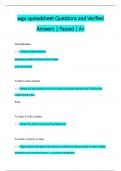
wgu spreadsheet Questions and Verified Answers | Passed | A+
Cell addresses : Cells are referenced by addresses made from their column letter and row number To Edit a Cell's Content : Select the cell andclick the Formula Bar,or double-click the cell. Edit the cell contentsand press Enter To Clear a Cell's Content : Select the cell(s) and press the Delete key To Insert a Column or Row : Right-click to the right of the column,or below the row you want to insert. Select Insertfrom the contextual menu, or click the Insertbutton 2 in the Cells group on the Home tab To Insert a Commen : Select the cell where you want to insert a comment and click the Reviewtabon the Ribbon. Click the New Comment buttonin the Comments group. Type a comment and click outside the comment box To Total a Cell Range : Click the cell where you want to insert the total and click the Sum button in the Editing group on the Home tab. Verify the selected cell range and click the Sum button again To Create an Absolute Cell Reference : Precede the cell references with a $ sign or press F4 after selecting cell(s) to make it absolute To Create a Chart : Select the cell range that contains the data you want to chart and click the Insert tab on the Ribbon. Click a chart type button in the Charts group and select the chart you want to use from the lis
Written for
- Institution
- Wgu spreadsheet
- Course
- Wgu spreadsheet
Document information
- Uploaded on
- June 2, 2024
- Number of pages
- 8
- Written in
- 2023/2024
- Type
- Exam (elaborations)
- Contains
- Questions & answers
Subjects
-
wgu spreadsheet questions and verified answers

Also available in package deal