

100% satisfaction guarantee Immediately available after payment Both online and in PDF No strings attached 4.2 TrustPilot
logo-home
Exam (elaborations)

AVID Media Composer 101 Questions and Answers Graded A+

Rating
-
Sold
-
Pages
14
Grade
A+
Uploaded on
16-03-2024
Written in
2023/2024

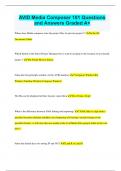
AVID Media Composer 101 Questions and Answers Graded A+ Where does Media composer store the project files for private projects?? In the OS Documents folder Which button in the Select Project Dialogue box is used to navigate to the location of an external project ? The Folder Browse button Name the four principle windows of the AVID interface "Composer Window,Bin Window,Timeline Window,Composer Window" The Bin can be displayed in three layouts: name them Text, Frame, Script What is the difference between AMA linking and importing? "AMA links to clips from a specified location (desktop, harddrive etc) Importing will rewrap / encode footage to the specified format - it will store this new media in the Avid Media Files project folder in the root drive." Name the default keys for setting IN and OUT E and R or I and O How can you save a bin? How can you save the entire project "CTRL + S for the Bin. Closing the project window saves the project - auto save is another option.... can you think of another?" What is the short cut key for Jumping to the first frame in the timeline? Home Key What modifier do you use to drag AMA footage into the bin from an external folder? (Importing) Alt-drag What are two ways to create a sequence? "Right click in the timeline > New SequenceClip > New Sequence... any more??" What type of edit does a Splice -In perform Inserts the new clip into the timeline at specified point - pushing other clips down the timeline. Which modifier key allow you to snap to edit points on the timeline? CTRL How can you add audio or video tracks to a sequence? "CTRL + Y CTRL + U.Right click add new Video or Audio track" Why are Audio waveforms useful

Show more Read less
Institution
AVID Media Composer 101
Course
AVID Media Composer 101


Whoops! We can’t load your doc right now. Try again or contact support.

Written for

Institution
AVID Media Composer 101
Course
AVID Media Composer 101

Document information

Uploaded on
March 16, 2024
Number of pages
14
Written in
2023/2024
Type
Exam (elaborations)
Contains
Questions & answers

Subjects

Get to know the seller

Seller avatar
Reputation scores are based on the amount of documents a seller has sold for a fee and the reviews they have received for those documents. There are three levels: Bronze, Silver and Gold. The better the reputation, the more your can rely on the quality of the sellers work.
StellarScores Western Governers University
View profile
Follow You need to be logged in order to follow users or courses
Sold
1904
Member since
2 year
Number of followers
864
Documents
21000
Last sold
2 days ago
Your Academic Hub: Documents, Study Guides, Summaries, Essays, and Exclusive Package Deals.

Welcome to my comprehensive academic resource store! At my online hub, I offer a vast array of meticulously crafted documents, study guides, summaries, and essays to support your educational journey. I understand the value of accuracy and completeness, which is why all my materials are verified and kept up-to-date with the latest versions. But that's not all! I also offer exclusive package deals and bundles to provide you with cost-effective solutions for your academic needs. Whether you're a student looking for study aids or seeking in-depth knowledge, my store is your one-stop destination for reliable, top-quality materials that can propel your learning experience to new heights. Explore my offerings and unlock the keys to academic success today!

Read more Read less
4.0

439 reviews

5
238
4
78
3
61
2
24
1
38

Recently viewed by you

Why students choose Stuvia

Created by fellow students, verified by reviews

Quality you can trust: written by students who passed their tests and reviewed by others who've used these notes.

Didn't get what you expected? Choose another document

No worries! You can instantly pick a different document that better fits what you're looking for.

Pay as you like, start learning right away

No subscription, no commitments. Pay the way you're used to via credit card and download your PDF document instantly.

Student with book image

“Bought, downloaded, and aced it. It really can be that simple.”

Alisha Student

Frequently asked questions


