CVENT Exam Questions And Answers Rated A+.202425 Version
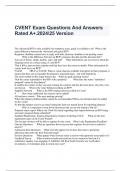
CVENT Exam Questions And Answers Rated A+.202425 Version The Advanced RFP is only available for enterprise users, quick is available to all What is the main difference between the Advanced and quick RFP? Response: deadline venues have to reply with bids, decision: deadline is for picking venue What is the difference between an RFP's response due date and the decision date? Any run of house, single, double, suite, and staff What information can you recieve about the sleeping rooms at a venue using a Cvent RFP? That it fills a spot on their calendar and that they have the rooms available What information do venues look for in an RFP? FALSE TRUE or FALSE: When a venue chooses available 2nd option in their proposal, it means that they can accomodate the planner's requested dates....but with limitations The most needed on the single busiest day What are peak meeting rooms? That the venue responded to the RFP with a proposal What does the status "submitted proposal" mean for the planner? It notifies the winner so they can start writing the contract and lets the loser know why they were not chosen What is the value behind awarding an RFP? Supplier Network What is the RFP response process called in Cvent? 4 How many additional fees (taxes) can be added? All-inclusive resorts Who uses package pricing? When the planner preferred dates cannot be accommodated When can alternate dates be added by the venue? So that the planner receives an email stating the lead was turned down for reporting purposes Why is it important to turn down businesses that you do not intend to bid on? Proposal status report Where can I look for trends regarding time-lapsed between an RFP being sent and a proposal being submitted? Standard Registration, Express Registration, Express Ticketing, FLEX What are the four registration types in the Event Wizard? The last day invitees will be able to register for the event. What is the Registration Deadline? General Questions What are questions that everyone that registers for an event is asked to answer? Admission Item Questions What will only appear for invitees that select a particular admission item after the Item Selection page? Session Questions What appear when invitees select a session with questions associated to it? Feedback Survey What would you build and send out if you wanted to find out if a conference speaker was engaging, if exhibitors felt their booth location was worth their investment, or if attendees plan to return next year? Cvent Supplier Network (CSN) What is the name of the online database of more than 234,000 supplier listings, where planners can create RFPs, source venues, award bids, and communicate with suppliers? Shoulder Dates What are dates directly before or after the official event dates where sleeping rooms or meeting space may be available to book at the negotiated rate? Contact This is a record in your Address Book that represents an individual. This may include personal information, memberships, and activity tracking. Data Tag This allows you to quickly personalize mass communications. They look like letters and symbols in brackets, but when opened, the content will dynamically change. Event Status What will dictate what actions you can take on your event. Group Registration This feature lets you register more than one person at a time with a single transaction. Hotel Request Feature that adds a form to registration intended to collect your invitee's hotel preferences. Once collected, you are responsible for ensuring the rooms are booked. Optional and Included What are the two types of sessions in Cvent? Invitee Someone who has been added to your event but hasn't yet registered or declined. Open Rate The percentage of contacts who opened an email. Run the Email Rates by Email report How do you find an email open rate in Cvent? Optional Item Examples of this include raffle tickets, t-shirts, and memberships and they may be added or purchased during registration. Quantity Items, Membership Items, Group Items & Donation Items What are the (4) categories of Optional Items? Parked Report When you post a report online and send a generated link to anyone who needs to see it, even those without a Cvent login. Each time the report is accessed, it refreshes to show the latest data. Registrant This is the name of an invitee who has successfully registered for your event. Registration Approval This is a restriction you can place on registration so that it is not finalized without your say-so. Registration Path A single event can have multiple of these - customized for different groups of people. For example, your Members could have different fees and sessions available to them than your Exhibitors. Registration Type These categories determine what different groups of people see during registration - what they can select, and how much those items cost. Session Group This is a way to organize multiple optional sessions. They can be used to prevent scheduling conflicts, limit an invitee's selection, or simply shorten the registration process. Testing Scenarios These are different aspects of your event, like checking the invitation that exhibitors receive, viewing your website through the eyes of a speaker, or experiencing registration as someone not in your Address Book. Tracks These are bundled sessions designed to streamline registration - invitees can select with one click instead of reading an agenda to find what matters to them. User This is anyone with Cvent log in credentials. Weblinks These are URLs for each page of your event website. Admin What area of your Cvent account do you control the overall settings and store resources you can use in all of your events?
Written for
- Institution
- CVENT
- Course
- CVENT
Document information
- Uploaded on
- March 13, 2024
- Number of pages
- 3
- Written in
- 2023/2024
- Type
- Exam (elaborations)
- Contains
- Questions & answers
Subjects
-
cvent exam questions and answers rated a202425

Also available in package deal